I am learning flutter from JustAcademy, They provide very much great environment where people gather and work simultaneously. totally project based training institute.
MOHD ABU BAKAR ANSARI
Flutter Developer
Awesome Experience. I am a Front-end Web Designer working at Star India for 3 years now. I applied for Full-stack development and my experience has been phenomenal & they really do help with placements exceptionally. Thank you Roshan sir so much.
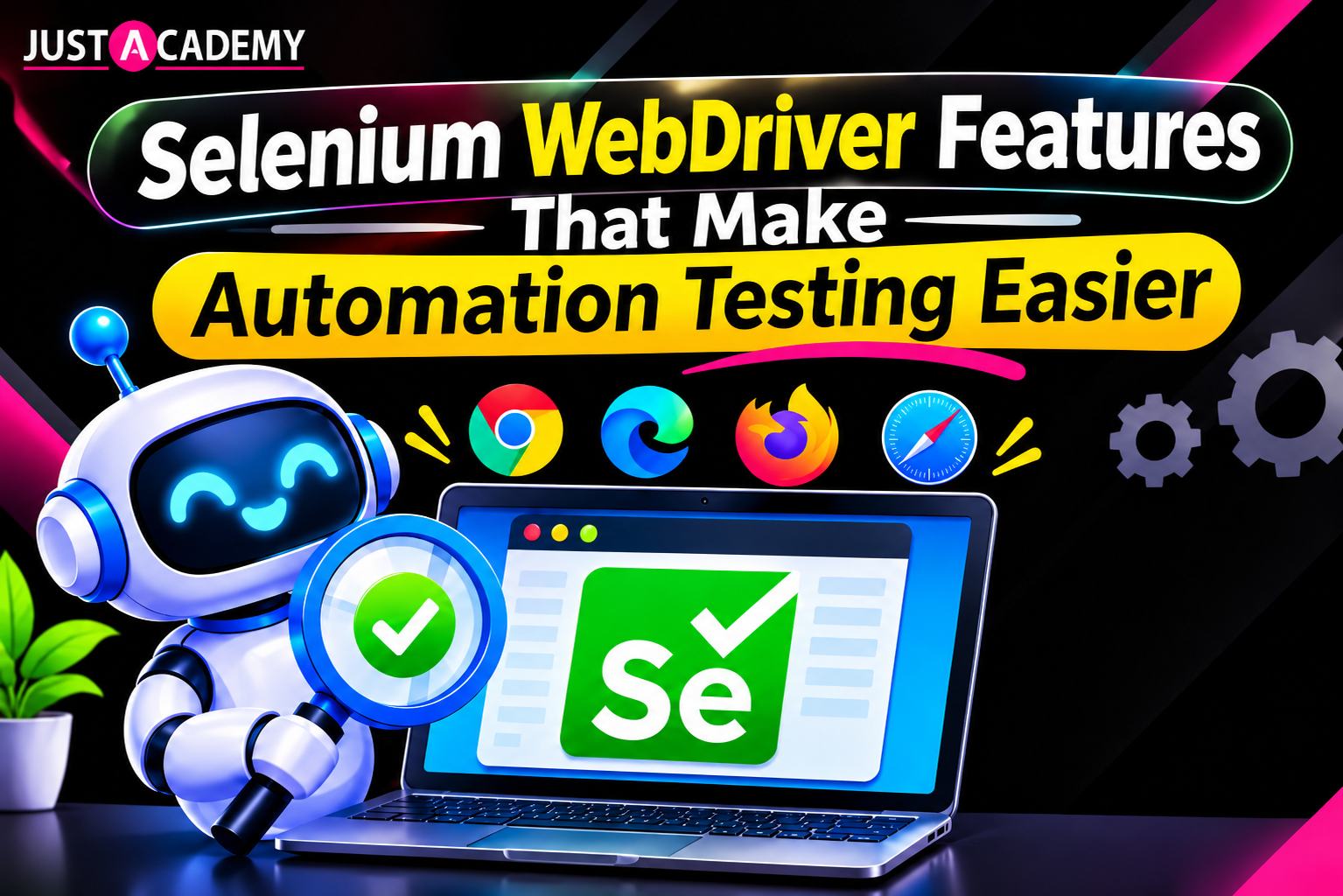
A practical, mentor friendly walkthrough for Hyderabad testers who want to move from repeating manual checks to building automation they can be proud of
Ask five testers in Hyderabad how their week went and at least three will mention the same thing. A release went out on Thursday, a button moved two pixels on Friday, and somebody spent Monday morning clicking through the same forty screens all over again. That repetition is exactly why automation testing has travelled from a nice extra on a resume to a baseline expectation for anyone serious about a QA career. And when people talk about automation, whether in a stand up at Gachibowli or a coaching chat in Kukatpally, one name keeps coming up: Selenium WebDriver.
This guide walks through the Selenium WebDriver features that genuinely make a tester's life easier, in plain language and with the kind of context you only get from watching beginners struggle and then succeed. If you would rather learn it with a mentor beside you than alone with a video, you can explore the Selenium training in Hyderabad that JustAcademy delivers through live interactive, instructor led sessions, or simply book a free demo and see how a class feels before you decide anything.
A quick note on how this fits Hyderabad readers. JustAcademy is an ISO certified technology training institute with its offline campuses in Mumbai and Pune, and many learners call it the best course in Mumbai for classroom study. Learners in Hyderabad do not need to travel at all, because the same curriculum runs as live interactive training online, with an instructor teaching in real time and a mentor reviewing your work after class. Everything in this article is written around that idea: learning automation properly means learning it live, with someone who can look at your screen and tell you why your test failed.
The Hyderabad Testing Scene and Why Automation Became Unavoidable
From Manual Checklists to Automated Website Testing
Hyderabad's technology scene has always been a blend of large service companies, product teams, startups and global capability centres, and almost all of them ship software on a calendar that leaves very little room for slow testing. A decade ago a release meant a QA team with a spreadsheet of test cases and a few days of patient clicking. Today the same release might happen every week, sometimes every day, and the spreadsheet simply cannot keep up. Automated website testing exists to close that gap. Instead of a human repeating the login, search, add to cart and checkout journey on every build, a script does it in minutes, with the same precision every single time. The human is freed to do the interesting work, which is exploring odd behaviour, judging usability and thinking about what could go wrong that nobody has written down yet. Selenium WebDriver became the default choice for this kind of web app testing because it is free, it works with the browsers people actually use, and it lets you write tests in languages you may already know.
What QA Automation Roles Look Like Across Hyderabad Product Companies
Job descriptions for quality assurance automation in Hyderabad look different depending on where you apply, and it helps to know the patterns. Service companies often want a tester who can maintain an existing selenium framework, extend regression suites and report results clearly. Product companies tend to expect more engineering, so you might be reading pull requests, wiring tests into a pipeline and talking to developers about testability. Startups usually want someone who can do a bit of everything, from writing a quick browser automation script to poking at an API with a tool. Across all of them, the phrase selenium automation testing appears so often in listings that recruiters treat it almost like a checkbox. What separates candidates is not whether they have heard of Selenium but whether they can explain how they designed a suite, how they handled flaky tests and how they kept maintenance under control. That is the gap this guide tries to help you fill, feature by feature, instead of handing you a list of commands to memorise.
Where Manual Testing Still Earns Its Place
Nobody serious will tell you that manual testing is dead. A brand new feature that nobody has seen before needs a curious human, not a script, because automation can only check what somebody already thought to check. Exploratory sessions, usability judgement and early stage product testing all remain firmly human territory. What automation changes is the ratio. When repetitive regression work moves into scripts, the same team can spend more hours on thoughtful manual testing, not fewer. If you are still deciding whether your strengths lie in building software or in breaking it thoughtfully, the developer versus tester career comparison is a useful read before you commit to a direction. Many strong automation engineers began as manual testers who simply got tired of repeating themselves, and that background is a real advantage, because they already know where software tends to break in the wild.
Meeting Selenium WebDriver Without the Jargon
How the WebDriver Protocol Actually Talks to a Browser
Here is the short answer people usually type into a search engine or ask an AI assistant. Selenium WebDriver is an open source library that lets your code control a real web browser, clicking, typing, navigating and reading what appears on the page, so you can automate checks that a human would otherwise do by hand. Under the hood your script never touches the browser directly. It sends commands to a small driver program, such as ChromeDriver or GeckoDriver, using the W3C WebDriver standard, and that driver tells the browser what to do and sends the result back. Because it is a standard, the same ideas work in Chrome, Firefox, Edge and Safari, and recent versions of Selenium even manage the drivers for you, which removed one of the most annoying setup problems beginners used to face. Understanding this simple chain, script to driver to browser, makes debugging far less mysterious whenever something refuses to launch. It is also the reason Selenium feels so close to how a real person uses a website.
Selenium WebDriver Features That Beginners Notice First
When people ask about selenium webdriver features, they usually mean the handful of capabilities that make the first week feel productive. Cross browser support is the headline, because one test can run against several browsers with a small configuration change. Bindings for multiple languages come next, so you are not forced to learn a new language just to start automating. A rich set of locators lets you find elements by id, name, CSS selector or XPath. Built in support for waits, frames, windows, alerts, file uploads and keyboard or mouse actions handles the messy parts of real pages. Screenshots help you capture evidence when a check fails, and headless mode lets tests run quietly on a server without opening a visible window. None of these features is flashy on its own. Together they cover most of what an automated ui test needs, which is why the tool has stayed relevant even as newer rivals arrived with their own strengths.
The Selenium Tool Family: IDE, Grid and WebDriver Compared
Selenium is really a family rather than a single product, and beginners often mix the members up. A short comparison clears most of the confusion.
Component
What it does
Best used for
Selenium IDE
Browser extension that records and replays actions
Quick prototypes, learning how steps translate into commands
Selenium WebDriver
Code based control of real browsers through language bindings
Maintainable suites, frameworks and pipeline execution
Selenium Grid
Runs tests in parallel across machines and browsers
Speeding up large regression runs and cross browser coverage
Plenty of learners search for a selenium ide download on day one because recording a test feels wonderfully easy, and there is nothing wrong with that. Treat it as a sketchpad. The moment your tests need conditions, loops, reusable pieces or data, you will move to WebDriver code, and that is where the career value sits. Think of the selenium tool family as a ladder, with the recorder at the bottom rung and a parallel grid at the top.
Locators, Waits and Other Daily Habits of a Good Automation Tester
Choosing Locators That Survive a Redesign
If there is one skill that quietly decides whether your suite lives for a week or a year, it is how you find elements on a page. Beginners reach for long XPath expressions copied from the browser, and those break the moment a developer adds a wrapper div. A steadier habit is to prefer stable ids, dedicated test attributes and short CSS selectors, and to keep XPath for the cases where nothing else works. Selenium gives you every option, so the feature itself is generous. The discipline is yours. Sit with a developer for ten minutes and ask them to add predictable attributes to key buttons and fields, and your ui automation instantly becomes calmer. In a live mentor led session this is where a trainer earns their keep, because they will open your failing test, point at one fragile locator and show you three better ways to write it. That kind of feedback is very hard to get from a recorded tutorial.
Selenium WebDriver Features for Handling Waits and Timing
Modern web pages load in pieces, and a script that clicks too early will fail for reasons that have nothing to do with your application. Selenium WebDriver features around timing exist to solve exactly this. Implicit waits set a general patience level for finding elements. Explicit waits let you say, in effect, wait up to ten seconds until this button becomes clickable, which is far more precise. Fluent waits add polling intervals and the ability to ignore certain exceptions along the way. New testers love to sprinkle fixed sleeps everywhere because it seems to work, and then they wonder why a suite takes an hour and still fails on Fridays. A good rule is to wait for a condition, never for a clock. When you learn this properly your tests become both faster and more trustworthy, and you will stop blaming the tool for problems that were really timing mistakes.
Dealing With Frames, Windows, Alerts and Dropdowns
Real applications are full of awkward corners. A payment form might live inside an iframe, a terms link might open a new tab, a confirmation might arrive as a browser alert, and a dropdown might be a custom component that is not a standard select at all. Selenium has dedicated ways to switch context between frames, move between window handles, accept or dismiss alerts and work with select elements, and learning these early saves enormous frustration later. Practise them on purpose rather than waiting to meet them in a project. Build a small sandbox with a frame, a pop up and a tricky menu, then automate each one until it feels boring. Boredom here is a good sign, because it means you have moved from fighting the browser to directing it. Testers who can handle these corners calmly are the ones teams trust with the complicated user journeys.
Language Choices: Selenium With Java, Python and JavaScript
Selenium With Java for Enterprise Teams
Selenium with Java remains the most common pairing in large enterprise teams, and for good reasons. Java is strongly typed, which catches many mistakes before a test even runs. It has a mature ecosystem of testing libraries, build tools and reporting options, and a huge number of existing frameworks are already written in it, so joining a team usually means reading Java rather than starting fresh. If your goal is a role inside a big service company or a bank related project in Hyderabad, this path gives you plenty of openings. The learning curve is steeper than some alternatives, since you need to understand classes, interfaces and collections before your tests feel elegant. That is not a reason to avoid it. It is a reason to learn it in a structured way, where each concept is introduced just when your automation code needs it, with someone available to explain the parts that do not click straight away.
Python Selenium for Fast Starts
Python selenium is the friendliest way in for many beginners, especially those coming from a manual testing background without much coding. The syntax reads almost like English, so you spend your energy understanding automation ideas instead of fighting punctuation. Python automation testing also pairs nicely with libraries for reading data files, calling APIs and writing reports, which means one language can carry you from a simple browser script to a fairly complete framework. If you want a gentle but serious foundation, the Python training in Hyderabad programme is a sensible companion, because the language skills you build there transfer directly into your test code. Plenty of teams in Hyderabad, particularly data and startup focused ones, prefer Python for their testing, so it is far from a second class choice. It is simply a faster way to reach your first working suite.
JavaScript and the Wider Browser Automation Scene
JavaScript has become hard to ignore in testing. Modern front end teams already write it all day, so asking them to write their own tests in the same language feels natural, and that is a large part of why cypress automation and playwright testing grew so quickly. Selenium supports JavaScript too, and knowing the language gives you flexibility to move between tools as projects demand. If you want to understand how browsers, the DOM and asynchronous behaviour really work, which makes every kind of web automation software easier to debug, a solid grounding such as the JavaScript training in Hyderabad can pay off well beyond Selenium. The wider lesson is that tools change, but the thinking stays. A tester who understands locators, waits and test design can pick up the cypress framework or Playwright in a few weeks, because the concepts are shared across all of them.
Building a Test Automation Framework That Does Not Collapse in Month Three
Page Object Model and Why It Pays Off
Every team that starts with a pile of scripts eventually hits the same wall. A login button changes, and suddenly forty tests need editing. The Page Object Model is the standard answer. You create one class per page or component, put the locators and actions for that page inside it, and let the tests call those actions in readable sentences such as log in as a valid user. When the page changes you edit one file, not forty. It is a simple idea with a big effect on a test automation framework, and it is usually the first thing interviewers ask about. If you want a complete walkthrough of how the pieces fit together, from folders to utilities to reports, the Selenium automation testing framework guide for beginners goes through it patiently. Building one yourself, with a mentor reviewing your structure, teaches more in a weekend than reading about it for a month.
Selenium WebDriver Features That Support Data Driven Testing
Writing the same test twenty times with different inputs is a waste of everybody's afternoon. Data driven testing separates the test steps from the test data, so a single script can run against many sets of values read from Excel, CSV, JSON or a database. Selenium WebDriver does not ship a data engine of its own, but it plays beautifully with the tools around it. Test runners offer data providers, Python offers parameterised tests, and the language you choose gives you easy file reading. The payoff is huge for scenarios like form validation, where you might want to check valid and invalid emails, missing fields, long names and special characters in one tidy run. It also helps non technical colleagues, since a product owner can add a new row of data without touching code. When you present a framework that handles data cleanly, interviewers immediately see that you think about maintenance and not only about getting a green tick.
Reporting, Logging and CI Pipelines
A test that nobody can read after it fails is only half useful. Good frameworks include clear reports, screenshots on failure and logs that explain what happened in the steps before the error. Once those exist, the next step is running them automatically. Connecting your suite to a pipeline, so that automated regression testing triggers on every code change or every night, is where automation begins paying real dividends, because bugs are caught while the developer still remembers the change. Selenium fits comfortably into the common pipeline tools, and headless mode with parallel execution keeps runtimes sensible. Plan for flaky tests from the beginning too. Tag them, track them and fix their causes instead of simply rerunning until they pass. Teams that treat flakiness seriously keep their confidence in the suite, and teams that ignore it eventually stop looking at the results altogether, which defeats the whole point of automating.
Beyond the Browser: API, Mobile and Cross Tool Thinking
API Automation and How to Test an API Alongside the UI
The visible screen is only the tip of any application. Behind every button sits an API, and testing there is quicker, steadier and easier to pinpoint when something breaks. That is why api automation has become a standard companion skill for anyone in qa automation. Learning how to test an API means understanding requests, responses, status codes, headers, authentication and JSON bodies, and then writing checks that verify each of them. Selenium itself does not test APIs, but a good api testing framework sits comfortably in the same project, sharing configuration, data and reporting with your browser tests. A smart pattern is to use api automation testing to prepare data quickly, for example creating a user through a call, and then use Selenium only for the journey that truly needs a browser. Your suite becomes faster and your failures easier to understand. Free reading sites such as toolsqa are handy for syntax, while live practice with a mentor turns that syntax into judgement.
Appium Testing for Android and iOS Apps
Plenty of Hyderabad companies build mobile products, and their testers face a different challenge: apps, gestures, device sizes and operating system versions. Appium extends the WebDriver idea to mobile, so the thinking you learn with Selenium transfers almost directly. With appium testing you can drive native, hybrid and mobile web apps on real devices or emulators, tapping, swiping and entering text through the same style of commands. This makes mobile automation testing approachable for anyone who has already learned the browser side, and it is a common next step for people who enjoy the work and want a wider skill set. Appium mobile testing also covers android app testing and iOS flows with one broad approach, though setup demands patience. Expect to spend time on device configuration, capabilities and waiting strategies. A guided environment helps enormously here, because a single misconfigured path can eat an entire evening when you are learning alone.
Where Cypress, Playwright and Selenium Fit Together
One of the questions beginners ask most is which tool they should learn. A fair comparison helps you decide without feeling tribal about it.
Tool
Main strength
Typical trade off
Good fit when
Selenium WebDriver
Broad browser and language support, huge community
More setup and framework design is on you
You want wide job relevance and flexible, large suites
Cypress
Fast feedback and a friendly developer experience
Narrower browser and language scope
Your team is JavaScript heavy and focuses on front end checks
Playwright
Modern features, auto waiting, multiple browsers
Younger ecosystem in some enterprises
You are starting a fresh project with modern tooling
Appium
Mobile app automation using WebDriver ideas
Device setup can be slow and fiddly
Your product includes Android or iOS apps
The honest takeaway is that Selenium still appears in the largest number of job descriptions, while the others are growing steadily. Start with Selenium, learn why it works the way it does, and you will find every other tool easier. If you want a printed outline of what a structured path looks like, you can download the JustAcademy brochure and compare it with what you are learning on your own right now.
Enterprise Realities: SAP, Salesforce and Commercial Tools
Salesforce Test Automation and SAP Test Automation Challenges
Hyderabad is home to a large number of teams that work on enterprise platforms, and their testing needs are a little different from a simple website. Salesforce test automation is tricky because the interface is dynamic, uses nested components and generates changing identifiers, so careful locator strategy and generous waiting logic matter even more. SAP test automation brings its own complexity, with heavy screens, specialised controls and long business processes that cross several modules. Selenium can handle web based parts of both, though teams sometimes combine it with specialised tooling for deeper coverage. For a newcomer, the lesson is not to panic when a job listing mentions these names. The fundamentals you learn with Selenium, stable locators, solid waits and clean design, are exactly the foundation these environments demand. You add platform knowledge on top, usually on the job, once you have shown you can build reliable automation.
Katalon Studio, TestComplete and Tosca in Context
Beyond open source tools sits a layer of commercial platforms. Katalon Studio offers a friendlier interface with built in features on top of Selenium. Test complete software provides a broad commercial suite covering desktop, web and mobile. Tosca test automation takes a model based approach that is popular in very large organisations. Which one a company uses usually depends on budget, existing contracts and the skills already in the team. Should you worry about learning all of them? Not at the start. Recruiters generally value a strong grasp of one open source stack and a willingness to learn the rest. People who understand Selenium deeply tend to pick up these platforms quickly, because they recognise familiar ideas such as objects, waits and data under different names. Mentioning that you have explored them, and can explain the differences, shows maturity without pretending to be an expert in everything.
Automation Testing Services and Companies in Hyderabad
A big share of automation work in Hyderabad happens inside automation testing companies and the testing practices of larger firms that deliver software test automation services to clients around the world. If you join one, expect to work across several projects, adapt to different tools and communicate clearly with distributed teams. Automation testing services often involve building a framework for a client, maintaining it, and training the client's own staff to use it. That exposure is excellent for growth, because you see many approaches in a short time. Product companies, on the other hand, let you go deeper into a single application and own its quality over years. Neither route is better in every case. Think about whether you enjoy variety or depth, and choose accordingly. Whichever you pick, the habits stay the same: write maintainable tests, document your decisions and never stop asking why a test failed.
Careers, Growth and Interview Rooms in Hyderabad
How the Selenium Learning Path Maps to Real Jobs
A common worry is not knowing what to learn first, second and third. Broadly, the order looks like this. Start with testing fundamentals and one programming language. Move to Selenium WebDriver basics, then locators, waits and the awkward corners of web pages. Add a framework with the Page Object Model, data handling and reporting, and then bring in API checks and a pipeline. Mobile and commercial tools come later as your role requires them. If you would like a year specific view of how these stages line up with what employers are asking for, the Selenium automation testing roadmap for 2026 lays out the skills in a sensible sequence. The point of a roadmap is not to rush. It is to stop you from jumping between random videos and wondering, three months in, why nothing connects.
Interview Questions You Should Be Ready For
Interviewers in Hyderabad tend to start gently and then dig into whatever you mention. Expect questions such as how you handle dynamic elements, what the difference is between implicit and explicit waits, how a Page Object Model is structured, how you deal with flaky tests and how you would test an API alongside the UI. They will also ask about your own projects, so be ready to explain choices you made, mistakes you fixed and what you would improve next time. Memorised definitions rarely survive follow up questions, whereas lived experience does. To practise with realistic prompts, work through the Selenium WebDriver interview questions for automation testers and answer each one aloud before reading the explanation. Mock interviews with a mentor are even better, because a human will notice the hesitation in your voice and help you smooth it out before the real conversation.
Building a Portfolio That Shows Your Thinking
Recruiters see many resumes that list Selenium, and very few that prove it. A small public project changes that. Pick a practice website, automate a handful of meaningful journeys, structure the code with the Page Object Model, add data driven checks, include a readable report and write a short readme explaining your decisions. Add a few API checks if you can. Keep the commit history honest, so a reviewer can see you improve over time. During interviews, walk through the project as a story, beginning with the problem, then the design, then the trouble you hit and how you solved it. That story shows more of your ability than any certificate. It also gives you confidence, because you are talking about something you built, not something you memorised. Mentor reviews help you polish the project until it feels like something you would be proud to show a hiring manager.
A Realistic First Month for Hyderabad Learners
Weeks One and Two: Fundamentals and Your First Working Script
The opening fortnight should feel small and satisfying. Spend the first few days refreshing testing basics, such as test cases, bug life cycles and the difference between functional and regression checks, then pick up the essentials of your chosen language. Install your tools, write a script that opens a browser, visits a page, types into a field and prints the title, and celebrate when it works. That tiny win matters more than it sounds, because it proves the whole chain from code to driver to browser is healthy on your machine. By the end of week two you should be locating elements with confidence, using explicit waits and capturing a screenshot on failure. In a live class, this stage is full of questions, and that is precisely the point. Ask everything. The doubts you voice early are the ones that never turn into bad habits later.
Weeks Three and Four: Structure, Data and a Mini Project
Once the basics feel natural, shift your attention from single scripts to something that resembles real work. Choose a practice site for web app testing, plan five or six important journeys and automate them using the Page Object Model. Bring in a test runner, add data driven checks for at least one form and generate a simple report. If you have energy left, add two or three API checks so you get a first taste of how to test an API next to the interface. You will make mistakes, and that is wonderful, because every mistake is a lesson you now own. At the end of week four, record a short walkthrough of your project, explaining what you built and why. Teaching it back, even to an empty room, reveals gaps faster than any quiz.
Staying Consistent While Working or Studying
Many Hyderabad learners are balancing a job, a degree or both, so the plan has to fit real life. An hour a day beats a six hour burst on Sunday, because skills settle through repetition and sleep. Keep a short log of what you learned and what confused you, and bring those questions to your next live session. Schedule practice at the same time every day, treat it like a meeting you cannot skip and protect it from distractions. Evening batches and weekend classes exist precisely so that working people can learn without quitting anything. Be kind to yourself on slow days, and remember that automation is a cumulative skill. Each small improvement, a cleaner locator, a smarter wait, a neater report, adds up, and a few months later you will look back at your first script with a smile.
Mistakes That Slow Down Every New Automation Tester
Automating Everything Instead of the Right Things
The first burst of enthusiasm usually pushes new testers to automate every scenario they can think of. It feels productive for about a fortnight, and then the maintenance bill arrives. Not every check deserves a script. The best candidates are tests that run often, follow stable steps, protect critical journeys such as login, payments or search, and are tedious for a human to repeat. Rare edge cases, constantly changing screens and one off explorations are usually better left to manual testing. A useful question to ask before writing any script is how many times it will run in the next six months and how much pain a failure would cause. If the answers are small, think twice. Teams that choose their automation carefully end up with smaller suites that people actually trust, and trusted suites get used, which is the entire reason for building them. Quantity of tests is a vanity number. Confidence in the release is the real measure.
Ignoring Readability and Naming
Six months from now you will not remember why a test is called test1 or why a variable is named x. Neither will your teammate who inherits the project. Clear names, short methods, small comments where a decision is not obvious and a consistent folder structure are the cheapest improvements you can make to any selenium testing project. Write test names that read like sentences describing behaviour, for example a registered user can reset a password. When a test fails, that name alone should tell a colleague what broke. Treat your automation code with the same respect as application code, because it is code, and it will be read far more often than it is written. Reviewers in interviews notice this quickly. A repository that is tidy and easy to follow signals a professional habit, and it makes you stand out even when your technical skills are similar to other candidates.
Learning Tools Without Learning Testing
It is surprisingly easy to become fluent in commands while remaining weak in testing thinking. You can know every method in web browser automation libraries and still write tests that miss the bugs users actually find. Test design, meaning how you choose inputs, think about boundaries, consider negative paths and decide what to verify, matters more than any single tool. Study basic ideas such as equivalence classes, boundary values and risk based prioritisation, and apply them to everything you automate. Read bug reports from real products and ask whether your suite would have caught them. The same mindset will carry you across Selenium, Cypress, Playwright and whatever tool arrives next year. It is also what turns a good automated ui test into a great one, since the best tests do not just click through a flow, they check the things that would genuinely hurt the business if they went wrong. A mentor who has seen real defects can pass that instinct on far faster than any manual.
Why Structured Training Beats Random Tutorials
Live Interactive Sessions That Replace Lonely Tutorials
Self study has its place, and many good testers started that way. The trouble is that tutorials cannot see your screen. When your script fails with an error you have never met, a video simply keeps playing. Live interactive sessions change this completely. An instructor explains a concept, you try it straight away, you ask a question when it breaks and you get an answer in the moment. That loop of explain, attempt, correct and repeat is how skills actually settle in. JustAcademy builds its live interactive training around that loop, so every session ends with something you wrote yourself rather than something you only watched. For Hyderabad learners this happens online, and for anyone who prefers a classroom, the Mumbai campus offers the same curriculum in person.
Instructor Led Teaching and Mentor Led Practice
An instructor led class gives the course its structure. Topics arrive in a logical order, examples build on each other and nothing important gets skipped. Mentor led practice gives it personality. A mentor reviews your code, points out habits that will hurt you later and helps you through the days when nothing seems to work. The combination matters because teaching and mentoring solve different problems. One delivers knowledge, the other builds judgement. When both are present, learners move from copying code to designing tests, which is the leap employers actually care about. It is also reassuring to know somebody is watching your progress, since consistency is the thing most self learners struggle with. Having a person to answer to, even gently, keeps the weeks moving.
Projects, Placement Support and Where the Journey Leads
Training only matters if it leads somewhere. A structured programme gives you projects that mirror real work, interview preparation that follows what employers ask and placement support that helps you present yourself well and reach the right openings. As an ISO certified institute trusted by learners across India, JustAcademy pairs classroom training in Mumbai with global online delivery, so your location never limits your access. Whether you are a fresher, a manual tester ready to level up or a developer curious about quality, the aim is the same: leave with skills you can demonstrate and the confidence to talk about them. Seeing is better than reading, so a free demo class is a good low pressure way to judge whether the teaching style suits you before you commit your time or money.
Conclusion
Selenium WebDriver is popular because it makes the hardest parts of automation approachable: controlling real browsers, finding elements reliably, waiting sensibly, structuring tests, reading data and plugging into pipelines. Learn those features one at a time, practise them on purpose, and you will be surprised how quickly automation testing starts feeling like a craft instead of a chore. Add API checks, a taste of mobile with Appium and an awareness of tools like Cypress, Playwright and the commercial platforms, and you become the kind of QA professional Hyderabad teams are happy to hire.
If you remember only three things from this guide, let them be these. First, reliable locators and smart waits solve most of the problems beginners blame on Selenium itself. Second, a tidy framework with the Page Object Model and data handling keeps your suite alive long after the excitement of the first week has faded. Third, automation is a team sport, so find people who will read your code, challenge your choices and cheer when your pipeline finally turns green. Hyderabad has no shortage of opportunities for testers who combine solid selenium webdriver skills with curiosity about APIs, mobile and the wider tool landscape. What it rewards is proof, not promises, and proof comes from building, breaking and rebuilding with guidance until the craft feels like your own. Start small, stay consistent and keep asking why, and the rest of the journey tends to follow naturally.
Most of all, do not learn alone if you can avoid it. A live instructor, a patient mentor and a set of real projects can shorten your journey by months. When you are ready, take the next step: register for a free demo session to experience a live interactive class, and download the brochure to see the full curriculum, projects and placement support in one place.
Meeting Selenium WebDriver Without the Jargon
Building a Test Automation Framework That Does Not Collapse in Month Three
Beyond the Browser: API, Mobile and Cross Tool Thinking
A practical, mentor friendly walkthrough for Hyderabad testers who want to move from repeating manual checks to building automation they can be proud of
A practical guide for Hyderabad developers who want to build safer Laravel applications through live interactive, instructor led and mentor led learning
A practical walk through React, Express, Node and MongoDB for Hyderabad learners, explained through live interactive, instructor led and mentor led training.
A practical look at instructor led and mentor led live interactive sessions, and how learners in Hyderabad can get classroom quality teaching without leaving the city