Figma UI UX Design Course Live Instructor-Led Training amp Placement SupportJustAcademy offers practical Figma UI UX Design Training for students freshers graphic designers web designers developers and professionals who want to build skills in UI UX and digital product design The training is designed around live instructor-led sessions practical design
Figma UI UX Design Course | Live Instructor-Led Training & Placement Support
JustAcademy offers practical Figma UI UX Design Training for students, freshers, graphic designers, web designers, developers and professionals who want to build skills in UI/UX and digital product design. The training is designed around live instructor-led sessions, practical design exercises and real-world projects so learners can understand how Figma is used to design modern websites, mobile applications and digital products.
Our Figma Course combines hands-on design practice, real-world projects, trainer guidance and career-oriented support. Learners can practise designing interfaces during live sessions, create website and mobile application screens, develop interactive prototypes and build portfolio projects that demonstrate their UI/UX design skills.
Enquire today about the upcoming Figma UI UX Design Training batch and start building practical UI/UX design skills.
What is Figma?
Figma is a cloud-based UI/UX design and prototyping tool used to create website designs, mobile application interfaces, wireframes, prototypes and digital product experiences. It also supports real-time collaboration, allowing designers, developers and other team members to work together on design projects.
Figma provides tools for creating layouts, components, design systems, prototypes and responsive interface designs. It is widely used by UI/UX designers, product designers, startups, agencies and technology companies.
Learning Figma can help aspiring designers understand the complete interface design workflow — from initial wireframes and user flows to high-fidelity designs, interactive prototypes and developer handoff.
Why Learn Figma UI/UX Design?
Design Modern Websites and Mobile Applications
Figma allows designers to create professional interfaces for websites, mobile applications and digital products. Learners can practise designing screens and layouts for different devices and use cases.
Learn UI/UX Design Workflows
A Figma UI UX Design Course can help learners understand how design thinking, user experience principles, wireframing, visual design and prototyping work together during product development.
Create Interactive Prototypes
Figma provides prototyping features that allow designers to connect screens and create interactive user flows before development begins.
Build Design Systems and Components
Learners can understand components, reusable elements, styles and design systems that help maintain consistency across larger digital products.
Collaborate With Developers and Teams
Figma supports collaboration between designers, developers, product teams and stakeholders. Learners can understand how designs are shared, reviewed and prepared for development.
Build a Professional Design Portfolio
Practical Figma projects can help learners create portfolio-ready website and mobile application designs that can be presented during interviews, freelance discussions and client meetings.
Tools and Technologies Used in UI/UX Design
UI/UX design involves multiple tools and concepts used for research, interface design, prototyping, collaboration and developer handoff.
Tool / Technology
How It Is Used
Figma
UI design, wireframing and prototyping
FigJam
Brainstorming, user flows and collaborative planning
Figma Components
Reusable interface elements and design systems
Auto Layout
Responsive and flexible interface layouts
Figma Variables
Design systems, themes and dynamic design properties
Prototyping
Interactive screens and user flows
Design Systems
Consistent UI components and design standards
Typography
Text hierarchy and visual communication
Colour Theory
Colour selection and visual consistency
Wireframing
Planning website and application layouts
User Flow
Mapping user journeys and interactions
Responsive Design
Designing interfaces for different screen sizes
Developer Handoff
Sharing design specifications and assets with developers
Figma AI Features
AI-assisted design and workflow support
GitHub / Development Workflow
Understanding collaboration with development teams
Practical Figma UI/UX Design
Learning Figma becomes more effective when learners work on practical design assignments instead of focusing only on design theory.
The training provides hands-on exposure to UI design, wireframing, user flows, responsive layouts, typography, colour systems, components, prototyping and design systems.
The focus is on helping learners understand how different UI/UX design concepts work together to create usable and visually consistent digital products.
Figma Projects and Practical UI/UX Design
Projects are an important part of practical Figma UI UX Design Training. Learners can work on different website and mobile application design scenarios to understand how Figma can be used to solve real design requirements.
Project Type
What You Can Practise
Mobile Banking App
Dashboard, transactions, payments and user flows
Food Delivery App
Restaurant listings, menus, cart and checkout screens
E-Commerce Website
Product pages, categories, cart and checkout experience
Travel Booking App
Search, booking flow, travel details and confirmation screens
Fitness App
Dashboard, workout screens, progress tracking and navigation
Education Platform
Course listings, student dashboard and learning screens
Business Website
Landing pages, navigation, content sections and responsive layouts
Portfolio Website
Personal branding, project presentation and responsive design
Admin Dashboard
Charts, tables, navigation and business information
Social Media App
Feeds, profiles, interactions and mobile user flows
Practical projects can help learners strengthen their UI/UX design skills and create portfolio work that can be presented during interviews, freelance discussions and client projects.
Want to build practical UI/UX designs using Figma? Enquire about the upcoming live Figma UI UX Design training batch at JustAcademy.
Who Should Join Figma UI UX Design Training?
The Figma UI UX Design Course can be useful for:
Aspiring UI/UX Designers
UX Designer Aspirants
Product Designer Aspirants
Graphic Designers
Web Designers
Frontend Developers
Mobile App Developers
Digital Marketers
Creative Professionals
Computer Science Students
IT Freshers
Freelancers
Professionals looking to move into UI/UX Design
No previous Figma experience is required. Basic computer knowledge and an interest in design can be helpful for beginners starting their UI/UX journey.
Live Instructor-Led Figma UI UX Training
JustAcademy's Live Figma Training follows an interactive instructor-led learning approach. Learners can interact with the trainer during sessions, ask questions, follow practical demonstrations and practise designing interfaces.
Interactive Learning
Learners can clarify UI/UX concepts, design principles and Figma features directly during live sessions.
Practical Design
The training focuses on creating and understanding actual interface designs rather than only watching demonstrations.
Website and Mobile App Design
Learners can practise creating layouts for websites, mobile applications and different digital products.
Trainer Guidance
Trainers provide guidance when learners face design, layout, prototyping or implementation challenges.
Project Support
Learners can receive guidance while working on practical UI/UX projects and portfolio development tasks.
Figma Certification and Placement Support
After completing the applicable training requirements, learners can receive a course completion certificate from JustAcademy.
JustAcademy also provides placement support to eligible learners. This may include resume-building guidance, portfolio preparation, interview preparation, career guidance and assistance with relevant opportunities and referrals after training completion.
Placement support is intended to help learners prepare for the recruitment process and improve their readiness for UI/UX, product design and related opportunities.
Placement support does not represent a guaranteed job placement.
UI/UX Designer Career Opportunities
Figma and UI/UX design skills can be useful for different design and digital product roles.
Learners may explore roles such as:
UI/UX Designer
UI Designer
UX Designer
Product Designer
Web Designer
Mobile App Designer
Digital Product Designer
Visual Designer
Interaction Designer
Junior Product Designer
Frontend UI Designer
Freelance UI/UX Designer
Career opportunities can vary depending on design skills, portfolio quality, experience, location, company requirements and additional skills.
Designers who combine Figma with UX research, design systems, prototyping, responsive design, usability principles and developer handoff can explore a wider range of digital design opportunities.
UI/UX Designer Salary in India
UI/UX designer salaries in India vary based on experience, portfolio quality, design skills, location, company, product complexity and additional technologies.
Indicative salary ranges can be considered as follows:
Experience Level
Indicative Salary Range
Entry Level / Fresher
₹3–6 LPA
Mid-Level Designer
₹6–12 LPA
Experienced Designer
₹12–20+ LPA
These figures are indicative and should not be considered a guaranteed salary. Actual compensation can vary between employers and individual candidates.
Designers with strong Figma skills combined with UX research, design systems, prototyping, responsive design and product design skills can pursue a wider range of UI/UX and digital product opportunities.
Why Choose JustAcademy for Figma UI UX Design Training?
Live Instructor-Led Sessions
Learn Figma through interactive sessions where learners can communicate with the trainer and receive guidance during practical design work.
Practical UI/UX Design
Work on design exercises and application-based tasks to understand how Figma is used to create modern digital interfaces.
Real-World Projects
Build practical website and mobile application designs that can help learners understand real UI/UX workflows and develop portfolio projects.
Modern Design Tools
Get practical exposure to Figma, FigJam, components, Auto Layout, prototyping, design systems and other modern UI/UX workflows.
Portfolio Support
Receive guidance for developing and presenting a professional UI/UX portfolio with practical design projects.
Resume Support
Get guidance for preparing and improving a design-focused resume that highlights relevant skills and projects.
Interview Preparation
Get interview preparation and guidance for UI/UX, product design and related design opportunities.
Certification
Receive a course completion certificate after fulfilling the applicable training requirements.
Placement Support
Eligible learners can receive placement-related support, including career guidance, interview preparation and assistance with relevant opportunities and referrals.
Figma Training in Mumbai and Live Training for Other Locations
JustAcademy is based in Mumbai and provides classroom Figma UI UX Design Training in Mumbai for learners who prefer an in-person learning environment.
Learners from outside Mumbai can join through live instructor-led Figma sessions, allowing them to interact with the trainer, follow practical design demonstrations and work on UI/UX tasks under guidance.
This provides learners with the flexibility to choose classroom training in Mumbai or live instructor-led training based on their location and preferred learning format.
Figma Course for Beginners and Designers
The Figma Course can be useful for both learners starting their UI/UX design journey and professionals who already have experience in design, development or digital technologies.
Beginners can develop their design understanding through guided practical sessions, while existing designers and developers can use Figma training to expand their skills into UI/UX and product design.
If your goal is to become a UI/UX designer, Figma can be combined with UX research, wireframing, prototyping, design systems, responsive design and developer handoff skills to develop a broader professional design skill set.
Related UI/UX and Design Courses
Learners interested in expanding their UI/UX and digital design skills can also explore related JustAcademy programs:
These courses can complement Figma and UI/UX skills depending on the learner's career goals and preferred technology stack.
Start Your Figma UI/UX Design Learning Journey
Build practical UI/UX and digital product design skills with JustAcademy's Figma UI UX Design Training.
Learn through live instructor-led sessions, practise with real design scenarios, create website and mobile application interfaces, develop interactive prototypes, strengthen your Figma skills, build portfolio projects, receive certification and get placement support to help prepare for relevant career opportunities.
Enquire today about the upcoming Figma UI UX Design Training batch, course schedule and enrollment options.
Start learning Figma with JustAcademy and build practical UI/UX design skills for modern websites, mobile applications and digital products.
Curriculum
Module 1: Introduction to UI/UX & Figma
What is UI vs UX design
Role of Figma in product design
Web vs Mobile design basics
Design thinking overview
Creating Figma account & setup
Interface overview (canvas, toolbar, panels)
Module 2: Figma Interface & Design Tools
Frames & artboards
Layers & grouping
Shapes & vector tools
Text & typography basics
Colors & styles
Alignment & spacing tools
Assets & components panel
Module 3: Design Principles & Visual Design
Typography hierarchy
Color theory & palettes
Spacing & layout principles
Visual hierarchy
Grid systems
Accessibility basics (contrast, readability)
Module 4: Responsive Design & Auto Layout
Frames & layout grids
Constraints & responsive design
Auto Layout (critical feature)
Designing for mobile, tablet, desktop
Adaptive UI techniques
Responsive components
Module 5: Components, Variants & Design. Systems
Creating components
Variants & component states
Reusable UI libraries
Design systems basics
Style guides (colors, fonts, spacing)
Component hierarchy
Module 6: Advanced Visual Design & UI Composition
Icons & vector illustrations
Image handling & masking
Shadows, effects & gradients
Micro-interactions UI design
Advanced layout composition
Design consistency practices
Module 7: Prototyping & Interaction Design in Figma
Creating clickable prototypes
Navigation flows
Interactive components
Animations & transitions
Micro-interactions
User journey simulation
Module 8: Figma Collaboration, Developer Handoff & Team Workflow
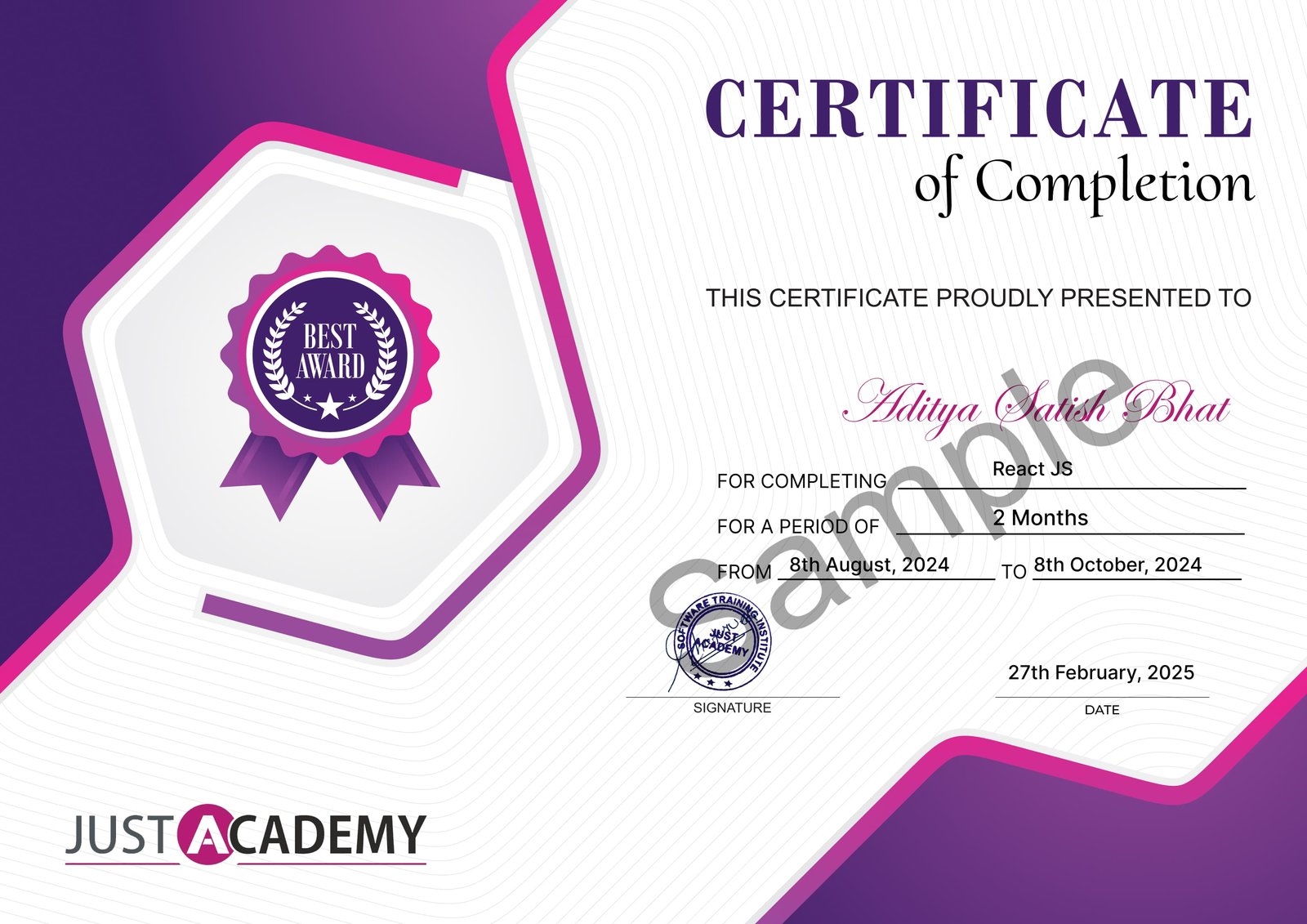
Upon successful completion of the Figma Training course, you will receive a certificate from JustAcademy, validating your skills and expertise in this domain.
Industry-recognized certification
Validates your proficiency in Figma Training
Enhances your resume and LinkedIn profile
Digital and printable formats available
Sample Certificate
What Makes JustAcademy Institute of Skills Training So Special?
Figma UI UX Design Training at JustAcademy is designed around live instructor-led sessions, practical design exercises and real-world projects to help learners build job-relevant UI/UX skills. Students learn Figma through hands-on practice covering wireframing, UI design, typography, colour theory, components, design systems, responsive layouts, prototyping, user flows and developer handoff. The training also focuses on website and mobile application design projects, portfolio development, resume guidance, interview preparation, certification and placement assistance. The program is suitable for beginners, students, designers, developers and professionals looking to build practical UI/UX and digital product design skills using Figma.
Student Reviews
Dhanista Reddy
5
Getting trained at JustAcademy played an important role in improving my confidence in Flutter development. Today, I am working with Procoders Technology, and the hands-on learning experience during the course helped me understand how real projects are built in the industry. The support from the trainers during project development and interview preparation was really valuable for my career growth.
Hussain Bhatiya
5
My classroom training experience at JustAcademy helped me strengthen my Flutter development skills with practical learning and real project work. Currently, I am placed at Runtime Solutions in Mumbai, and the resume building sessions along with mock interviews really helped me during the hiring process. Grateful to the trainers and mentors for their guidance and support throughout the course.
Arshita Mahajan
5
Learning Figma with JustAcademy from Egypt was a really good experience for me. The live sessions conducted by Azad Sir were practical and easy to follow, and Roshan Sir was always there to guide and motivate throughout the course. I got the opportunity to work on different UI/UX design tasks which helped me become more confident in designing mobile and web interfaces.
Course FAQ's
Figma is a cloud-based UI UX design tool used to create website designs, mobile app interfaces, wireframes, and prototypes. It is widely used in product design and UI UX development.
Yes, UI UX design using Figma is a high-demand skill with strong job opportunities in product design, web design, and mobile app design.
Freshers can earn INR 3–6 LPA, while experienced UI UX designers can earn INR 8–20 LPA depending on skills and portfolio.
Students, beginners, graphic designers, web developers, and anyone interested in UI UX design can join this course.
No, coding is not required to learn Figma or UI UX design. It is a design-focused field.
You will learn wireframing, prototyping, UI design, design systems, responsive design, and portfolio creation using Figma.
You can apply for roles like UI Designer, UX Designer, Product Designer, Web Designer, and Mobile App Designer.
It usually takes 1–3 months to learn Figma with practical training and real design projects.
Yes, JustAcademy provides a UI UX certification after successful completion of the training.
Yes, Figma is more suitable for UI UX design because of its collaboration features, prototyping tools, and ease of use.