I am learning flutter from JustAcademy, They provide very much great environment where people gather and work simultaneously. totally project based training institute.
MOHD ABU BAKAR ANSARI
Flutter Developer
Awesome Experience. I am a Front-end Web Designer working at Star India for 3 years now. I applied for Full-stack development and my experience has been phenomenal & they really do help with placements exceptionally. Thank you Roshan sir so much.
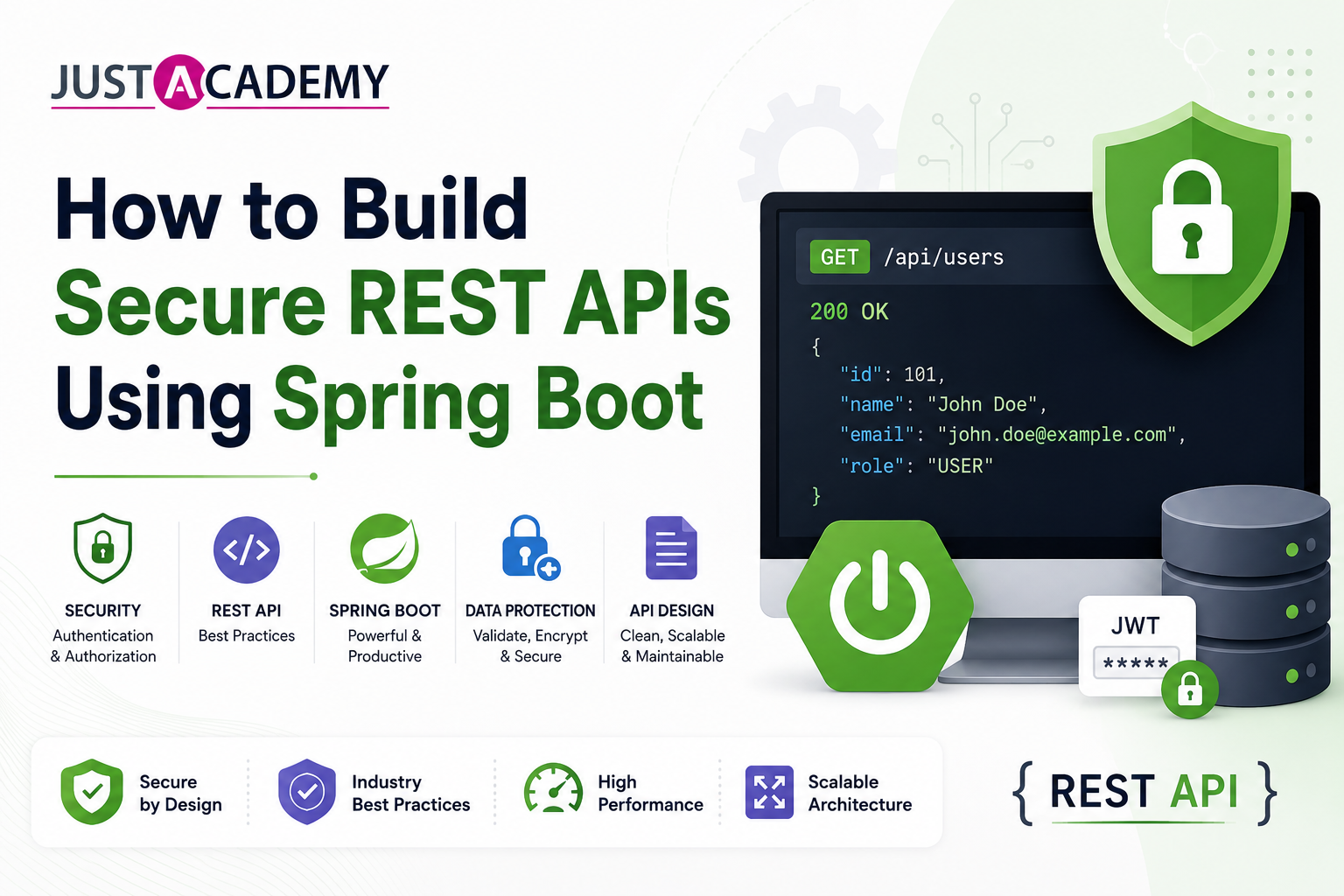
Building REST APIs that work is only half the job. Building REST APIs that are genuinely secure is what separates production-ready Spring Boot applications from prototypes that should never see real users or real data. In India's enterprise Java landscape in 2026, where Spring Boot powers the backend of banking platforms, insurance portals, healthcare systems, e-commerce applications, and government digital services, the consequences of insecure REST APIs range from data breaches and regulatory penalties to complete compromise of critical systems.
Secure REST API Spring Boot development is one of the most consistently assessed topics in Java backend developer interviews at product companies, global capability centers, and fintech firms across Mumbai, Bengaluru, Hyderabad, and Pune. Whether you are a fresher building your first Spring Boot application or an experienced Java developer modernizing a legacy system to Spring Boot microservices, understanding how to implement JWT authentication, configure Spring Security correctly, enforce role-based access control, prevent common vulnerabilities, and apply security best practices is essential professional knowledge in 2026.
This complete guide covers how to build secure REST APIs using Spring Boot JWT and Spring Security, from foundational security concepts and Spring Security configuration through JWT token generation and validation, role-based access control, OAuth2 integration, input validation, and production security best practices. Whether you are learning through the best course in Mumbai with classroom training or through live interactive online sessions, this guide gives you the complete technical foundation for professional Spring Boot API security.
Why API Security Matters for Spring Boot Developers
The Real Cost of Insecure REST APIs in Production
REST API security failures are among the most common and most damaging security incidents in the enterprise software industry. The OWASP API Security Top 10 documents the most critical API security vulnerabilities, and several of them appear consistently in Spring Boot applications built without proper security expertise. Broken object-level authorization allows one authenticated user to access another user's data by manipulating resource identifiers in API requests. Broken authentication allows attackers to bypass login mechanisms and assume other users' identities. Excessive data exposure returns more fields in API responses than the client needs, leaking sensitive information that attackers can collect. Missing rate limiting allows brute force attacks against authentication endpoints and denial of service through API flooding.
For Java developers working in India's BFSI technology sector, healthcare applications, and any system handling personal data regulated under India's DPDP Act, API security is not an engineering preference but a legal and compliance obligation. Understanding how to build secure REST API Spring Boot applications is therefore both a professional skill and a regulatory necessity for a significant portion of the Java developer job market.
How Spring Security Fits Into the Spring Boot Ecosystem
Spring Security is a powerful, highly configurable authentication and authorization framework that integrates directly into the Spring Boot ecosystem through auto-configuration. When the Spring Security dependency is added to a Spring Boot project, it activates a comprehensive security filter chain that intercepts every HTTP request before it reaches any controller. The filter chain evaluates each request against the configured security rules, performs authentication by verifying the provided credentials, and enforces authorization by checking whether the authenticated principal has permission for the requested operation. Spring Security's integration with Spring Boot means that much of the boilerplate security configuration is handled automatically, but understanding what the auto-configuration does and how to customize it for production requirements is essential for building genuinely secure APIs rather than APIs that appear secure but have exploitable gaps.
Setting Up a Spring Boot Project for Secure REST API Development
Project Dependencies for Spring Boot Security and JWT
Building a secure REST API with Spring Boot requires several dependencies in the Maven pom.xml or Gradle build file. The spring-boot-starter-security dependency activates Spring Security and its auto-configuration. The spring-boot-starter-web dependency provides the embedded Tomcat server and Spring MVC for building REST endpoints. The spring-boot-starter-data-jpa dependency provides Hibernate and Spring Data for database interaction where user credentials and roles are stored. The spring-boot-starter-validation dependency provides Bean Validation for input validation. For JWT token handling, the io.jsonwebtoken jjwt-api, jjwt-impl, and jjwt-jackson dependencies provide the JSON Web Token library. The spring-boot-starter-test and spring-security-test dependencies support writing security-aware unit and integration tests. Optionally, the lombok dependency reduces boilerplate in model and DTO classes. Keeping all Spring dependencies aligned to the same Spring Boot version prevents compatibility issues that commonly arise when mixing incompatible library versions.
Understanding the Default Spring Security Behavior
When Spring Security is added to a Spring Boot application without any custom configuration, it activates several default behaviors that are important to understand before customizing. All endpoints are secured by default, meaning every HTTP request requires authentication. A login form is generated automatically at the /login path for browser-based access. A randomly generated password is printed to the application console at startup for the default user named user. Basic HTTP authentication is enabled alongside form login. CSRF protection is enabled for all state-changing requests. These defaults are appropriate for traditional server-rendered web applications but must be explicitly replaced for stateless REST API authentication. The first step in securing a Spring Boot REST API is to replace the default form-based authentication with the stateless JWT-based mechanism appropriate for REST APIs consumed by frontend applications and mobile clients.
The Security Configuration Class Structure in Spring Boot 3
In Spring Boot 3 and Spring Security 6, the security configuration is implemented by creating a class annotated with @Configuration and @EnableWebSecurity that defines a SecurityFilterChain bean. The SecurityFilterChain bean receives an HttpSecurity object and returns it after applying the desired configuration. The configuration typically disables CSRF protection for stateless REST APIs where tokens in headers provide equivalent protection, sets the session creation policy to STATELESS to prevent Spring Security from creating HTTP sessions, configures the URL authorization rules specifying which endpoints are public and which require authentication, adds the custom JWT authentication filter to the filter chain before Spring Security's default username-password authentication filter, and configures the authentication provider that will be used to verify credentials during the login process. This class-based configuration approach replaced the older WebSecurityConfigurerAdapter extension pattern that was deprecated in Spring Security 5.7 and removed in Spring Security 6.
Implementing JWT Authentication in Spring Boot
Understanding JWT Structure and How It Works
JWT, which stands for JSON Web Token, is the standard mechanism for stateless authentication in REST APIs. A JWT consists of three base64url-encoded sections separated by dots. The header section specifies the token type as JWT and the signing algorithm, most commonly HS256 for HMAC SHA-256 or RS256 for RSA SHA-256. The payload section contains claims, which are statements about the authenticated user and the token itself. Standard claims include the subject which is typically the user's identifier, the issued-at time as a Unix timestamp, the expiration time as a Unix timestamp, and the issuer identifying the application that created the token. Custom claims can include the user's roles, permissions, tenant identifier, or any other information that authorization decisions require. The signature section is computed by encoding the header and payload, combining them with a dot separator, and applying the specified signing algorithm with a secret key known only to the server. The signature prevents the token contents from being tampered with, because any modification to the header or payload would produce a different signature that the server would reject.
The authentication flow using JWT works as follows. The client sends a POST request to the login endpoint with credentials. The server validates the credentials against the database, and if valid, generates a JWT containing the user's identity and roles, signs it with the server's secret key, and returns it in the response body. The client stores the token and includes it in the Authorization header as Bearer followed by the token value in every subsequent request. The server validates the token's signature, checks that it has not expired, extracts the user identity and roles from the payload, and uses that information to authorize the request without querying the database.
Building the JWT Utility Class
The JWT utility class encapsulates all JWT operations including token generation, validation, and claim extraction. It uses the io.jsonwebtoken library and is annotated with @Component to make it a Spring-managed bean. The class stores the secret key and token expiration duration as configuration values injected from the application.properties file using the @Value annotation, keeping sensitive configuration outside the source code. The generateToken method accepts the user details object and creates a token using Jwts.builder, setting the subject to the username, adding custom claims for roles, setting the issued-at time to the current time, setting the expiration to the current time plus the configured duration, and signing with the HMAC SHA-256 algorithm and the configured secret key. The validateToken method accepts a token string and a user details object, extracts the username from the token, verifies it matches the user details, and confirms the token has not expired. The extractUsername method parses the token and retrieves the subject claim. The extractExpiration method retrieves the expiration claim to support the expiration check. The secret key should be at minimum 256 bits long for HS256 to provide adequate security, and in production should be stored in a secrets management system rather than an application properties file.
Building the JWT Authentication Filter
The JWT authentication filter is a Spring component that extends OncePerRequestFilter, guaranteeing that it runs exactly once per request in the filter chain. It intercepts every incoming request, checks for the presence of a JWT in the Authorization header, validates the token, and if valid sets the authentication in the Spring Security context so that downstream components can access the authenticated user's identity and roles.
The doFilterInternal method first checks whether the Authorization header is present and starts with the Bearer prefix. If not, it passes the request through to the next filter without attempting authentication, allowing public endpoints to be reached without a token. If the Bearer token is present, it extracts the token string by removing the Bearer prefix and uses the JWT utility class to extract the username. If the username is extracted successfully and no authentication is already set in the Security context, it loads the user details from the database using the UserDetailsService, validates the token against the user details using the JWT utility, and if validation succeeds, creates a UsernamePasswordAuthenticationToken with the user details and authorities, sets the web authentication details from the request, and sets the authentication in the SecurityContextHolder. After completing this logic whether or not authentication was set, the filter calls filterChain.doFilter to pass the request to the next filter in the chain.
Building the Login Endpoint and Authentication Controller
The authentication controller exposes the public login endpoint that clients call to obtain a JWT. It receives a login request DTO containing the username and password, uses the Spring Security AuthenticationManager to authenticate the credentials, and if successful generates and returns a JWT. The controller is annotated with @RestController and @RequestMapping for the auth path prefix. The login method is annotated with @PostMapping for the login path and @Valid to trigger Bean Validation on the request body.
The login method calls authenticationManager.authenticate with a UsernamePasswordAuthenticationToken constructed from the provided username and password. The AuthenticationManager delegates to the configured AuthenticationProvider which uses the UserDetailsService to load the user and the PasswordEncoder to verify the password. If authentication succeeds, the method generates a JWT using the JWT utility class passing the UserDetails object, constructs a response object containing the token, and returns it with a 200 OK status. If authentication fails because the credentials are invalid, the AuthenticationManager throws a BadCredentialsException which should be caught and handled to return a 401 Unauthorized response with an appropriate error message rather than letting it propagate as an unhandled exception.
Configuring Spring Security for JWT-Based REST APIs
The Complete Security Filter Chain Configuration
The complete security filter chain configuration for a JWT-based Spring Boot REST API brings together all the security components into a coherent configuration. The configuration disables CSRF protection because JWT tokens in Authorization headers provide equivalent cross-site request forgery protection for stateless REST APIs. The exception handling configuration sets a custom AuthenticationEntryPoint that returns a 401 Unauthorized JSON response rather than redirecting to a login page when unauthenticated requests reach protected endpoints. The session management is configured to STATELESS to prevent Spring Security from creating or using HTTP sessions, ensuring the API remains truly stateless. The URL authorization rules permit all requests to the authentication endpoints at /api/auth and any other genuinely public endpoints, require authentication for all other requests, and optionally specify role requirements for specific endpoint patterns. The JWT filter is added to the filter chain before the UsernamePasswordAuthenticationFilter using the addFilterBefore method. The authentication provider using the custom UserDetailsService and password encoder is set using the authenticationProvider method.
Implementing UserDetailsService for Database-Backed Authentication
The UserDetailsService implementation retrieves user information from the database during authentication. The class implements the UserDetailsService interface and overrides the loadUserByUsername method that Spring Security calls during authentication. The method queries the user repository by username and throws a UsernameNotFoundException if no user is found, which Spring Security translates to an authentication failure. If the user is found, it constructs and returns a UserDetails object containing the username, the encoded password stored in the database, and the collection of GrantedAuthority objects representing the user's roles. The authorities are typically constructed from role strings stored in the database prefixed with ROLE_ following Spring Security's role naming convention. The returned UserDetails object is used by Spring Security to verify the provided password against the stored encoded password and to populate the authentication object placed in the Security context.
Password Encoding With BCrypt
Storing passwords in plain text or with weak hashing algorithms is a critical security vulnerability. Spring Security provides the BCryptPasswordEncoder which applies the BCrypt adaptive hashing algorithm, adding a random salt to each password before hashing and applying multiple rounds of hashing that can be tuned to increase computational cost as hardware improves. The BCryptPasswordEncoder is defined as a @Bean in the security configuration class and is injected wherever password encoding is needed. When a new user registers, their plain text password is encoded using passwordEncoder.encode before being stored in the database. During authentication, the AuthenticationManager uses the same encoder's matches method to verify the provided plain text password against the stored hash without ever decoding the stored hash, because BCrypt comparison works by hashing the provided password with the salt embedded in the stored hash and comparing the result. Never storing plain text passwords and always using BCrypt or Argon2 for password hashing are non-negotiable security requirements for any production Spring Boot API.
Role-Based Access Control in Spring Boot REST APIs
Implementing Role-Based Authorization With Spring Security
Role-based access control restricts API endpoints to users who have been assigned the appropriate roles, preventing authenticated users from accessing operations or resources beyond their authorization level. Spring Security provides two primary mechanisms for implementing role-based authorization in Spring Boot REST APIs. Method-level security using annotations applies authorization checks at the individual method level. URL-based security in the security filter chain configuration applies authorization checks to URL patterns before requests reach controllers. Both mechanisms can be used together for defense in depth.
Enabling method-level security requires adding the @EnableMethodSecurity annotation to the security configuration class. Once enabled, the @PreAuthorize annotation can be applied to controller methods to specify the required role or permission expression. A method annotated with @PreAuthorize with an expression requiring the ADMIN role will only execute for users who have been granted that role in their authorities, returning a 403 Forbidden response for users without the required role. The @PostAuthorize annotation evaluates after method execution and can restrict access based on the returned value, useful for ensuring a user can only retrieve their own resources. The @PreFilter and @PostFilter annotations filter input and output collections based on expressions, useful for enforcing data-level access control on collection results.
Designing a Role and Permission System for Spring Boot APIs
A production-grade role and permission system requires careful database design and authorization logic. A common pattern uses three database tables. The users table stores user account information including username, encoded password, enabled status, and account metadata. The roles table stores the available roles in the system such as ADMIN, MANAGER, and USER. A user_roles junction table stores the many-to-many relationship between users and roles. The UserDetails implementation constructs the authorities collection by loading the user's roles from the database and mapping each role name to a SimpleGrantedAuthority.
For applications requiring fine-grained permission control beyond simple roles, a permissions table defining specific operations and a role_permissions junction table mapping roles to their permitted operations allows the authorization system to check specific permissions rather than broad roles. The @PreAuthorize expression can check for specific permissions using hasAuthority rather than hasRole, enabling the precise access control required for enterprise applications with complex authorization requirements.
Implementing Data-Level Access Control
Role-based access control at the endpoint level ensures that only users with the correct role can reach an endpoint. Data-level access control ensures that an authenticated user with the correct role can only access their own data rather than any data in the system. A user with the USER role who can call the GET endpoint for retrieving a specific order should only be able to retrieve orders that belong to them, not orders belonging to other users. Implementing data-level access control requires checking in the service layer that the requested resource belongs to the authenticated user. The authenticated user's identity is accessed from the Spring Security context using SecurityContextHolder.getContext().getAuthentication() and compared to the owner identifier of the requested resource. If they do not match and the requesting user does not have an elevated role like ADMIN, the service should throw an AccessDeniedException which Spring Security translates to a 403 Forbidden response.
Input Validation and Common Vulnerability Prevention
Bean Validation for REST API Input Security
Every piece of data received through a REST API endpoint is untrusted input that must be validated before being processed or stored. Spring Boot's integration with Jakarta Bean Validation provides a declarative approach to input validation through annotations on DTO fields. The @NotNull annotation prevents null values. The @NotBlank annotation prevents empty or whitespace-only strings. The @Size annotation enforces minimum and maximum length constraints on strings and collections. The @Email annotation validates email format. The @Pattern annotation validates against a custom regular expression. The @Min and @Max annotations enforce numeric range constraints. The @Valid annotation on controller method parameters triggers validation of the annotated DTO, and if validation fails Spring Boot returns a 400 Bad Request response with validation error details automatically. Adding @Validated at the class level enables method-level parameter validation outside of request body DTOs.
Custom validation annotations are created for domain-specific constraints that built-in annotations cannot express. A custom validator for a specific date range, a custom check that a username does not contain prohibited characters, or a custom validation that a referenced resource exists in the database can all be implemented as custom constraint annotations with validator implementations. Applying comprehensive input validation prevents malformed and malicious data from reaching business logic and the database layer.
Preventing SQL Injection in Spring Boot Applications
SQL injection is prevented in Spring Boot applications by using the JPA and Spring Data repository layer for all database interactions rather than constructing SQL strings through string concatenation with user-provided input. Spring Data JPA repository methods generate parameterized queries automatically, treating all parameters as data values rather than executable SQL regardless of their content. Custom JPQL queries written using the @Query annotation with named parameters using the colon prefix syntax are also parameterized and safe. When native SQL queries are required using the nativeQuery attribute, named parameters must still be used rather than string concatenation. The only scenario where SQL injection risk exists in a properly structured Spring Boot application using Spring Data JPA is when developers incorrectly use string concatenation to build query strings, which should never be done and should be caught in code review using SonarQube's SQL injection detection rules.
Preventing Sensitive Data Exposure in API Responses
A common security vulnerability in Spring Boot REST APIs is returning more data in responses than the client needs, potentially exposing sensitive fields like password hashes, internal identifiers, audit timestamps, and other implementation details to clients who should not see them. The correct approach is to define separate DTO classes for API responses that include only the fields appropriate for the client, and to map entity objects to these DTOs in the service layer before returning them from controllers. The @JsonIgnore annotation on entity fields provides a basic mechanism for excluding fields from JSON serialization, but it applies globally and may exclude fields needed in some contexts but not others. Using distinct response DTO classes for different contexts provides the most flexible and explicit control over what data is included in each response. Jackson's @JsonView can provide view-specific field inclusion when the same DTO needs to expose different fields to different client types.
Advanced Spring Boot Security Topics
Implementing Token Refresh With Refresh Tokens
Access tokens with short expiration times limit the window of opportunity if a token is compromised, but requiring users to log in again when their token expires creates poor user experience. Refresh tokens solve this by providing a second, longer-lived token that can be used to obtain new access tokens without re-authenticating with credentials. The implementation stores refresh tokens in the database with a reference to the user they belong to and their expiration time. The login endpoint returns both an access token with a short expiration, typically fifteen to sixty minutes, and a refresh token with a longer expiration, typically seven to thirty days, stored securely in an HTTP-only cookie or returned in the response body for the client to store. A token refresh endpoint accepts the refresh token, validates it against the database, checks its expiration, and if valid issues a new access token and optionally rotates the refresh token by invalidating the old one and generating a new one. Refresh token rotation limits the damage from refresh token theft by ensuring a stolen refresh token can only be used once before being replaced.
Implementing Rate Limiting for Authentication Endpoints
Rate limiting on authentication endpoints prevents brute force attacks that attempt to guess passwords or enumerate valid usernames by making large numbers of rapid login attempts. Spring Boot applications can implement rate limiting using the Bucket4j library which provides token bucket rate limiting that integrates with Spring Boot and optionally with Redis for distributed rate limiting across multiple application instances. A rate limiter configured for the login endpoint allows a specific number of requests per time window per IP address or per username, returning a 429 Too Many Requests response with a Retry-After header when the limit is exceeded. The rate limit configuration should be stricter for failed authentication attempts than for successful ones, and should implement increasing delays or account lockout after a configurable number of failed attempts to further deter brute force attacks.
Configuring HTTPS and Security Headers in Spring Boot
Production Spring Boot REST APIs must be served over HTTPS to prevent credentials and JWT tokens from being intercepted in transit. HTTPS is typically terminated at the reverse proxy or load balancer level in production deployments, with Nginx or an AWS Application Load Balancer handling SSL and forwarding decrypted requests to the Spring Boot application over HTTP on the internal network. Spring Boot applications should be configured to redirect HTTP to HTTPS when HTTPS termination happens at the application level rather than the infrastructure level. The Spring Security configuration should include security headers that protect against common browser-based attacks. The X-Content-Type-Options header prevents MIME sniffing. The X-Frame-Options header prevents clickjacking. The X-XSS-Protection header activates browser XSS filtering. The Content-Security-Policy header restricts which sources can be loaded by the application. The Strict-Transport-Security header enforces HTTPS for future requests. Spring Security's headers configuration provides a convenient API for setting all these headers consistently.
OAuth2 Integration With Spring Boot Security
For applications that need to support social login through Google, GitHub, Facebook, or other identity providers, or that need to act as an OAuth2 resource server validating tokens issued by a separate authorization server, Spring Boot provides spring-boot-starter-oauth2-resource-server and spring-boot-starter-oauth2-client dependencies that integrate OAuth2 flows with Spring Security. Configuring Spring Boot as an OAuth2 resource server for JWT validation requires specifying the issuer URI of the authorization server or the public key for offline JWT validation in application.properties. Spring Security then automatically validates incoming JWT tokens issued by the configured authorization server without requiring a custom JWT filter. For microservices architectures where a central authorization server issues tokens consumed by multiple resource servers, this approach is more maintainable than implementing custom JWT validation in each service.
Testing Secure Spring Boot REST APIs
Unit Testing Security Components
Security components in Spring Boot require specific testing approaches. The JwtUtil class can be tested with standard JUnit 5 unit tests that verify token generation produces tokens with the correct claims, that valid tokens pass validation, that expired tokens fail validation, and that tokens with modified payloads fail signature validation. The JwtAuthenticationFilter can be tested by mocking the JwtUtil and UserDetailsService and verifying the filter correctly sets authentication in the Security context for valid tokens and correctly passes through for requests without tokens. The UserDetailsServiceImpl can be tested by mocking the user repository and verifying that loadUserByUsername returns the correct UserDetails for an existing user and throws UsernameNotFoundException for an unknown username.
Integration Testing With Spring Security Test Support
Spring Security Test provides the @WithMockUser and @WithUserDetails annotations for writing controller integration tests that simulate specific authentication states. @WithMockUser creates a mock authenticated user with configurable username, password, and roles without loading any actual user from the database, which is appropriate for testing authorization behavior when the specific user details are not important. @WithUserDetails loads a user from the actual UserDetailsService configured in the test, which is appropriate for testing behavior that depends on the specific user's attributes. The MockMvc test client used in Spring Boot controller tests can make requests with specific authentication headers using the header method to pass a JWT token, or using the SecurityMockMvcRequestPostProcessors.httpBasic method for basic auth testing. Tests should cover all authorization scenarios including requests to public endpoints without authentication, requests to protected endpoints with valid authentication, requests to protected endpoints with expired or invalid tokens, and requests to role-restricted endpoints with users who have and do not have the required role.
Security Best Practices Checklist for Spring Boot REST APIs
Configuration and Secret Management
Never hardcode secret keys, database passwords, or any credentials in source code or application properties files committed to version control. Use environment variables for all sensitive configuration values in production, with Spring Boot's @Value injection reading from the environment. For applications deployed on AWS, use AWS Secrets Manager or Parameter Store. For applications deployed on Kubernetes, use Kubernetes Secrets with appropriate RBAC policies. Rotate JWT secret keys periodically and rotate them immediately if a potential exposure is detected. Use different secret keys for different environments to prevent test tokens from being valid in production.
Token Security Best Practices
Set JWT access token expiration to the shortest duration that provides acceptable user experience, typically fifteen to sixty minutes. Always validate the token signature before trusting any claims. Validate the token expiration on every request rather than only at login. Include the issuer claim in tokens and validate it to prevent tokens issued by other services from being accepted. Do not store sensitive information like passwords or payment card data in JWT payload claims because the payload is base64 encoded, not encrypted, and is readable by anyone who holds the token. Use HTTPS exclusively to prevent token interception.
Dependency and Vulnerability Management
Keep all Spring Boot and Spring Security dependencies updated to the latest patch versions to receive security fixes. Use OWASP Dependency-Check or Snyk to scan project dependencies for known vulnerabilities as part of the CI/CD pipeline. Review Spring Security release notes for each update to understand security-relevant changes. Disable any Spring Boot auto-configurations that are not needed to reduce the attack surface. Remove unused dependencies from the project to minimize the number of potential vulnerability sources.
Why Structured Training Produces Better Spring Boot Security Skills
Spring Boot security involves deeply interconnected concepts where a gap in understanding any one component, whether the filter chain order, the JWT validation logic, the password encoding configuration, or the authorization rule syntax, can produce an API that appears secure during basic testing but is exploitable in production. Building genuine Spring Boot security competency requires learning the concepts in the correct sequence with practical implementation experience, not just reading about the configuration options.
JustAcademy's Advance Java training programs cover Spring Boot security comprehensively including Spring Security configuration, JWT authentication implementation, role-based access control, input validation, and production security best practices, all through live interactive sessions with real-time doubt resolution, real project development where security is implemented from the beginning rather than added as an afterthought, and placement support tailored to the Indian Java developer job market.
For professionals and freshers in Maharashtra who prefer hands-on classroom learning, Advance Java Training in Mumbai is widely recognized as the best course in Mumbai for building complete, interview-ready Spring Boot and security skills. For learners anywhere in India or globally, Advance Java Online Training delivers the same fully live and interactive curriculum with placement support from any location.
For learners targeting complete full-stack Java roles where Spring Boot security is a core requirement:
Building secure REST APIs using Spring Boot JWT and Spring Security requires understanding a complete security stack from the filter chain and authentication flow through token generation and validation, role-based access control, input validation, sensitive data handling, and production hardening practices. Each component in the security architecture serves a specific purpose, and gaps in any layer create vulnerabilities that determined attackers will find regardless of how well the other layers are implemented.
The developers who build the most secure Spring Boot REST APIs in 2026 are those who understand not just how to configure Spring Security but why each configuration decision matters for security, what attack it prevents, and what the consequences are of getting it wrong. Implementing JWT authentication correctly with secure secret management, appropriate token expiration, and proper signature validation. Enforcing role-based access control at both the endpoint and data levels. Validating all input before processing it. Encoding passwords with BCrypt. Enforcing HTTPS and setting security headers. Scanning dependencies for vulnerabilities. These practices collectively produce APIs that are genuinely secure rather than superficially secured.
The fastest path to that level of competency is structured training that covers the complete security implementation in a logical progression with real project work under live interactive instructor guidance.
For learners in Maharashtra, Advance Java Training in Mumbai is the best course in Mumbai for complete Spring Boot security implementation skills with classroom training and real project experience. For learners globally, Advance Java Online Training delivers the same live interactive curriculum and placement support from anywhere.
Register for a Free Demo to experience the training firsthand and discuss your Spring Boot security learning goals with an advisor, or Download the Brochure to review full course details, batch schedules, and fees before you enroll.
Understanding REST API Security in Spring Boot
Implementing Authentication and Authorization in Spring Boot APIs
Best Practices for Securing REST APIs Against Common Threats
Testing and Monitoring Secure Spring Boot REST APIs in Production
From your very first Laravel build to client ready applications, a Delhi learner’s guide to growing real backend skills through live interactive, instructor led and mentor led practice.
A Delhi focused, mentor backed guide with 40 answered questions, live instructor led practice and a clear path from learner to hired meanstack developer
What Delhi learners and working developers can realistically earn at every stage, and the skills, stack choices and mentor led training that move the number
From your first notes app to a multi tenant SaaS build, here are the MERN stack projects Delhi learners can build with live interactive guidance and show with pride on a resume.
A practical, human guide for Delhi freshers and working professionals who want to walk into every technical, design and HR round with real confidence, backed by live interactive, instructor led and mentor led sessions.
A practical, honest guide to frontend developer skills, the roadmap that actually works, and how live instructor led and mentor led training can get you hired
Drop us a Query
+91 99871 84296
Available 24x7 for your queries
Want To Connect with us
🚀 Kickstart Your IT Career
with JustAcademy
Learn Industry-Focused Courses with Live Projects & Placement Assistance
Full Stack Java(Java, Spring Boot, Hibernate, REST API, React JS)
Data Analytics(Excel, SQL, Power BI, Python, Tableau)