I am learning flutter from JustAcademy, They provide very much great environment where people gather and work simultaneously. totally project based training institute.
MOHD ABU BAKAR ANSARI
Flutter Developer
Awesome Experience. I am a Front-end Web Designer working at Star India for 3 years now. I applied for Full-stack development and my experience has been phenomenal & they really do help with placements exceptionally. Thank you Roshan sir so much.
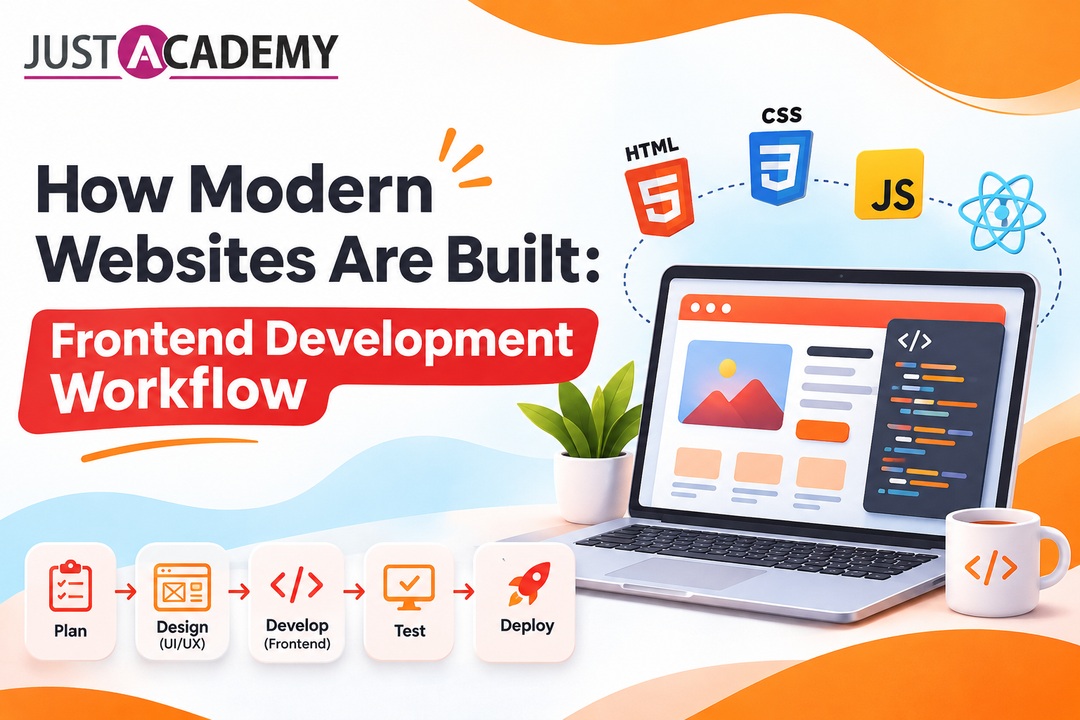
A practical walk through every stage of website development, written for Hyderabad learners who want to think and code like working front end engineers
Open any website you enjoy using on your phone, a food delivery page, a travel booking screen, a banking dashboard, and you are looking at the output of a long chain of decisions. Somebody planned the structure, somebody drew the screens, somebody wrote the markup, styled it, connected it to data, tested it on a handful of browsers and pushed it live. The part of that chain you can see and touch is built with frontend development technologies, mainly HTML, CSS and JavaScript, plus the tools that sit around them. This guide walks through the whole workflow in plain language, so that by the end you understand not just the tools but the order in which real teams use them.
If you live in Hyderabad and you are wondering whether this could become your career, it helps to know where this guide comes from. JustAcademy runs its offline institute in Mumbai, and learners from Hyderabad join the very same live interactive, instructor led and mentor led sessions online. The most complete route we offer for web careers is the MERN Stack Developer Bootcamp for Hyderabad learners with placement support, and if you would like to watch a real class before deciding anything, you can book a free demo session here. Everything below is written to be useful whether you ever join us or not.
One note on how to read this. Frontend development is a craft that lives at the meeting point of design, logic and human behaviour, so we will move slowly through each stage and explain why it exists, not only what it contains. Keep a code editor open if you can. The moment a concept feels abstract, try it for ten minutes in a browser and it will start making sense far faster than rereading the paragraph.
From Client Brief to Live Link: The Web Development Life Cycle
The Life Cycle of Web Development in Plain Words
Every website, from a small portfolio to a product used by millions, passes through the same broad phases. The life cycle of web development begins with discovery, moves through planning and design, continues into building and testing, and ends with launch and long term care. Different companies label it differently. One team says web development process, another says website development process, a third prefers web development procedure, and a few agencies talk about web flow development when they mean the way work moves from one specialist to the next. The labels change, but the logic stays fixed: you cannot code well what nobody planned, and you cannot plan well what nobody asked about.
A useful way to remember it is to picture constructing a house. The brief is the conversation with the family about how many rooms they need. Planning is the blueprint. Design is the choice of colours, light and furniture layout. Frontend work is everything the family sees and touches, the doors, switches and walls. Backend work is the plumbing and wiring hidden behind those walls. Testing is the inspector walking through with a checklist, and launch is handing over the keys. Skip one stage and the building may stand for a while, but the cracks show up quickly.
Stages of Website Development and Who Handles Each One
Here is a quick reference for the stages of website development as most professional teams run them. Treat it as a map, not a rulebook, because a small startup in Hyderabad might compress several rows into one person's week while a large product company might split each row across a whole department.
Web development stage
What happens
Typical output
Usually owned by
Discovery
Goals, audience and competitors are studied
Brief and requirement notes
Product owner, business analyst
Planning
Pages, features and content are mapped
Sitemap, user flows, timeline
Project lead, designer
Design
Layouts and visual style are created
Wireframes, mockups, prototype
UI and UX designer
Frontend build
Designs become working pages
HTML, CSS, JavaScript components
Front end web developer
Backend build
Data, logic and security are set up
APIs, database, authentication
Back end developer
Testing
Bugs and usability gaps are found
Test reports, fixes
QA engineer, developers
Launch and care
Site goes live and is monitored
Deployed site, analytics, updates
DevOps, whole team
Look closely at the table and you will notice that no stage is purely technical or purely creative. Designers need to understand what code can reasonably do, developers need to understand why a designer insists on a particular spacing, and testers need to understand the business reason behind each feature. The strongest people in this industry are comfortable crossing those lines, and that comfort usually begins with understanding the entire life cycle of web development rather than a single slice of it.
Why the Whole Picture Matters Even If You Only Want to Code the Interface
A common beginner mistake is to learn a framework first and ask about the project second. You can build a beautiful button in React without knowing why the page exists, but the moment a manager asks you to estimate how long a checkout flow will take, you realise that code is only one part of the answer. Developers who understand planning, design, testing and launch give better estimates, ask sharper questions and catch problems earlier, which is exactly the behaviour hiring managers remember.
Hyderabad has a reputation for product teams that move quickly and expect new hires to contribute fast. That pace rewards people who see the full workflow, because they spend less time waiting for instructions. When you learn modern website development as a connected process, you become the person who can pick up a task at any stage and move it forward, which is a far more secure position than being the person who only knows one tool.
The Frontend Development Technologies You Will Actually Touch
HTML: The Skeleton Everything Else Hangs On
HTML is where basic web development begins, and it deserves more respect than beginners give it. Every heading, paragraph, image, form field and link on a page is described by HTML, and the quality of that description affects accessibility, search engine visibility and how well your layout holds up when CSS fails to load. Writing semantic markup, which simply means choosing elements like header, nav, main, article and button for their real meaning instead of wrapping everything in generic containers, is one of the quiet habits that separates a thoughtful front end developer from a rushed one.
Treat HTML as the content outline of your page. If you removed every style and script, a visitor should still be able to read the page in a logical order, follow its links and fill in its forms. That test sounds simple, yet it explains why screen reader users, search crawlers and AI assistants can understand well built pages and struggle with messy ones. Good front end coding starts here, long before anyone talks about frameworks.
CSS: Layout, Style and Responsive Behaviour
CSS turns structure into a design. It controls colour, typography, spacing, alignment and, most importantly in today's world, how the same page adapts from a small phone screen to a wide desktop monitor. Modern layout tools like Flexbox and Grid have replaced the fragile tricks developers used a decade ago, and understanding them properly will save you countless hours. A responsive layout is no longer a bonus feature. Most visitors in India reach websites through mobile devices, so designing for a small screen first and enhancing for larger ones is simply the sensible default.
Another part of front end web design, and of front end website design in general, that beginners underestimate is consistency. Teams use shared variables for colours, spacing and font sizes so the whole site feels like one product instead of a collection of pages written by different people. Learning to write CSS that is organised, reusable and easy to change will matter more over a career than learning any single clever effect.
JavaScript: The Behaviour Layer
JavaScript is the language that makes a page respond. Dropdown menus, form validation, live search, image sliders, shopping carts and real time notifications are all JavaScript at work. Among the web development languages you will meet, it is the only one that runs natively in every browser, which is why it sits at the centre of frontend development. You will use it to select elements, listen for user actions, fetch data from servers and update the page without reloading it.
It also grows with you. Early on you write small scripts that toggle a menu. Later you manage application state, handle asynchronous requests and structure code into modules. Many teams add TypeScript on top for safer, more predictable code. Whichever path you take, the habit that pays off most is learning core JavaScript properly before leaning on libraries, because every framework is really JavaScript wearing a particular coat.
Frameworks, Libraries and Front End Tools
Once the basics feel comfortable, front end tools enter the picture. A code editor like VS Code, Git for version history, a package manager such as npm, a build tool like Vite, and the browser's own developer tools form the daily toolkit of almost every front end dev. On top of that, libraries and frameworks such as React help you build interfaces from reusable components, which is why React skills appear in so many job descriptions for web front end roles.
A fair warning, though. Tools change faster than principles. Beginners sometimes chase every new library and end up knowing a little about everything and a lot about nothing. A calmer approach is to master the fundamentals, pick one mainstream framework, build several projects with it, and then learn other tools when a real project demands them. That is the pattern that produces confident engineers rather than anxious tutorial collectors.
Frontend, Backend and Full Stack: Who Owns What
What a Front End Web Developer Is Responsible For
A front end web developer owns everything that runs inside the visitor's browser. That means translating designs into pixel accurate pages, making them responsive, keeping them accessible, connecting them to data through APIs and making sure they load quickly. Some companies describe this role as front end engineering when the job also covers architecture decisions, performance budgets, testing strategy and mentoring other developers. The title may vary, but the heart of the work is the same: create the part of the product that a human actually experiences.
What a Back End Developer Is Responsible For
Backend development lives on the server. A back end developer designs databases, writes business logic, builds the APIs that the front end calls, handles authentication and keeps data safe. When you log in to a site and it remembers who you are, when an order is saved, when a payment is verified, that is the backend at work. Common technologies here include Node.js, Python, Java and PHP with databases such as MongoDB, MySQL and PostgreSQL. The visitor never sees this layer directly, but every smooth interaction depends on it.
Where Full Stack Development Fits In
Full stack development means being capable on both sides. A full stack developer can build the interface, create the API behind it and connect both to a database. Not everyone needs to be full stack, and plenty of excellent engineers specialise. Still, understanding frontend and backend web development together makes you a better collaborator even if you eventually choose one path. The comparison below shows how the roles differ in day to day reality.
Aspect
Front end
Back end
Full stack
Where code runs
In the browser
On the server
Both places
Core languages
HTML, CSS, JavaScript, TypeScript
JavaScript with Node.js, Python, Java, PHP
Combination of both lists
Main concern
Usability, speed, accessibility
Data, security, scalability
End to end delivery
Typical tools
React, Figma, browser dev tools
Express, databases, API testing tools
All of the above plus deployment
Best for people who
Enjoy visual and interactive problems
Enjoy logic and systems thinking
Want the full picture and flexibility
The Many Names People Use for the Same Work
Anyone searching for this career online quickly discovers that the vocabulary is messy. People type dev frontend, front dev, front end dev, front end programer, front and end developer, frontend backend developer or frontend and backend developer into search bars, and all of them are really asking about the same cluster of skills. Some say front end and back end development as one phrase, others write front end and backend, front end and backend developer, front end back end or even backend frontend. Employers add their own variations, from web front end specialist to front end website developer.
Do not let the naming noise discourage you. When you read a job post, ignore the title for a moment and look at the actual list of responsibilities and tools. Two roles with different names can be nearly identical, and two roles with the same name can be completely different. Reading the work, rather than the label, is a skill that will serve you for your entire career. The same logic applies to phrases like front and development, which people sometimes use loosely when they simply mean learning the front part of web development.
How to Build a Modern Website Step by Step
How to Build a Modern Website Step by Step: Planning the Structure
Every good project begins before the first line of code. Start by writing down who the site is for, what they need to do and what success looks like. Then list the pages and the content each one must carry, and sketch how a visitor moves from one to another. This is the quiet groundwork of step by step website development, and it prevents the painful situation where a client asks for a new feature in week six that breaks the entire layout. A one page sitemap and a short list of user goals are enough for a small project.
At this point, choose your technology approach too. A simple brochure site might need nothing more than hand written HTML, CSS and a little JavaScript. A dynamic product with user accounts will need a framework, an API and a database. Making that decision early, based on real requirements rather than personal preference, saves weeks of rework later. It also trains you to justify technical choices in plain language, which is a skill every senior engineer is expected to have.
How to Build a Modern Website Step by Step: Turning Designs Into Code
Once you have approved designs, start coding from the outside in. Set up the project, add a clean folder structure, create a base stylesheet with your colour, spacing and typography variables, and then build the page skeleton in semantic HTML. Only after the structure feels right do you add detailed styling. Build the smallest screen layout first, then expand for tablets and desktops. When you work this way, you rarely have to undo decisions, because each layer rests on the previous one.
Next, break the interface into reusable pieces. A card, a button, a navigation bar and a form field are all components that appear many times across a site. Building them once, testing them properly and reusing them keeps the project consistent and dramatically reduces the number of places a bug can hide. If you use React, this is where components and props become natural. If you work with plain JavaScript, the same thinking applies through well organised functions and templates.
How to Build a Modern Website Step by Step: Making It Fast and Ready to Ship
Before declaring a page finished, test how it behaves for a real visitor on a mid range phone and an average mobile connection. Compress images, load only the scripts a page truly needs, and avoid layout shifts that make buttons jump while someone is about to tap them. Search engines and users both care about these details, and the web development steps you take here often decide whether a site feels premium or sluggish, even when the visual design is identical.
Then prepare for launch. Connect your forms and data sources, add meaningful page titles and descriptions, set up analytics, and check that every link works. Deploy to a staging environment first and review it with the team before pointing the real domain at it. Following these website development steps in order may feel slow when you are excited to publish, but it is the difference between a smooth launch and a late night emergency.
Designing Before Coding: The Website Design Process
Wireframes, Mockups and Prototypes
The website design process starts with low detail wireframes that show where content sits without worrying about colour or fonts. Wireframes keep conversations focused on structure, which is exactly what you want in the early stages. After they are approved, designers create high fidelity mockups with real typography, colours and imagery, and then link those screens into an interactive prototype so stakeholders can click through the experience before a single line of code exists. Catching a confusing flow at this point costs minutes. Catching it after development costs days.
For anyone interested in website design development, Figma has become the standard tool for this work because it runs in the browser, allows live collaboration and handles everything from wireframes to design systems. Developers who can open a Figma file and read spacing, colours and component structure confidently are much easier to work with, which is why many front end learners in Hyderabad now pair their coding practice with a design course such as Figma training for Hyderabad learners.
Design Systems and Reusable Components
A design system is a shared library of colours, typography, spacing rules and components that both designers and developers use. It turns website designing and development into a collaboration instead of a handover. When a button changes in the design file, the same change flows into the code, and everyone knows which version is current. Even a small personal project benefits from a mini system, because it forces you to make decisions once and apply them everywhere.
Think of web site design and development as two halves of one conversation. Designers describe what the experience should feel like, and developers explain what the browser can do efficiently. The best web site design development happens when both sides listen, compromise and test early. If you ever find yourself arguing about a pixel, open the prototype and the browser side by side. The truth is almost always visible in one of them.
Design Handoff Without the Drama
Handoff is the moment a design becomes a development task, and it is where many projects lose time. Smooth handoffs rely on named components, clear spacing values, exported assets and notes about states such as hover, focus, loading and error. Developers should ask questions early, and designers should expect them. A short call to walk through the file usually saves a long thread of messages later.
For a front end developer, learning to read designs critically is as valuable as learning to code them. Notice where the design assumes a long text that might break the layout, where an animation might hurt performance, and where a colour combination might fail accessibility contrast. Raising those points before building makes you look like a partner rather than a code typist.
If you would like a structured overview of how these skills are taught in live sessions, you can download the JustAcademy brochure and compare the curriculum with what you have learned so far.
Writing Front End Code That Survives Real Users
Semantic Structure and Accessibility
Front end programming is not finished when the page looks right on your laptop. Real users arrive with screen readers, keyboard navigation, slow connections, older phones and unusual browser settings. Accessible code, which includes proper headings, descriptive link text, alt text on images, visible focus states and sufficient colour contrast, serves all of them. It also happens to improve search visibility, because the same clarity that helps assistive technology helps search engines understand your page.
Make accessibility a habit rather than a final checklist. Tab through every page you build and see whether you can reach every control. Turn on a screen reader for five minutes and listen to how your page sounds. These small experiments are humbling, and they teach more than any article can. They also give you something concrete to talk about in interviews.
Responsive Layouts and Cross Browser Behaviour
A modern front end website must work across screen sizes and browsers. Use flexible units, fluid images and media queries based on content rather than specific devices, because new devices appear constantly. Test on at least one iPhone sized screen, one Android sized screen, a tablet and a desktop, and verify that your layout does not rely on features that only one browser supports. Browser developer tools make this fast, but nothing replaces checking on a real phone once in a while.
Pay special attention to forms, navigation menus and tables, because these are the elements that most often break on small screens. A form that is a joy to fill on desktop but frustrating on mobile will lose real customers. Small touches such as larger tap targets, correct input types and sensible spacing make a huge practical difference.
JavaScript Structure and State
As interfaces grow, managing data inside the browser becomes the main challenge. Which part of the page knows the user is logged in? Where is the cart stored? What happens when a request fails? Good front end engineering answers these questions with clear patterns: small functions, predictable data flow, and error states that are designed rather than forgotten. In React, that usually means thoughtful component boundaries, hooks for local logic and a deliberate choice about when to share state across the app.
Write code that your future self can read. Use meaningful names, keep functions short, and delete code you no longer need. Teams in real companies review each other's work, and clean code is the fastest way to earn trust. It also makes debugging far easier, because problems have fewer places to hide.
Performance and Core Web Vitals
Speed is part of the user experience. Google's Core Web Vitals measure loading performance through Largest Contentful Paint, responsiveness through Interaction to Next Paint, and visual stability through Cumulative Layout Shift. You do not need to memorise the thresholds on day one, but you should understand what they represent. Optimising images, deferring non essential scripts, using caching wisely and keeping layouts stable all improve these numbers and, more importantly, make the site feel better to use.
Measure before you optimise. Run a Lighthouse report, read what it flags, fix the biggest issue and measure again. This disciplined loop prevents wasted effort and builds the kind of evidence based thinking that senior engineers rely on. A front end developer who can say a change improved load time by a measurable amount stands out immediately.
Where Backend Development Meets Your Interface
APIs, JSON and the Conversation Between Both Sides
Even a dedicated front end developer needs to understand how data reaches the page. The browser sends a request to an API, the server processes it and returns a response, usually in JSON, and your JavaScript turns that response into something visible. Knowing methods such as GET, POST, PUT and DELETE, understanding status codes and handling loading and error states cleanly are core parts of frontend and backend development working together. Without this understanding, you end up guessing why a button does nothing.
When you can read an API document and test endpoints with a tool before touching your interface code, development speeds up noticeably. You also become a better teammate to the person writing the backend, because you can report problems precisely instead of saying the page is broken. Clear communication across the frontend and backend boundary is one of the most underrated professional skills.
Authentication, Data and Security Basics
Most real products need user accounts, and that introduces security responsibilities on both sides. The backend verifies identity and protects data, while the front end must avoid exposing secrets, handle tokens carefully and never trust input blindly. Understanding concepts like sessions, tokens, cross site scripting and secure storage will make you far more valuable than someone who only knows how to style a form.
You do not have to become a security specialist, but you should know the common mistakes. Do not store sensitive values in places the browser can freely read, validate data on both sides, and keep dependencies up to date. These habits take little time and prevent the kind of incidents that damage both products and careers.
Python and Node as Backend Choices
For the server side, two choices dominate beginner journeys. Node.js lets you use JavaScript on both sides, which is why the MERN stack is so popular. Python offers readable syntax, excellent libraries and a huge community, and it powers many web back ends as well as data work and automation. If you are curious about the Python route, structured practice through Python training for Hyderabad learners is a sensible way to build a strong base before moving on to web frameworks.
Neither choice is wrong. Pick the one that matches the kind of jobs you want and the way you like to think, then go deep. A solid understanding of one backend language makes every other language easier, and it makes conversations with a back end developer on your team far more productive.
Testing, Debugging and Shipping Without Panic
Manual Checks and Automated Testing
Testing is not a separate planet from development. Every time you refresh your browser and check whether a feature works, you are testing manually. The professional step is to turn repeated checks into automated ones, so that nobody has to click through the same flow before every release. Unit tests verify small pieces of logic, integration tests verify that parts work together, and end to end tests simulate a real user moving through the product.
For the browser level, many teams rely on automation tools, and Selenium remains one of the most widely recognised. If you are curious how professional testers think about quality, exploring Selenium training for Hyderabad learners will show you how test suites are designed, run and maintained. Even if you never become a full time tester, knowing how your pages will be tested changes how you write them.
Debugging Like a Detective
Bugs are guaranteed, so the real skill is finding them calmly. Start by reproducing the problem reliably, then narrow it down. Is it a layout issue, a logic issue or a data issue? Browser developer tools let you inspect elements, watch network requests, set breakpoints and read console messages. Most mysterious bugs turn out to be small and boring once you look in the right place, such as a misspelled property, an unexpected null value or a request that returned a different shape than expected.
Keep a habit of writing down what you tried. When you describe a bug to a colleague, include the steps, what you expected and what actually happened. That tiny discipline solves problems faster and makes you someone people enjoy helping. It is also exactly the mindset interviewers look for when they ask how you troubleshoot.
Cross Browser Checks, Deployment and Monitoring
Before launch, verify the site in the major browsers and devices your audience actually uses. Then deploy through a repeatable process, preferably with automated builds, so that publishing a change is a calm routine instead of a nervous event. After launch, monitor errors, performance and user behaviour. The life cycle of web development does not end when the site goes live, because real usage always teaches something the team did not predict.
Nothing proves your skill like finished work. A good front end project at the beginner stage should be small enough to complete and real enough to be interesting. Try a responsive personal portfolio, a restaurant landing page, a weather dashboard that fetches data from a public API, a to do list with local storage, or a product listing page with filters. Each of these touches layout, interaction and data in a manageable way, and each one gives you something to show.
Resist the urge to copy a tutorial exactly. Change the theme, add a feature of your own and write a short note about what you learned. Recruiters can usually tell when a project is copied, but they respond well to projects where you made decisions and can explain them. A front end developer project that tells a story is worth ten that merely exist.
Intermediate Projects With Real Data and Real Complexity
Once the basics feel solid, build something with authentication, a database and a proper API. A job board, a notes app with user accounts, a small online store or a booking tool can all work. These projects force you to handle forms, validation, loading states, errors and protected pages, which is where a lot of real world difficulty lives. If you are working toward a full stack profile, you will find plenty of inspiration in this JustAcademy guide to MERN stack project ideas for job ready developers.
Whichever project you choose, deploy it. A live link is far more persuasive than a folder of code, because it shows you can complete the full workflow from planning to launch. It also gives you a chance to experience real problems such as environment variables, build errors and slow loading, which no tutorial fully prepares you for.
Presenting Your Work Like a Professional
Your portfolio should make a stranger understand your abilities in two minutes. Each project needs a clear title, a short description of the problem, the technologies used, your role, a live link and a code repository. Add a screenshot or short demo, and mention one challenge you solved. Keep your Git history tidy and your readme files honest and readable.
Also prepare to talk about your work out loud. Interviewers often ask why you chose a specific approach, what you would change and how you handled a difficult bug. Practising those answers in front of a mentor, or even a patient friend, builds confidence quickly. Over time, your projects become stories, and stories are what get remembered after the interview ends.
Careers and Services Around Frontend Development in Hyderabad
Roles You Can Grow Into
Frontend development opens several doors. You might begin as a junior front end web developer working on page layouts and components, grow into a front end engineer responsible for architecture and performance, move toward UI engineering that sits close to design systems, or branch into full stack development. Some people go deeper into accessibility, animation or performance as a specialism, and others move into product or design leadership. The skills transfer well, and curiosity about how things work is the one trait every path rewards.
Hyderabad is a strong place to start such a journey. The city hosts a wide mix of product companies, service firms and startups, and many of them hire for web roles regularly. That does not mean jobs are handed out easily, so preparation still matters, but it does mean a motivated learner has plenty of places to apply what they learn. Your task is to arrive with proof, not promises.
Front End Development Services for Businesses
Beyond jobs, there is a whole market of front end development services. Small businesses, clinics, schools, restaurants, creators and founders all need websites, and many hire freelancers or small agencies for the work. Typical front end web development services include building responsive websites, converting designs into code, improving page speed, fixing accessibility problems and maintaining existing sites. Frontend web development services of this kind can be a great way to earn while you learn, as long as you set clear expectations and deliver reliably.
If you want to explore freelancing, start with one or two small, real projects for people you know. Write down what you will deliver, by when and at what cost, and keep communication clear. Reputation spreads quickly in a city like Hyderabad, and a few happy clients can lead to the next ones without any advertising.
Choosing a Learning Path That Fits You
Some people begin with HTML and CSS and add JavaScript slowly. Others prefer to jump into a project and learn along the way. Both approaches work if you stay consistent and build things. Many learners also find it helpful to learn a backend language early, and a gentle introduction such as these Python projects for beginners to build a developer portfolio can help you practise logic while the front end skills mature in parallel.
The most important thing is to avoid learning in isolation. Feedback from an experienced person speeds up growth enormously, because they can show you in ten minutes what might take you ten days to discover on your own. That is why many serious learners look for programs where they can ask questions in real time and have their code reviewed regularly.
Why Structured Training Changes How Fast You Grow
Live Interactive Sessions That Replace Passive Watching
Recorded videos are useful, but they cannot answer your specific question at the exact moment you are stuck. Live interactive sessions can. At JustAcademy, learners join sessions where an instructor explains a concept, writes code in front of them and responds to questions as they appear. When you are learning frontend development technologies for the first time, that immediate feedback keeps small confusions from growing into big gaps. Hyderabad learners attend these sessions online, and the experience feels like a real classroom because the interaction is genuine.
Instructor Led and Mentor Led Support
Instructor led training gives you a clear curriculum and a logical sequence, which removes the paralysis of deciding what to learn next. Mentor led sessions add a second layer, because a mentor reviews your projects, points out weak spots, shares industry habits and helps you prepare for interviews. The combination matters. The instructor gives you structure, the mentor gives you perspective, and together they shorten the distance between knowing a concept and using it confidently at work.
Placement Support and a Trusted Institute Behind You
JustAcademy is an ISO certified technology training institute with its offline campus in Mumbai, which many students consider the best course in Mumbai for hands on web development, and with live interactive online training available globally for learners in cities like Hyderabad. Placement support is built into the journey, from resume guidance and portfolio reviews to mock interviews and job readiness sessions. A training program cannot promise anything on behalf of an employer, but it can make sure you walk into interviews prepared, with real projects and clear communication.
If you are ready to see how this works, the MERN Stack Developer Bootcamp for Hyderabad learners brings together frontend, backend and deployment in one guided path, so you practise the complete workflow described in this guide on real projects.
Conclusion
Modern websites are not built by a single burst of coding. They grow through a workflow: discovery, planning, design, frontend and backend development, testing, launch and care. Frontend development technologies sit at the visible end of that workflow, and mastering them means learning HTML, CSS and JavaScript deeply, choosing the right tools, understanding design, and speaking comfortably with backend teammates. When you follow the stages in order and build real projects at each step, the whole process starts to feel less like a mountain and more like a series of manageable climbs.
If you are in Hyderabad and want guidance from people who teach this every day, take the next small step. Join a free live class and see the instructor led and mentor led format for yourself, or read the full curriculum before deciding. Either way, you will move from wondering how websites are built to building them yourself.
A practical walk through every stage of website development, written for Hyderabad learners who want to think and code like working front end engineers
A mentor style breakdown of React, Vue and Angular for Hyderabad learners, covering market share, hiring demand, learning curve and the smartest way to train.
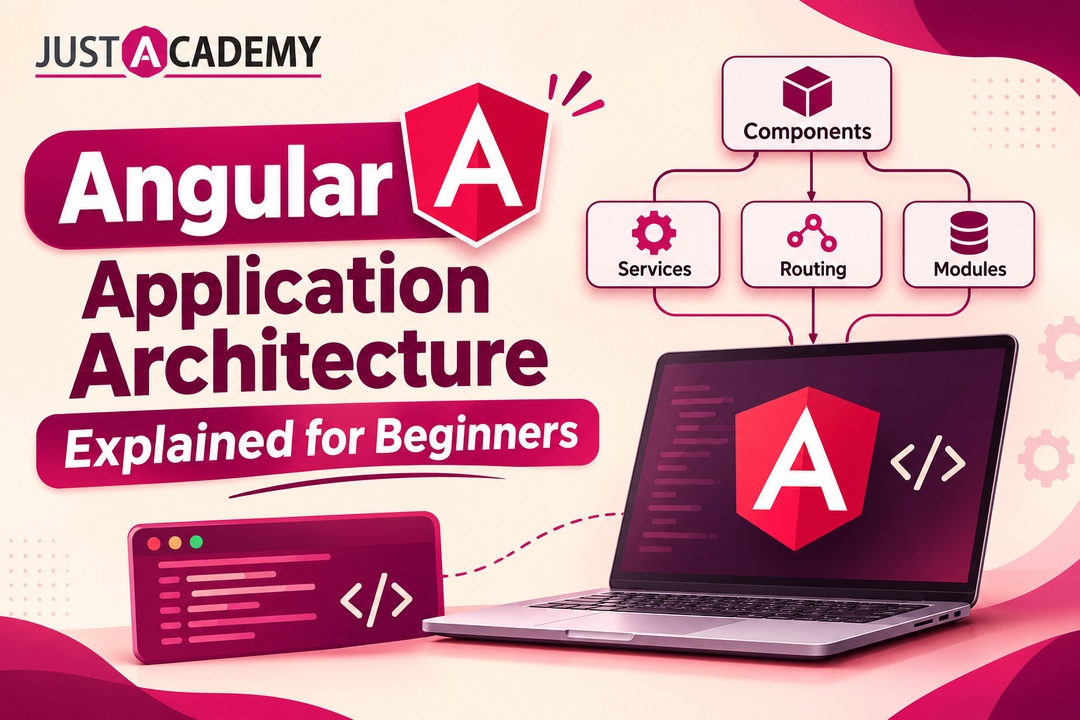
How components, services, standalone building blocks and the Angular CLI fit together, explained in plain words with live interactive and mentor led learning in mind
A practical guide for Hyderabad developers to react hooks, custom hooks and the design patterns that keep real projects clean, taught through live interactive, instructor led and mentor led learning
A practical, honest guide to choosing your first language, understanding modern iOS development, and building a career in Hyderabad’s growing app ecosystem through live interactive, instructor led and mentor led training.
A Hyderabad friendly walkthrough of how real apps get planned, designed, built, tested and shipped, and how live interactive, instructor led and mentor led learning gets you there faster
A grounded, honest guide for Hyderabad learners, career switchers and business owners who want to build real apps with Flutter and learn from mentors, not just videos.
Forty questions, honest answers and the design skills hiring panels in Delhi quietly score, shaped around live interactive, instructor led and mentor led learning