I am learning flutter from JustAcademy, They provide very much great environment where people gather and work simultaneously. totally project based training institute.
MOHD ABU BAKAR ANSARI
Flutter Developer
Awesome Experience. I am a Front-end Web Designer working at Star India for 3 years now. I applied for Full-stack development and my experience has been phenomenal & they really do help with placements exceptionally. Thank you Roshan sir so much.
Devesh Chaturvedi
Full-Stack Development
15 Jun, 2026
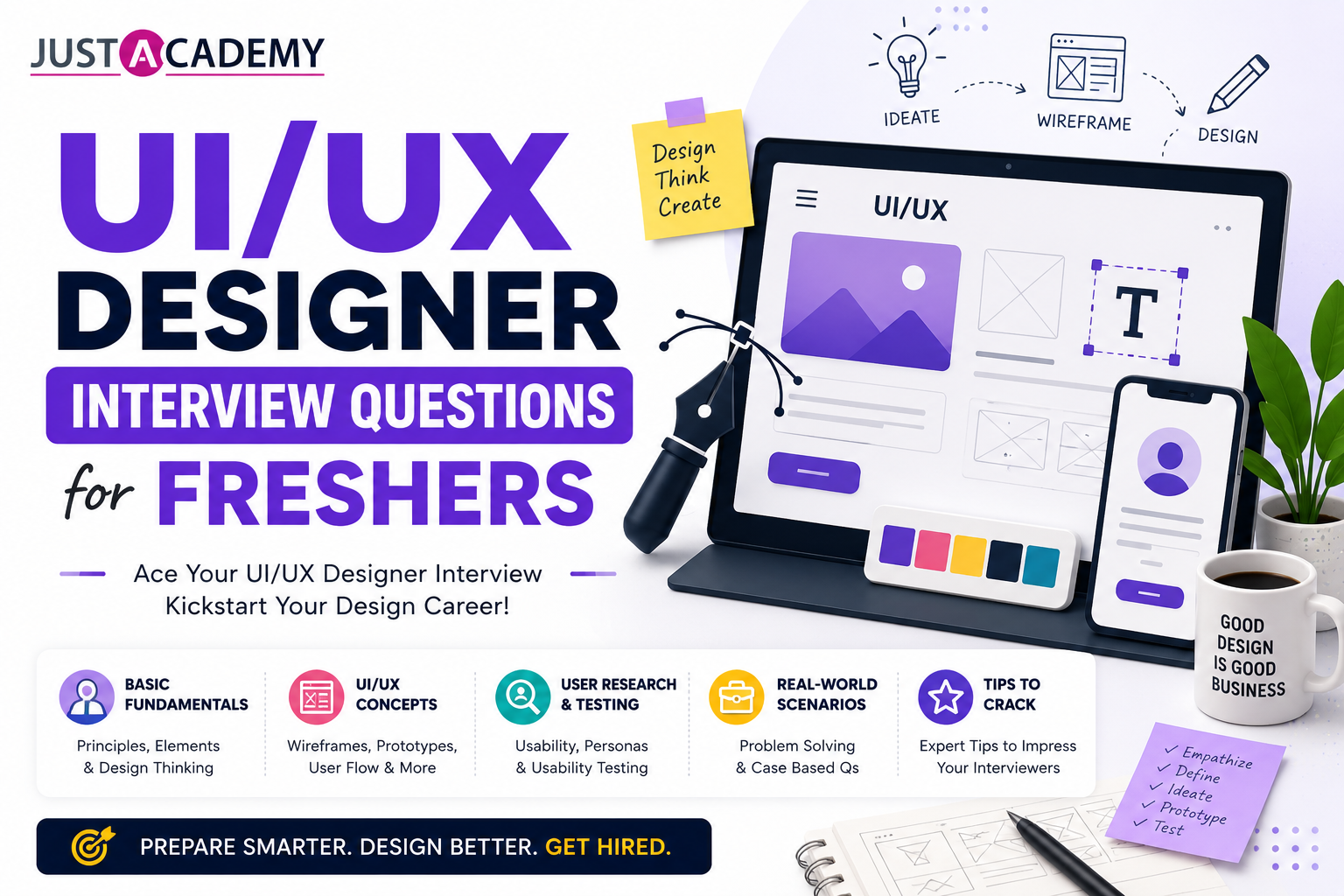
UI UX Interview Questions and Answers for Freshers and Beginners Covering Design Thinking, Figma, Wireframing, and UX Research in 2026
UI UX design has become one of the most actively hired disciplines in India's technology industry in 2026. Product companies, design agencies, fintech startups, e-commerce platforms, and enterprise software teams across Mumbai, Bengaluru, Hyderabad, and Pune are consistently hiring designers who can translate user needs into intuitive, visually polished interfaces that drive business outcomes. For freshers entering the field, the interview process is the single most critical gate between completing design training and landing that first professional role.
This blog covers the most asked UI UX designer interview questions and answers for freshers, organized from foundational UX concepts and design thinking through wireframing, prototyping, visual design, Figma, user research, accessibility, and portfolio presentation. Every question is numbered in plain text for easy navigation. Whether you are preparing through the best course in Mumbai with live interactive sessions or through interactive online training available globally, this guide gives you complete coverage of what interviewers ask freshers in 2026.
UI UX Design Fundamentals: Interview Questions Every Fresher Must Know
1. What is the difference between UI design and UX design?
UI design, which stands for User Interface design, focuses on the visual and interactive elements of a digital product that users directly see and interact with. It encompasses the visual hierarchy, color palette, typography, iconography, spacing, button styles, form elements, and every visual detail that makes up the product's appearance. A UI designer ensures the interface is visually appealing, brand-aligned, and consistent in its visual language. UX design, which stands for User Experience design, focuses on the overall experience a user has when interacting with a product, covering how easily they can accomplish their goals, how the information is organized, how the navigation flows, and how the product makes them feel. A UX designer researches user needs, defines the information architecture, creates wireframes and user flows, conducts usability testing, and advocates for the user throughout the product development process. UI without UX produces products that look attractive but are confusing to use. UX without UI produces products with good structure but poor visual quality. The most effective digital products require both, which is why most job descriptions in India in 2026 combine both disciplines into a single UI UX designer role.
2. What is design thinking and what are its five stages?
Design thinking is a human-centered approach to problem solving that prioritizes understanding the real needs and experiences of the people who will use a product before jumping to solutions. It is the methodology that guides professional UX practice and is one of the most consistently assessed concepts in UI UX interview questions for freshers. The five stages of design thinking are empathize, define, ideate, prototype, and test. In the empathize stage, designers research and deeply understand the users through interviews, observation, and contextual inquiry to uncover their genuine needs, motivations, and pain points. In the define stage, designers synthesize the research findings into a clear problem statement that articulates who the user is, what they need, and why it matters. In the ideate stage, designers generate as many possible solutions as they can through brainstorming, sketching, and creative exploration, suspending judgment to encourage quantity and diversity of ideas. In the prototype stage, designers build quick, low-cost representations of the most promising ideas to make them tangible and testable. In the test stage, designers put prototypes in front of real users, observe how they interact, and gather feedback that informs iteration. Design thinking is not a linear process but an iterative cycle where insights from testing frequently return the team to earlier stages.
3. What is the difference between a wireframe, a mockup, and a prototype?
A wireframe is a low-fidelity, schematic representation of a digital interface that communicates layout, content hierarchy, and navigation structure without any visual design details like color, typography, or imagery. Wireframes use simple grayscale shapes, placeholder text, and basic icons to convey where different types of content and functionality will be placed on the screen. They are created quickly and cheaply in the early stages of design to explore and communicate structural decisions before investing time in visual design. A mockup is a high-fidelity static representation of a design that shows the actual visual appearance including colors, typography, images, icons, and spacing without any interactive behavior. Mockups communicate exactly what the final product will look like and are used for visual design reviews, stakeholder approvals, and design system documentation. A prototype is an interactive simulation of the product that connects frames and screens with clickable links and animations to demonstrate how the product will behave. Prototypes range from low-fidelity click-through flows to high-fidelity simulations with realistic animations and transitions. They are used for usability testing, stakeholder presentations, and developer handoff communication. Understanding the purpose and appropriate use of each fidelity level is fundamental UI UX knowledge that interviewers test to assess whether a fresher understands the design process.
4. What is a user persona and why is it important in UX design?
A user persona is a fictional but research-based representation of a key segment of the target user group, synthesized from patterns observed across multiple real users studied during user research. A persona typically includes a name and photo to make it human and relatable, demographic information relevant to the product context, goals that motivate the user to use the product, frustrations and pain points the user currently experiences, behaviors and habits relevant to the product domain, and a brief narrative that captures the context of the user's life and how the product fits into it. Personas are important in UX design because they give the entire product team a shared, concrete understanding of who they are designing for. Without personas, different team members make different assumptions about the target user, leading to design decisions optimized for different imaginary users that collectively satisfy no one. With well-researched personas, every design decision can be evaluated against the specific, documented needs of the persona, keeping the team aligned and focused on the real user throughout the design and development process.
5. What is information architecture and why does it matter for UX?
Information architecture, commonly abbreviated IA, is the practice of organizing, structuring, and labeling content and functionality in a digital product to help users find what they need and understand where they are. It encompasses the navigation structure that determines how the product is divided into sections and how users move between them, the taxonomy and labeling decisions that determine what sections and features are called, the search and filtering mechanisms that help users locate specific content in large collections, and the content hierarchy that determines what information is most prominent on each screen. Information architecture matters for UX because even a visually beautiful interface becomes frustrating if users cannot find what they are looking for, do not understand what the navigation labels mean, or lose their sense of location within the product's structure. Poor information architecture is the most common cause of high task failure rates in usability testing, even for products with strong visual design. A UX designer who can conduct card sorting exercises to discover how users mentally categorize content, create site maps that visualize the IA, and validate navigation structures through tree testing is equipped with the skills to prevent this fundamental category of UX problems.
6. What is a user flow and how is it different from a user journey map?
A user flow is a diagram that maps the specific sequence of screens and decision points a user moves through to complete a single task within a digital product. It starts from a defined entry point, branches based on possible user actions and system responses, and ends when the task is complete or abandoned. User flows are used during the design process to think through all the possible paths through a feature, identify decision points that require distinct screen states, and ensure no edge cases or error states are overlooked before design work begins. A user journey map is a broader visualization that documents the complete experience a user has with a product or service over time, including touchpoints that may extend beyond the digital product itself to include discovery through marketing, purchase through the website, support through customer service, and renewal or churn. Journey maps include the user's emotional state at each stage, their goals and expectations, the actions they take, and the pain points they encounter. User flows are tactical design tools focused on specific task sequences within the product. Journey maps are strategic research artifacts focused on the complete end-to-end experience across all touchpoints.
7. What is usability and what are its five components according to Jakob Nielsen?
Usability is a quality attribute of a user interface that measures how easy and effective the interface is for users to accomplish their goals. It is one of the most important dimensions of user experience quality and is assessed through usability testing with representative users attempting realistic tasks. Jakob Nielsen defined five components of usability. Learnability measures how easily new users can accomplish basic tasks the first time they encounter the design. Efficiency measures how quickly experienced users can perform tasks once they have learned the design. Memorability measures how easily users can re-establish proficiency after a period of not using the product. Errors measures how many mistakes users make, how severe those mistakes are, and how easily users can recover from them. Satisfaction measures how pleasant it is to use the design. A product that scores well on all five dimensions provides a high-quality user experience, while a product that fails on any dimension, particularly errors or learnability for first-time users, will frustrate users and underperform its potential.
8. What are the principles of visual hierarchy in UI design?
Visual hierarchy is the arrangement of design elements in a way that guides the viewer's eye through the content in the order of importance, making the most critical information easiest to find and understand at a glance. The principles that create visual hierarchy include size and scale where larger elements attract attention first, making them appropriate for the most important headings and primary actions. Color and contrast where high-contrast elements against the background attract more attention than low-contrast ones, making bold accent colors effective for primary call-to-action buttons. Typography weight and style where bold text commands more attention than regular weight text, enabling hierarchy within body content through typographic variation. Whitespace and proximity where generous whitespace around an element isolates it and increases its visual prominence, while elements placed close together are perceived as related. Position where elements placed higher in the layout and in the upper-left region of Western-language interfaces are seen first due to natural eye movement patterns. Understanding and applying these principles intentionally is what separates designers who create visually organized, easy-to-use interfaces from those who arrange elements without a systematic hierarchy.
9. What is the difference between qualitative and quantitative research in UX?
Qualitative UX research methods collect non-numerical data about user behavior, motivations, attitudes, and experiences through direct observation and conversation. Methods include user interviews, usability testing sessions, contextual inquiry, focus groups, and diary studies. Qualitative research answers why and how questions, revealing the reasoning and context behind user behavior that numbers alone cannot explain. It produces rich, nuanced insights but from small sample sizes that cannot be statistically generalized to the entire user population. Quantitative UX research methods collect numerical data about user behavior at scale through analytics, surveys with rating scales, A/B testing, and task completion time measurements. Quantitative research answers what and how many questions, revealing the prevalence and magnitude of behaviors and issues across the user base. It produces statistically reliable data from large sample sizes but lacks the contextual richness to explain why the patterns occur. Professional UX research typically combines both methods, using qualitative research to understand the problem space and generate hypotheses, and quantitative research to validate those hypotheses at scale and measure the impact of design changes.
10. What is Gestalt psychology and how does it apply to UI design?
Gestalt psychology is a theory from perceptual psychology that describes how the human brain organizes visual information into meaningful patterns rather than perceiving isolated elements. Several Gestalt principles apply directly to UI design decision-making. The principle of proximity states that elements placed close together are perceived as a group, which is used in UI design to show that related information and controls belong together by positioning them near each other. The principle of similarity states that elements that look similar in shape, color, or size are perceived as belonging to the same category, which guides consistent visual treatment of elements with the same function. The principle of continuity states that the eye follows lines and curves, which informs the design of navigation flows and the use of connecting lines in diagrams. The principle of closure states that the brain completes incomplete shapes, which explains why partial element visibility at the edge of a scrollable area communicates to users that more content exists below. The principle of figure and ground states that the brain distinguishes between foreground elements and background, which guides the use of contrast and layering in UI design. Applying Gestalt principles intentionally produces interfaces that feel naturally organized because they work with the brain's built-in pattern recognition rather than against it.
UI UX Design Process Interview Questions
11. What is a design brief and what information does it contain?
A design brief is a document that defines the parameters, objectives, and constraints of a design project before design work begins. It serves as the shared reference point that aligns the designer, the client or product owner, and the development team on what the project is trying to achieve. A comprehensive design brief contains the project overview describing the product being designed and its purpose, the target audience defining who the users are and what their key characteristics are, the project goals and success metrics defining what the design needs to achieve and how success will be measured, the scope of work listing the deliverables expected from the designer, the technical constraints including the platforms and devices the design must support, the brand guidelines including existing visual design standards the design must align with, the competitive landscape identifying existing solutions that the design should differentiate from, and the timeline and milestones for the project. Understanding how to read and interpret a design brief, ask clarifying questions where the brief is ambiguous, and use it to guide design decisions throughout the project is a professional skill that interviewers probe to assess whether a fresher understands how professional design work is structured.
12. What is card sorting and how is it used in UX design?
Card sorting is a user research technique used to understand how users mentally categorize information, which directly informs the design of navigation structures and information architecture. In a card sorting session, participants are given cards each containing a piece of content, a feature name, or a topic label, and asked to group the cards into categories that make sense to them. In open card sorting, participants create their own category names along with the groupings, revealing the users' natural mental models for organizing the content. In closed card sorting, participants sort cards into predefined category names, testing whether a proposed navigation structure makes sense to users. Tree testing, also called reverse card sorting, presents a text-only version of the proposed navigation structure and asks users to navigate to specific items to find them, measuring how efficiently and accurately users can locate things within the proposed structure without the visual design as a guide. Card sorting is typically conducted with ten to fifteen participants for open sorting and fifteen to twenty for closed sorting, and the results are analyzed to identify the most common grouping patterns that should inform the navigation design.
13. What is a heuristic evaluation and what are Nielsen's ten usability heuristics?
A heuristic evaluation is a usability inspection method where evaluators examine an interface and judge its compliance with recognized usability principles called heuristics. It is performed by UX experts rather than users and provides a fast, cost-effective way to identify usability problems without requiring participant recruitment. Jakob Nielsen's ten usability heuristics are the most widely used framework. Visibility of system status means the system keeps users informed about what is happening through appropriate feedback within reasonable time. Match between system and the real world means the system uses words, concepts, and conventions familiar to the user rather than system-oriented terminology. User control and freedom means users can easily undo and redo actions when they make mistakes. Consistency and standards means users should not have to wonder whether different words, situations, or actions mean the same thing. Error prevention means the design prevents problems from occurring in the first place rather than relying on error messages. Recognition rather than recall means the design minimizes the user's memory load by making objects, actions, and options visible. Flexibility and efficiency of use means the design accommodates both novice and expert users through shortcuts and customization. Aesthetic and minimalist design means every piece of information in the interface must earn its place. Help users recognize, diagnose, and recover from errors means error messages must be plain language, precise, and constructive. Help and documentation means the design provides easily searchable, task-focused help when users need it.
14. What is an affinity diagram and when is it used in UX research?
An affinity diagram is a qualitative data analysis technique used to organize a large volume of research observations, interview quotes, and user insights into meaningful clusters that reveal patterns and themes. After conducting user research through interviews or usability testing sessions, researchers typically have hundreds of individual data points captured as sticky notes or digital cards. An affinity diagram organizes these data points by asking researchers to group related observations together, label each group with a theme that captures what the observations have in common, and arrange the groups hierarchically to reveal higher-level patterns. The process is typically collaborative, with multiple team members working simultaneously to build the diagram, which ensures multiple perspectives inform the pattern identification and builds shared understanding across the team. The resulting affinity diagram provides a visual overview of the research findings that is far easier to communicate and act on than the raw data, making it the bridge between data collection and insight generation in the UX research process.
15. What is the difference between usability testing and A/B testing?
Usability testing is a qualitative research method that observes individual users attempting specific tasks with a prototype or live product to identify usability problems. It typically involves five to eight participants recruited to represent the target user, each completing a set of predefined tasks while thinking aloud, with the researcher observing and noting where users struggle, make mistakes, or express confusion. Usability testing identifies what usability problems exist and why they occur, producing specific, actionable design recommendations. It is most valuable early in the design process when identifying problems in prototypes before development. A/B testing is a quantitative research method that compares two versions of a live product by exposing different user segments to each version and measuring which produces better outcomes on defined metrics like conversion rate, task completion rate, or session duration. A/B testing requires large user samples to achieve statistical significance, typically thousands of users per variant, and can only compare versions that differ on specific variables. It identifies which version performs better statistically but does not explain why. A/B testing is most valuable for optimizing specific conversion decisions in live products after design work is complete.
Wireframing and Prototyping Interview Questions
16. What tools do UI UX designers use for wireframing and prototyping?
The most widely used tools for wireframing and prototyping in India's design industry in 2026 are Figma for both wireframing and high-fidelity design with interactive prototyping, making it the single tool that covers the complete design workflow for most teams. Balsamiq is used specifically for rapid low-fidelity wireframing where the deliberately rough, sketch-like appearance signals to stakeholders that the design is exploratory and not final, preventing premature feedback on visual details during structural exploration. Adobe XD remains used in teams that have standardized on the Adobe ecosystem, though its adoption has declined relative to Figma. FigJam is used for collaborative whiteboarding during ideation and user flow mapping before moving into structured wireframes. Miro and Mural are collaborative whiteboarding tools used for remote design workshops, affinity diagramming, and journey mapping. InVision was previously widely used for prototyping but has largely been replaced by Figma's built-in prototyping. For motion design and advanced animation prototypes, Principle and ProtoPie provide more sophisticated animation capabilities than Figma's Smart Animate for specific use cases.
17. What is the purpose of creating low-fidelity wireframes before high-fidelity designs?
Creating low-fidelity wireframes before investing time in high-fidelity design serves several important purposes that make the overall design process faster and more effective. Low-fidelity wireframes communicate structural and layout decisions without visual design details, which focuses stakeholder and team feedback on the right things at each stage. When wireframes are shown with color, typography, and imagery, feedback naturally gravitates toward visual preferences rather than structural and information architecture decisions that are more important to resolve first. Low-fidelity wireframes are fast to create and easy to modify, so structural changes can be explored and iterated without the cost of redoing visual design work. They make it easy to explore multiple structural directions in parallel before committing to one, which produces better layouts than jumping straight to high-fidelity design of the first structural approach that comes to mind. They communicate clearly that the design is in an early, exploratory stage, setting expectations appropriately and encouraging more candid feedback from stakeholders who might hesitate to criticize what appears to be a finished design.
18. How do you decide what level of fidelity is appropriate for a prototype?
The appropriate fidelity for a prototype depends on what decisions or questions the prototype needs to answer. For early-stage structural and navigation decisions, low-fidelity click-through wireframes are sufficient and have the advantage of being fast to produce and clearly communicating that the design is exploratory. For testing specific interaction patterns, micro-animations, or the emotional feel of a design, higher fidelity with realistic visual design and Smart Animate transitions communicates the intent more accurately. For usability testing where the goal is understanding whether real users can complete tasks, medium to high fidelity is appropriate because very low fidelity wireframes can distract participants with questions about the rough appearance rather than focusing on task behavior. For developer handoff where the goal is providing accurate specifications for implementation, high-fidelity designs with complete component coverage are required. For executive stakeholder presentations where the goal is building confidence in the design direction, high-fidelity designs that accurately represent the intended final product are most effective. The guiding principle is to use the minimum fidelity necessary to answer the questions at hand, avoiding the trap of polishing designs prematurely before the fundamental decisions have been validated.
19. What is the difference between a user flow and a task flow?
A user flow describes the complete path a specific user persona takes through a product to achieve their goal, starting from their initial entry point into the system, which might be through a marketing email, an app store download, or a direct URL, and following all the screens and decision points they encounter until they complete or abandon their goal. User flows account for the diversity of entry points and user states that real users arrive with. A task flow is a simpler, more focused diagram that maps the sequence of screens and steps required to complete a single specific task, starting from the assumption that the user is already in the product at a defined starting point. Task flows focus on the optimal path through a specific feature without accounting for the broader user journey context. Both are used during the design process but serve different purposes. User flows are used for understanding and communicating the complete product experience, planning the full information architecture, and identifying where different user states and entry points converge into the same experience. Task flows are used for designing and communicating the detailed interaction design of specific features and for writing usability test scenarios that start from a defined product state.
20. How do you prototype a multi-step form in Figma?
Prototyping a multi-step form in Figma involves creating a separate frame for each step of the form with the appropriate fields, validation states, and navigation controls, connecting the frames with prototype interactions that simulate the user's progression through the form. Each frame represents a distinct form step with its own set of input fields, a progress indicator showing which step the user is on out of the total number, a Next or Continue button that triggers the transition to the next step, and a Back button that returns to the previous step. The prototype connections are defined in Figma's prototype mode by drawing connection arrows from the navigation buttons to the corresponding destination frames and selecting the appropriate transition type and animation. For demonstrating inline validation in the prototype, separate frames for each field's valid and invalid states can be created and connected using Smart Animate on hover or click interactions, or interactive components can be used to define the validation state behavior within the component itself, eliminating the need for separate frames for each validation scenario.
Visual Design Interview Questions for UI Designers
21. What is a color system in UI design and how do you build one?
A color system is a structured, intentional set of colors organized by purpose and relationships that ensures consistent and meaningful color usage throughout a digital product. Building a color system starts with defining the brand's primary color and deriving a full color scale from it, typically spanning nine or ten shades from the lightest tint to the darkest shade, used for different levels of emphasis and background contexts. The system includes a secondary or accent color used for highlighting secondary actions and supporting information. Neutral colors form the grayscale range used for backgrounds, borders, text, and other interface elements where a neutral tone is appropriate. Semantic colors communicate specific meaning independent of brand aesthetics, including success green for positive feedback, warning yellow or orange for caution states, error red for failure and destructive action states, and info blue for informational messages. Each color is then assigned to a semantic token name based on its purpose in the interface, such as background-primary, text-secondary, and interactive-default, which are the names that designers apply in components and that developers reference in their implementation. This semantic layer allows the entire color system to support multiple themes including dark mode by mapping different actual color values to the same semantic token names for each theme.
22. What are typography scales and how do they create visual hierarchy?
A typography scale is a systematic set of text sizes, weights, and line heights that creates a clear, consistent hierarchy across all text content in a digital product. It defines a limited number of named text styles, typically between eight and twelve, that cover every text use case in the product without requiring designers to make arbitrary size choices for individual text elements. A typical scale includes display sizes for the largest hero headings, headline sizes for major section headings, title sizes for component and card headings, body sizes for primary and secondary content text, label sizes for form labels and compact UI text, and caption sizes for metadata and supplementary information. Each style specifies the font family, font size in pixels or rems, font weight, line height expressed as a ratio, and optionally letter spacing. The visual hierarchy emerges from the contrast between the largest and boldest display styles and the smaller, lighter body text, with intermediate title and headline styles creating a clear organizational structure that guides the eye from the most important information downward through supporting details. A well-designed typography scale makes hierarchy legible and consistent without requiring designers to make size decisions on an element-by-element basis.
23. What is the 8-point grid system and why do designers use it?
The 8-point grid system is a UI design methodology that constrains all spacing, sizing, and positioning values to multiples of 8 pixels, meaning elements are sized and spaced using values like 8, 16, 24, 32, 40, 48, and so on rather than arbitrary pixel values. The system is used because it produces visual consistency and rhythm by ensuring that all spacing decisions throughout the product use the same base unit, because it maps well to common screen densities where 8 pixels corresponds to clean boundaries on standard, 2x retina, and 3x retina displays, because it simplifies communication between designers and developers by establishing a shared grid language, and because it reduces decision fatigue by constraining the universe of valid spacing values to a predictable set. Many design teams use a 4-point variant for finer spacing decisions within components while maintaining 8 as the baseline for larger layout spacing. Figma's layout grid and spacing features support the 8-point grid system through configurable grid settings and the ability to use multiples of 8 in Auto Layout spacing and padding values.
24. What is the difference between padding and margin in UI design?
Padding is the space between an element's content and its own border or edge, creating internal spacing that keeps content from touching the element's boundary. In a button, the padding determines how much space exists between the button's label text and the button's edge, directly affecting how large the button appears even when the label text is short. Margin is the space between an element and other surrounding elements, creating external spacing that separates elements from each other on the layout. Padding affects the visual size of the element itself while margin affects the element's relationship to its neighbors. In UI design, padding decisions are made within component design to create appropriate internal breathing room for content, while margin decisions are made in layout design to control how components relate to each other spatially. In Figma's Auto Layout system, the equivalent of padding is the horizontal and vertical padding properties of the auto layout frame, and the equivalent of margin between items is the spacing between items property, which maps directly to the CSS gap property that developers will implement.
25. What are design tokens and why are they important for scalable UI design?
Design tokens are the named variables that store the specific values for the atomic design decisions in a design system, including colors, typography, spacing, border radius, shadow, animation duration, and any other repeated design value. Rather than hardcoding specific hex values or pixel measurements directly in component designs, designers apply token names like color-brand-primary, spacing-4, or border-radius-medium that map to the actual values in the token system. Design tokens are important for scalable UI design because they enable design system values to be updated globally by changing the token definition rather than modifying every instance individually, they provide a shared language between design and development where the same token names are used in the design tool and in the codebase, they enable multiple themes to be supported from the same component library by mapping the same tokens to different values in different theme contexts, and they make design systems more maintainable as products evolve by ensuring that visual decisions are made once and propagated automatically throughout the system.
UX Research Interview Questions for Freshers
26. What is contextual inquiry and when is it used in UX research?
Contextual inquiry is a qualitative user research method that involves observing and interviewing users in their natural environment while they perform their actual work or tasks, rather than in a controlled lab setting or through retrospective recall. The researcher accompanies the user to their actual context, whether that is their workplace, their home, or wherever they typically use the product, and observes them going about their natural activities while asking questions in real time about what they are doing, why they are doing it, and what challenges they encounter. Contextual inquiry is used when the design team needs to deeply understand the real workflow and environment in which a product will be used, when users' actual behavior is likely to differ significantly from what they would report in an interview due to tacit knowledge and habits they are not consciously aware of, and when the physical and social context of use is important for informing design decisions. It is particularly valuable in the early stages of a new product or feature design where the design team is still defining the problem space rather than validating proposed solutions.
27. How do you write a good usability test script?
A good usability test script provides a structured guide for conducting consistent usability sessions while maintaining enough flexibility for the researcher to follow up on interesting observations. The script begins with an introduction section that welcomes the participant, explains the purpose of the session is to test the design not the participant, explains the think-aloud protocol where participants speak their thoughts while working, and obtains informed consent for observation and recording. The background questions section collects information about the participant's relevant experience and context without leading their expectations about the product. The task scenarios section contains the core test tasks written as realistic goal-oriented scenarios from the user's perspective rather than as instructions that reveal the expected path. A task scenario for an e-commerce checkout might say that the participant has added items to their cart and now wants to complete their purchase, rather than telling them to click the checkout button, because the latter reveals the location of the target element rather than testing whether the participant can find it independently. The closing questions section explores what participants found confusing or surprising, what they would change, and their overall impressions. A good script is piloted with a colleague before the first real participant to identify ambiguous tasks and timing issues.
28. What is a usability test report and what does it contain?
A usability test report is a document that communicates the findings, insights, and recommendations from a usability testing study to the product team and stakeholders. It contains an executive summary providing the key findings and their business implications in a brief overview that busy stakeholders can read in a few minutes. The study methodology section describes the research goals, participant criteria, recruiting approach, number of sessions, session format, tasks, and any tools used. The findings section reports the specific usability problems identified, organized by severity or by feature area, with each finding supported by direct evidence including participant quotes, behavioral observations, and task completion data. The severity ratings, typically using a scale from cosmetic through minor and major to critical, help the team prioritize which issues to address first based on their impact on usability and the frequency with which they occurred. The recommendations section provides specific, actionable design suggestions for addressing each finding, with visual examples where appropriate. The appendix contains supporting materials including task completion rates, time-on-task measurements, and participant profiles. A well-structured usability test report turns research findings into clear design direction rather than leaving the team to interpret raw data independently.
29. What is a survey in UX research and when should it be used?
A survey is a quantitative research instrument that collects structured data from a large number of participants through a standardized set of questions. In UX research, surveys are used to measure attitudes, satisfaction, preferences, and reported behaviors across a representative sample of the user population. Common UX survey applications include measuring satisfaction with a product or feature using standardized scales like the Net Promoter Score or the System Usability Scale, understanding the distribution of user demographics and usage patterns across the entire user base, validating whether a specific problem identified in qualitative research is widespread or limited to a small subset of users, and tracking how user perceptions change over time as the product evolves. Surveys are most useful when the research question requires understanding the frequency or prevalence of a phenomenon across a large population, when qualitative research has already identified the relevant dimensions to measure, and when the research question can be answered with closed-ended questions. Surveys are poorly suited for understanding the reasons behind observed behaviors, exploring unfamiliar problem spaces, or collecting nuanced feedback on complex design decisions where closed-ended questions cannot capture the full context of user responses.
30. What is eye tracking in UX research and what does it reveal?
Eye tracking is a research method that uses specialized hardware or software to record where a user looks on a screen, how long they fixate on specific areas, and the sequence in which they scan visual elements. The resulting data is visualized as heat maps showing cumulative gaze density across an interface, gaze plots showing individual fixation points and their sequence, and attention maps showing which areas received any attention from participants. Eye tracking reveals where users look first when they encounter a page, which areas attract sustained attention versus which are ignored, whether important content in the design is being missed by users who never fixate on it, how efficiently users scan to find specific information, and whether the visual hierarchy created by the design actually guides attention in the intended sequence. It is used for evaluating advertising placement effectiveness, navigation label visibility, form label proximity to their fields, call-to-action button visibility, and the effectiveness of visual hierarchy in directing attention. Eye tracking data complements behavioral usability data by providing objective visual attention evidence that explains why certain tasks are difficult even when the user appears to be looking at the screen.
Accessibility and Inclusive Design Interview Questions
31. What is accessibility in UI UX design and why is it non-negotiable in 2026?
Accessibility in UI UX design means creating digital products that can be used effectively by people with the widest possible range of abilities, including people with permanent disabilities affecting vision, hearing, cognition, or motor function, people with temporary limitations like a broken arm or an eye infection, and people in situational constraints like using a phone in bright sunlight or with one hand while holding something. In 2026, accessibility is non-negotiable for several converging reasons. India's DPDP Act and international regulations like the European Accessibility Act and the Americans with Disabilities Act create legal obligations for digital product accessibility. Companies that build accessible products reach a larger addressable market because the World Health Organization estimates that over one billion people globally have some form of disability. Accessibility improvements benefit all users, not just those with disabilities, because the same features that help a visually impaired user help everyone in a low-light environment. Leading design systems from Google, Apple, and Microsoft build accessibility in as a core principle, establishing the expectation that professional design follows suit. And interviewers at quality product companies in India specifically assess accessibility knowledge as part of the UI UX designer interview process because it reflects the professional standard of the discipline.
32. What is WCAG and what are its most important guidelines for UI designers?
WCAG, which stands for Web Content Accessibility Guidelines, is the international standard for web and digital product accessibility published by the W3C. It defines three levels of compliance from A as the minimum through AA as the standard that most organizations target and most regulations reference to AAA as the highest level. The most important WCAG guidelines for UI designers are the color contrast requirement specifying a minimum ratio of 4.5 to 1 between text color and background color for normal text and 3 to 1 for large text and UI components, which ensures text is readable for users with low vision or color blindness. The touch target size requirement specifying minimum interactive element sizes so that users with motor impairments can activate controls accurately. The text alternatives requirement for all non-text content including images, icons, and charts that must have descriptive alternative text readable by screen readers. The focus indicator requirement that keyboard-navigable interfaces must show a visible focus indicator so keyboard and assistive technology users know which element is currently active. The error identification requirement that form errors must be communicated in text rather than color alone. Checking contrast ratios during the design process using Figma accessibility plugins like Stark or Contrast before handoff to development prevents accessibility failures from entering the codebase.
33. What are common accessibility mistakes that UI UX designers make?
The most common accessibility mistakes in UI UX design are using color as the only means of communicating information, such as indicating required form fields with red color alone without any text marker, which excludes users with color vision deficiencies who cannot distinguish the color difference. Insufficient color contrast between text and its background, which affects legibility for users with low vision and all users in challenging lighting conditions. Interactive elements that are too small to activate accurately, particularly on touch devices, which affects users with motor impairments and older users with reduced fine motor precision. Missing or meaningless alternative text on images, which excludes screen reader users from understanding image content. Form fields without visible labels, relying instead on placeholder text that disappears when the user starts typing, which creates memory burden for users with cognitive disabilities and frustrates all users who cannot remember what a field was asking for after they have started typing. Missing focus states for interactive elements, which makes keyboard and assistive technology navigation impossible for users who cannot use a mouse. Modal dialogs that do not trap focus within the modal, allowing keyboard users to accidentally navigate behind the modal to content they cannot see.
Portfolio and Career Interview Questions for UI UX Freshers
34. How should a UI UX fresher present their portfolio in an interview?
Presenting a UI UX portfolio in an interview effectively requires preparation that goes beyond simply sharing a link and talking through the screens. The most effective portfolio presentation for a fresher follows a structured case study format for each project. Begin by establishing the context, explaining what the product is, who it is for, and what the design challenge was. Then describe the research and discovery activities conducted to understand users and define the problem, emphasizing that the design was informed by evidence rather than assumption. Walk through the key design decisions made during ideation and wireframing, explaining the reasoning behind the structural choices. Show the progression from wireframes to final design to demonstrate process rather than just output. Explain how the design was tested or evaluated and what changes were made based on feedback. Finish with the outcome or what was learned. This narrative arc transforms a portfolio from a gallery of screens into evidence of design thinking capability. Interviewers are specifically evaluating whether the candidate understands the design process and made intentional decisions for documented reasons, not just whether the final designs look attractive.
35. What should a UI UX fresher include in their portfolio?
A UI UX fresher's portfolio should include three to five complete, well-documented case studies rather than a large number of screens without context. Each case study should demonstrate the complete design process from research and problem definition through ideation and wireframing to high-fidelity design and prototype. Projects can include work completed during training programs, self-initiated redesign projects of existing apps, volunteer projects for non-profit organizations, freelance work, and hypothetical projects designed specifically for the portfolio. Redesign projects should clearly document the design problems identified in the existing product, the research or heuristic analysis that identified them, the design decisions made to address them, and a comparison between the original and redesigned interfaces with explanation of why the redesign is more effective. The portfolio should demonstrate proficiency in Figma including component-based design, auto layout, and interactive prototyping. It should include at least one project that demonstrates UX research methodology including user interviews, usability testing, or structured user observation. And it should be presented clearly enough that a hiring manager can understand the design thinking and process without the designer explaining it verbally, since many hiring managers review portfolios before the interview begins.
36. What questions should a UI UX fresher ask during an interview?
Asking thoughtful questions at the end of a UI UX interview demonstrates genuine interest in the role and the company, and reveals the quality of the candidate's thinking. Good questions for a fresher to ask include how the design team collaborates with product management and engineering, which reveals how much influence designers have in the product process. What the design review and feedback process looks like, which reveals how the team operates and how a junior designer's work will be evaluated. What tools the design team uses for design, prototyping, research, and handoff, which reveals how up-to-date the team's workflow is. What design challenges the team is currently working on or planning to tackle, which reveals the type of work the role involves. How success is measured for the design team and for individual designers, which reveals whether the company has a metrics-informed approach to design value. What growth and learning opportunities exist for junior designers, which reveals the company's investment in designer development. Questions that reveal thoughtfulness about the specific role and company are significantly more impressive than generic questions, so researching the company's product before the interview allows fresher candidates to ask product-specific questions that signal genuine engagement.
37. What is a design critique and how should a fresher handle receiving critical feedback?
A design critique is a structured review session where design work is evaluated by colleagues, stakeholders, or more senior designers with the goal of improving the work rather than judging the designer. A good design critique is specific and actionable, focused on the design's effectiveness relative to its goals rather than on aesthetic preferences, and framed as observations and questions rather than mandates. For a fresher receiving critical feedback on their design work, the most important professional behaviors are to listen actively without becoming defensive, to ask clarifying questions when feedback is unclear rather than interpreting it ambiguously, to take notes on the specific points raised, to thank people for their feedback rather than explaining away or dismissing the criticism, and to follow through by demonstrating how the feedback was considered in the next iteration. The ability to receive and act on critical design feedback is one of the most important professional skills for a junior designer because growth requires honest assessment of what is not working, and defensiveness cuts off the feedback loop that drives improvement. Interviewers sometimes ask how a candidate handles design feedback specifically to assess this professional maturity.
Advanced UI UX Interview Questions for Freshers
38. What is the difference between empathy and sympathy in UX design?
Empathy in UX design means genuinely understanding and sharing the user's perspective, motivations, frustrations, and experiences by immersing oneself in their context through direct observation and conversation. It produces design decisions that reflect real user needs because they are grounded in the designer's genuine understanding of the user's experience. Sympathy means acknowledging that the user has a perspective without necessarily sharing or deeply understanding it. A sympathy-based design approach produces products designed from the designer's interpretation of what the user probably needs based on assumptions rather than from direct understanding of the user's actual experience. In UX practice, the distinction matters because design decisions made from a sympathetic interpretation of user needs are frequently wrong in subtle ways that become apparent only when actual users encounter the product. Empathy-based design, informed by genuine user research, produces solutions that fit real needs precisely rather than assumed needs approximately. Cultivating empathy requires ongoing investment in user research and maintaining direct contact with users throughout the design process rather than treating research as a one-time activity completed before design begins.
39. What is a minimum viable product in the context of UX design?
A minimum viable product, commonly abbreviated MVP, is the simplest version of a product that delivers enough value to early adopters to validate the core value proposition and generate the learning needed to inform further development. From a UX perspective, the MVP is not simply the product with all the features removed but the product that efficiently delivers the core user value without any features that do not directly contribute to that core experience. Designing for an MVP requires disciplined scope reduction that preserves the coherence of the core user experience, because a minimum viable product that provides a poor or confusing experience for its core use case does not generate useful validation learning. UX designers contribute to MVP definition by helping the team identify which features are essential to the core user experience versus which are enhancements that can be deferred, by ensuring that the reduced feature set still supports a complete and satisfying user journey for the primary use case, and by designing the MVP interface with the architectural flexibility to accommodate the features planned for subsequent releases without requiring complete redesign.
40. How do you stay current with UI UX design trends and best practices?
Staying current with UI UX design trends and best practices requires deliberate engagement with the design community through multiple channels. Following publications including Nielsen Norman Group's research articles, the UX Collective on Medium, and Smashing Magazine provides access to in-depth research-backed design guidance. Following experienced designers and design educators on LinkedIn and Twitter who share practical insights about current professional practice provides a continuous stream of applied knowledge. Exploring the Figma Community where designers share files, component libraries, and design system examples provides direct exposure to how current design professionals structure and build their work. Attending design events including design meetups in Mumbai and major conferences like Config, Google I/O, and Apple's WWDC where design language updates are announced provides exposure to where the industry's most influential design systems are heading. Analyzing the interfaces of leading consumer products critically, looking at what design patterns they use, how they have changed between versions, and what new interaction patterns they introduce, develops the observational skills that keep design knowledge current. And practicing regularly by working on personal projects, contributing to design community challenges, and applying new techniques in real work produces the practical proficiency that reading alone cannot develop.
UI UX Design Interview Quick Reference Table
Topic
Key Concept
What Interviewers Assess
UI vs UX
UI is visual, UX is experience
Understanding of discipline scope
Design Thinking
Five stages: Empathize, Define, Ideate, Prototype, Test
Process knowledge and application
Wireframe vs Mockup vs Prototype
Fidelity progression from structure to visual to interactive
Process understanding
User Persona
Research-based user representation
Research methodology
Information Architecture
Content organization and navigation structure
Structural thinking
Usability Heuristics
Nielsen's ten principles
Evaluation capability
Color System
Semantic tokens supporting multiple themes
Visual design depth
Typography Scale
Named styles creating consistent hierarchy
Visual design knowledge
Accessibility
WCAG compliance, contrast, keyboard navigation
Professional standards awareness
Card Sorting
IA validation with real users
Research methods knowledge
Usability Testing
Task-based observation with think-aloud
Research and evaluation skills
Portfolio Presentation
Case study format with process narrative
Communication and design thinking
How to Prepare for UI UX Design Interviews With the Best Training in 2026
Build a Portfolio That Shows Process Not Just Output
The most effective preparation for UI UX designer interview questions is having a portfolio that demonstrates the complete design process including research, ideation, wireframing, and iteration rather than only showing polished final designs. Interviewers at quality product companies and design agencies evaluate portfolios specifically to assess design thinking capability, and a portfolio that only shows high-fidelity screens without any process documentation communicates that the candidate may be focused on visual output rather than user-centered design. Three well-documented case studies with clear problem statements, research methodology, design decisions, and outcomes are significantly more impressive than ten visual portfolios without context.
Practice Answering Process Questions Out Loud
UI UX interview questions for freshers frequently ask candidates to walk through how they would approach a specific design problem, how they handled a specific situation in a portfolio project, or how they make specific design decisions. Practicing articulating design reasoning out loud, ideally with a colleague or mentor giving feedback on the clarity and logic of the explanation, builds the communication confidence that interviewers respond to. Being able to explain why a specific layout decision was made, how a research insight informed a design direction, or how competing constraints were balanced demonstrates the design thinking fluency that distinguishes strong interview candidates.
Why Structured Training Produces Better UI UX Interview Results
UI UX design spans user research, information architecture, interaction design, visual design, prototyping, accessibility, and design systems, with each area requiring both conceptual understanding and practical tool proficiency. Building genuine competency across all these dimensions from scattered online tutorials is significantly slower and leaves gaps that surface in interviews. Structured training with live interactive sessions that cover the complete design process in a logical progression with real project work, expert feedback on design quality, and portfolio development guidance produces the integrated competency that design interviewers assess.
JustAcademy's Figma training programs cover UI UX design comprehensively through live interactive sessions with real-time doubt resolution, project-based learning on real design briefs, portfolio development guidance, and placement support tailored to Mumbai's and India's growing product design industry.
For professionals and freshers in Maharashtra who prefer hands-on classroom learning, Figma Training in Mumbai is widely recognized as the best course in Mumbai for building complete, portfolio-ready UI UX design skills through live interactive sessions with industry-experienced instructors. For learners anywhere in India or globally, Figma Online Training delivers the same fully live and interactive curriculum with placement support from any location.
Conclusion
The forty UI UX designer interview questions and answers covered in this blog span every dimension that interviewers assess for fresher and junior designer roles in 2026, from foundational UX concepts and design thinking through wireframing, prototyping, visual design principles, UX research methods, accessibility, and portfolio presentation. This guide addresses UI UX interview questions and answers for freshers preparing for their first design role as well as the more nuanced professional practice topics that give candidates a genuine competitive advantage.
Strong UI UX interview performance is built through a combination of genuine conceptual understanding of why design practices exist and what user problems they solve, practical Figma proficiency demonstrated through a portfolio of real design work, and the communication skills to articulate design reasoning clearly and confidently. Knowing the five stages of design thinking matters less than being able to explain how you applied design thinking to a real project in your portfolio with specific examples of how research shaped your design decisions.
For learners in Maharashtra, Figma Training in Mumbai is the best course in Mumbai for complete UI UX design interview preparation with offline classroom training, live interactive sessions, and real project experience. For learners globally, Figma Online Training delivers the same live interactive curriculum and placement support from anywhere.
Register for a Free Demo to experience the training firsthand and speak with an advisor about your UI UX design interview preparation goals, or Download the Brochure to review full course details, batch schedules, and fees before you decide.