I am learning flutter from JustAcademy, They provide very much great environment where people gather and work simultaneously. totally project based training institute.
MOHD ABU BAKAR ANSARI
Flutter Developer
Awesome Experience. I am a Front-end Web Designer working at Star India for 3 years now. I applied for Full-stack development and my experience has been phenomenal & they really do help with placements exceptionally. Thank you Roshan sir so much.
A Pune Learner's Honest Guide to Picking Between Flutter, React Native, Android and iOS Development in 2026
If you have spent even a weekend scrolling through developer forums trying to figure out where to begin, you already know the feeling. One thread tells you Flutter is the future. Another says nothing beats native Android app development for performance. A third insists that if you truly want to build for Apple users, you have no real substitute for Swift and Xcode. And somewhere in the middle sits the react native vs flutter argument, which honestly never seems to end. This is not a small decision either, because the path you pick now shapes the kind of projects you will work on, the kind of jobs you will be eligible for, and how quickly you will actually start shipping working apps instead of just watching tutorials.
Before we get into the comparison, it helps to widen the lens a little, because you are not locked into just one of these tracks forever. A good number of our Pune students start by exploring our Flutter training program in Pune simply because it gets them building something cross platform quickly, and only later do they realise how much they enjoy going deeper into device level work, at which point our Android app development training in Pune becomes the natural next step to specialise. Others discover fairly early on that they are more drawn to Apple's ecosystem instead, and end up working through our iOS training program in Pune once they decide that is where they genuinely want to focus. If any of this is speaking to where you currently are in your career, the easiest next step is to just get on a call with a mentor and ask your specific questions rather than guessing. You can register for a free live demo session and see how the teaching actually works before committing to anything.
Now let us actually break this down properly, because the goal here is not to tell you what to think but to give you enough clarity that you can decide with confidence.
What Exactly Is Flutter and Why Developers Keep Talking About It
Flutter is Google's open source framework for building natively compiled applications from a single codebase, and the reason it keeps coming up in every conversation about mobile app development is fairly simple. You write your code once and it runs on Android, iOS, web and even desktop with very little extra effort. For someone just starting out, that alone is a massive relief, because you are not forced to learn two completely different ecosystems before you can call yourself a mobile developer.
Getting Started With Flutter App Development
When people say they are "coding flutter" for the first time, what they usually mean is installing the Flutter SDK, setting up flutter android studio integration, and running their very first counter app on an emulator. It sounds trivial, but this first small win matters because it shows you that building a real, tappable, working app flutter interface is not as far away as you thought. From there, learners move into widgets, state management, and eventually into flutter building apk workflows where you generate a proper flutter apk app release apk that can actually be installed on a phone and shared with friends or a client.
A growing number of learners are also experimenting with a flutterflow app builder to prototype screens visually before writing the underlying flutter framework code by hand. It is a nice shortcut for validating an idea quickly, though most serious flutter dev roles still expect you to understand the code underneath, not just drag and drop components.
Flutter UI and the Dart Language Advantage
Flutter ui is built entirely out of widgets, and once that concept clicks, everything else about flutter mobile application development starts to feel logical rather than mysterious. The language behind it all is Dart, and if you learn dart language properly early on, you will find that flutter applications come together noticeably faster than they would in a more fragmented native setup. This is exactly why so many companies now list flutter app development as a core requirement for mobile app with flutter roles, especially in startups that cannot afford to maintain two separate native teams.
React Native vs Flutter, the Debate Every Beginner Runs Into
This comparison probably brought a fair number of you to this blog in the first place, so let us be direct about it. Both Flutter and React Native let you build cross platform apps from a single codebase, but the philosophy underneath is genuinely different, and that difference matters more than most YouTube videos let on.
React Native vs Flutter for Beginners, Which Is Easier to Learn
If you already know JavaScript, React Native will feel familiar almost immediately, since it borrows heavily from React's component structure. Flutter, on the other hand, asks you to learn Dart from scratch, which sounds like a disadvantage until you realise Dart is genuinely beginner friendly and was designed with exactly this kind of learning curve in mind. For someone weighing react native vs flutter for beginners with zero prior programming background, we generally find Flutter students hit their first working prototype slightly faster, purely because Dart's syntax is more forgiving and the tooling around flutter for beginners has matured a lot over the last few years.
Flutter vs React, Performance and Community Considerations
On the flutter vs react performance question specifically, Flutter compiles directly to native ARM code, which tends to give it an edge in animation heavy or visually complex apps. React Native has historically leaned on a JavaScript bridge, though newer architecture updates have narrowed that gap considerably. Community wise, both are enormous, but Flutter based apps have seen faster adoption among enterprise teams building internal tools, while React Native still dominates in companies that already have a large JavaScript workforce. Neither answer is universally correct, and honestly, the right call depends on what kind of team and what kind of projects you see yourself working on three years from now.
The Native Android Path, Building Real Android Applications From Scratch
Not everyone wants cross platform. Some learners specifically want to build android app projects the traditional way, using Kotlin or Java with the full native toolkit, and there are very good reasons for that choice.
Tools You Need to Build Android App Projects
Native android app development gives you direct access to every device level feature without waiting for a plugin to catch up. If you want to build android application software that deeply integrates with camera hardware, background services, sensors, or system level notifications, native is usually the safer route. Learners on this track spend a lot of time inside Android Studio learning how to create android app structures properly, from activities and fragments to the newer Jetpack Compose approach that Google itself is now pushing.
From Android App Maker No Coding Tools to Real Android App Building Software
A lot of beginners start their journey experimenting with an android app maker no coding platform just to see an idea come alive. There is nothing wrong with that as a first step, but if you are serious about a career, you will eventually need to move into genuine android app building software and learn how to create application for android from the ground up. This is where the gap between a hobbyist and a hireable android developer really shows, and it is exactly the gap our mentor led sessions are built to close. If you want to see how the Pune specific batches are structured for this track, our Android app development training in Pune page has the full curriculum and live class schedule.
The Native iOS Path, Swift, Xcode and the Apple Ecosystem
iOS development is its own world, and if your goal is to eventually work on apps that need to feel unmistakably premium, native iOS is still where the ceiling is highest.
Ios Application Development Skills That Actually Matter
Ios application development today revolves almost entirely around Swift and SwiftUI, with Xcode as the development environment. If you want to build ios app products that pass Apple's strict review process and genuinely feel native, you need to understand Human Interface Guidelines, memory management, and how tightly Apple controls its ecosystem compared to Android. For anyone exploring ios app dev seriously, this attention to detail is not optional, it is the entire job.
Swift Go and the Learning Curve for Ios App Making
People sometimes search for terms like swift go expecting a shortcut, but the honest truth is that ios app making rewards patience more than speed. The learning curve is steeper at the start compared to Flutter, mainly because you also need access to Apple hardware and a paid developer account eventually, but ios application developers who push through this phase tend to land into some of the highest paying mobile roles in the country. If this track interests you specifically, our iOS training program in Pune walks through Swift fundamentals all the way to App Store submission with live mentor support.
Comparing All Four Paths Side by Side
Sometimes a table says in ten seconds what three paragraphs try to explain. Here is a quick, honest comparison based on what we actually see our students experience during and after training.
Track
Learning Curve
Best For
Typical First Project Timeline
Flutter
Moderate, Dart is beginner friendly
Startups, cross platform products, fast MVPs
3 to 4 weeks to first working app
React Native
Easy if you know JavaScript already
Teams with existing web developers
3 to 4 weeks to first working app
Native Android
Steeper, more concepts upfront
Device heavy apps, enterprise Android products
5 to 6 weeks to first working app
Native iOS
Steepest, requires Apple ecosystem access
Premium consumer apps, Apple exclusive products
5 to 7 weeks to first working app
None of these paths is objectively the best one. The right answer genuinely depends on your goals, your current skill set, and honestly, the kind of companies you eventually want to work for.
Which Path Fits Which Kind of Career Goal
If your priority is speed to market and you want your resume to show versatility across platforms, flutter app development or React Native training will serve you well, and Flutter in particular has become a strong signal on resumes because so many mid sized companies are actively migrating toward it. If you are drawn to deep, device level control and want to specialise narrowly rather than broadly, native Android or native iOS gives you that depth. A good number of our students actually start with cross platform development to build confidence and a portfolio, then specialise into native Android or native iOS once they know which ecosystem excites them more. There is no rule that says you must pick one path forever. Mobile development careers in India are genuinely fluid right now, and if you want a broader sense of where these roles are headed, this recent piece on mobile app development career opportunities in India for 2026 is worth a read alongside this one.
Why Pune Learners Are Choosing Live Interactive Mentor Led Training
Here is something specific to Pune that is worth addressing directly. JustAcademy's physical classroom institute is based in Mumbai, and for a while that meant Pune based learners had to either commute or settle for recorded, self paced content that left too many questions unanswered. That gap does not exist anymore. Our live interactive sessions are built specifically so that a student sitting in Pune gets the exact same mentor led experience as someone sitting inside the Mumbai classroom, right down to real time doubt solving, shared screen debugging, and instructor led project reviews.
This matters more than it sounds, especially for something as hands on as flutter app development or ios application development, where a small misconfigured setting in Android Studio or Xcode can stall a beginner for hours. In an instructor led session, that same problem gets solved in minutes because your mentor is right there, live, watching your screen and guiding you through it. It is a very different experience from pausing a recorded video repeatedly and hoping a random forum post solves your exact issue. Many of our Pune students specifically mention that the live interactive format is what finally got them unstuck after struggling alone with self paced material elsewhere.
For learners specifically exploring the Flutter and React Native side, our Flutter training program in Pune and our React Native training program in Pune are both delivered through this same live, mentor led format, so you get Mumbai quality instruction without needing to be physically in Mumbai.
How to Prepare Before You Pick a Mobile Development Track
A little preparation before you commit to a track saves you weeks of confusion later. Spend a few days simply reading real job descriptions for the kind of mobile developer role you picture yourself in two years from now, and notice which skills repeat across listings, whether that is flutter dev experience, ios application development, or native android tooling. Try building one extremely small, throwaway project in two different tracks before choosing, since actually typing code for even an hour tells you more about fit than any comparison article ever will. Talk to a mentor about your background honestly, including your comfort with programming logic so far, because someone who has never coded and someone coming from a web development background often benefit from genuinely different starting points even within the same track.
If you are still torn specifically between the native Android and native iOS routes, these two deeper guides go into far more practical detail than we have room for here, covering everything from day to day responsibilities to realistic salary expectations. The Android app development career guide and the iOS developer roadmap for 2026 are both worth bookmarking, and pairing well with this comparison.
Why Structured Training Changes the Learning Curve Completely
It is entirely possible to learn any of these four tracks on your own through free tutorials scattered across the internet, and plenty of developers have done exactly that. But structured, live interactive training compresses a timeline that could otherwise stretch across a year into something you can realistically finish in a few focused months, mainly because a mentor catches your mistakes before they compound into bad habits. At JustAcademy, every batch, whether it is Flutter, React Native, native Android or native iOS, is built around live interactive sessions with an instructor who has actually shipped production apps, not just recorded a course once and walked away.
We are an ISO certified training institute with our classroom presence in Mumbai and Pune, alongside these same live interactive courses available to learners anywhere in the world. Every track includes hands on project work, code reviews from a real mentor, and placement support once you are ready to start applying, so the goal was never just to teach you syntax, it was always to get you job ready. If you are curious how a Flutter roadmap specifically looks when it is structured this way rather than self taught, our detailed Flutter developer roadmap for 2026 breaks down the exact skills, projects and career milestones we walk students through.
Conclusion
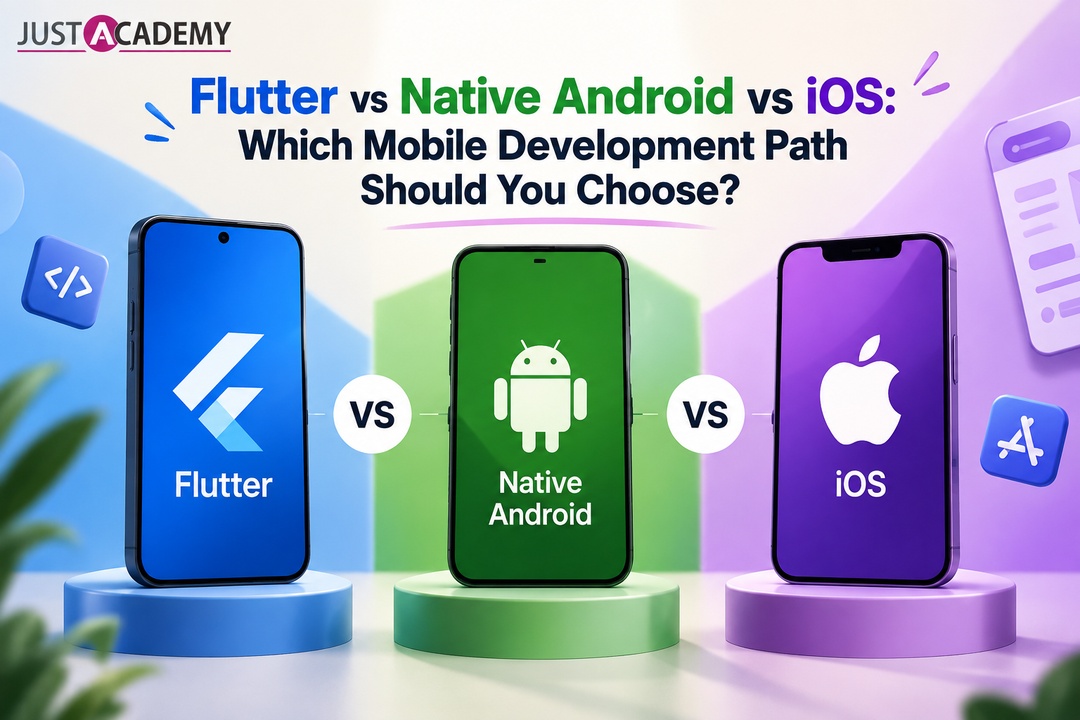
There is no single correct answer to Flutter vs native Android vs iOS, and honestly, be a little wary of anyone who tells you there is. What matters is matching the track to your goals, your timeline, and the kind of developer you actually want to become. If speed and cross platform reach matter most to you right now, Flutter or React Native are excellent starting points. If deep, specialised, device level mastery is the goal, native Android or native iOS will reward the extra effort. Either way, you do not have to figure this out alone from scattered blog posts and forum threads.
The fastest way to get real clarity is to talk to someone who teaches this every day. Go ahead and book your free live demo class to experience a mentor led session firsthand, or if you would rather explore the full curriculum first, you can download our detailed course brochure and see exactly what each track covers before you decide.
What Exactly Is Flutter and Why Developers Keep Talking About It
React Native vs Flutter, the Debate Every Beginner Runs Into
Comparing All Four Paths Side by Side
Why Pune Learners Are Choosing Live Interactive Mentor Led Training
A grounded, honest guide for Hyderabad learners, career switchers and business owners who want to build real apps with Flutter and learn from mentors, not just videos.
Forty questions, honest answers and the design skills hiring panels in Delhi quietly score, shaped around live interactive, instructor led and mentor led learning
From your very first Laravel build to client ready applications, a Delhi learner’s guide to growing real backend skills through live interactive, instructor led and mentor led practice.
A Delhi focused, mentor backed guide with 40 answered questions, live instructor led practice and a clear path from learner to hired meanstack developer
What Delhi learners and working developers can realistically earn at every stage, and the skills, stack choices and mentor led training that move the number
From your first notes app to a multi tenant SaaS build, here are the MERN stack projects Delhi learners can build with live interactive guidance and show with pride on a resume.