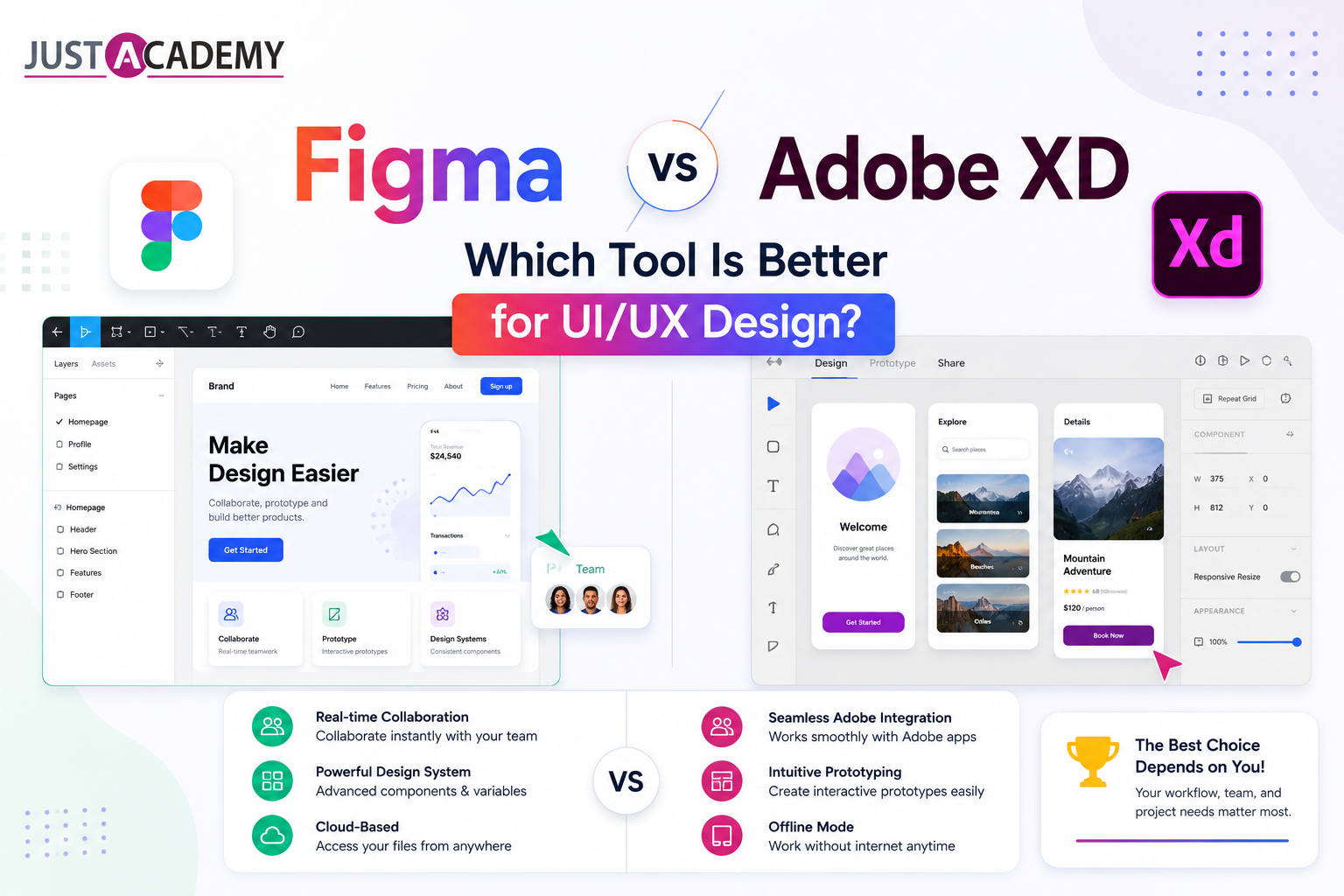
Figma vs Adobe XD Comparison, Figma or Adobe XD Which Is Better, and a Complete Figma vs Adobe XD Guide for UI/UX Designers in 2026
Figma vs Adobe XD: Which Tool Is Better for UI/UX Design?
Figma Training in Mumbai | Figma Training Online | Android App Development in Mumbai | Android App Development Online | Register for a Free Demo | Download Brochure
Every designer beginning their UI/UX career in 2026 faces a version of the same early decision. Which design tool should I learn first and invest in most deeply? For years, the conversation about UI/UX design tools has been dominated by two names above all others: Figma and Adobe XD. Both are capable, widely used, and purpose-built for interface design and prototyping. Both have passionate communities of professional designers who defend their choice with genuine conviction. And both are tools that employers mention in job descriptions, interviewers ask about in technical rounds, and design teams evaluate when standardizing their workflows.
The stakes of choosing the wrong tool are lower than many beginners fear, because design skills transfer between tools more readily than programming skills transfer between languages. But the stakes of learning a tool deeply are higher than they appear, because genuine proficiency, the kind that lets you work faster, build better systems, and collaborate more effectively than your peers, requires sustained practice and real project work that takes months to develop. Choosing which tool to invest that time in is a decision worth making carefully.
This blog examines the Figma vs Adobe XD comparison from every angle that matters for a career decision in India's UI/UX design market in 2026. It covers the current state of each tool, their technical capabilities, the industries and company types that use each, the collaboration and handoff experiences they provide, their pricing and accessibility, and an honest assessment of which choice makes more sense for designers at different stages and with different goals.
The Current State of Figma and Adobe XD in 2026
How Figma Became the Industry Standard
Figma launched in 2016 as a browser-based design tool that challenged the desktop-application model that had defined the design tool landscape since Sketch's emergence earlier that decade. Its core proposition was collaboration. By running in the browser and storing files in the cloud, Figma allowed multiple designers to work on the same file simultaneously, which was a capability that desktop tools including Sketch and the original Adobe XD simply could not match. Design reviews could happen in real time. Stakeholder comments could be left directly on design files without exporting or sharing static images. Developer handoff could happen through a shared link rather than a file transfer and inspection tool setup.
The market responded decisively. By 2020, Figma had become the tool of choice at the majority of technology product companies globally. By 2022, it had captured enough market share that Adobe announced an acquisition attempt for approximately twenty billion dollars, which was ultimately blocked by regulatory authorities in 2023. By 2026, Figma is the dominant UI/UX design tool across India's technology industry, used by product design teams at startups, scale-ups, global capability centers, and IT services companies that have modernized their design practices.
What Happened to Adobe XD After the Acquisition Attempt Failed
Adobe XD was launched in 2016 as Adobe's answer to Sketch and the emerging browser-based design tool market. It integrated with Adobe's Creative Cloud ecosystem, which gave it natural appeal among designers who already used Photoshop, Illustrator, and After Effects professionally. It offered solid prototyping capabilities, a clean interface, and the Adobe brand credibility that design teams at traditional agencies and established companies found reassuring.
After the failed Figma acquisition, Adobe's strategic direction for XD became uncertain. Adobe shifted significant design tool investment toward integrating generative AI capabilities across Creative Cloud through its Adobe Firefly initiative, and XD's development pace slowed noticeably relative to Figma's continued feature releases. In 2026, Adobe XD remains a functional and capable design tool, but it is no longer positioned as Adobe's primary answer to Figma. Adobe has been directing designers toward a combination of Illustrator for vector work, Photoshop for image manipulation, and Adobe Express for simpler design tasks, while XD occupies an increasingly niche position in the tool landscape.
The practical consequence for designers making tool decisions in 2026 is that the competitive landscape has shifted substantially since the peak of the Figma vs Adobe XD debate. Figma is not merely winning the comparison. It has effectively become the category standard against which other tools are measured, while Adobe XD's future development trajectory remains less clear than Figma's.
Core Feature Comparison: Figma vs Adobe XD
Interface and Learning Curve
Figma's interface is clean, logically organized, and designed for the browser environment that is its native context. The left panel manages layers and assets. The right panel manages properties and design settings. The toolbar at the top provides access to primary tools. The canvas occupies the center. For designers coming to Figma without prior experience of desktop design tools like Sketch or Illustrator, the interface is approachable and the learning curve to basic proficiency is manageable within a few weeks of consistent practice.
Adobe XD's interface follows conventions that will feel immediately familiar to anyone with experience in Adobe Creative Cloud applications. The toolbar placement, panel organization, and workflow patterns mirror other Adobe tools closely enough that Creative Cloud users find the transition to XD significantly faster than the transition to Figma. For designers who are already embedded in the Adobe ecosystem professionally, this familiarity is a genuine productivity advantage that should not be dismissed.
For beginners with no prior experience of either ecosystem, the honest assessment is that Figma's interface is slightly more intuitive for the specific workflows of UI/UX design. Its panels and tools are organized around the design tasks that UI/UX designers perform most frequently, without the additional interface weight of creative tools that are not relevant to interface design work.
Components and Design Systems
Component and design system capabilities are where the Figma vs Adobe XD comparison becomes most technically significant for professional designers. Design systems are the infrastructure on which consistent, maintainable, scalable product design is built, and the quality of a tool's component and variant system directly determines how well it supports design system work.
Figma's component system is the most mature and capable in the design tool market. Components support multiple levels of nesting, allowing complex components to be built from simpler sub-components that each have their own variant states. The variants system allows a single component to contain all its possible states, such as a button's default, hover, focused, disabled, and loading states, within a single organized structure that designers can navigate intuitively and developers can inspect systematically. Auto layout, which controls how components resize and adapt to content changes, mirrors CSS flexbox behavior closely enough that designs built with it translate into production code with significantly less interpretation required from developers.
Figma variables, introduced in recent versions and significantly expanded in 2025, allow design tokens including color values, spacing values, typography settings, and other design properties to be stored as named variables that can be applied consistently across a design system and switched between themes, such as light and dark mode, through a single mode change. This capability makes Figma design systems genuinely comparable to production design token systems and allows design changes to propagate through an entire system automatically.
Adobe XD's component system is capable for straightforward design work but has not kept pace with Figma's depth of design system support. Variants and states are supported, but the workflow for managing complex nested component hierarchies and design token systems in XD is more cumbersome than Figma's and requires more manual maintenance as systems grow. For designers building and maintaining serious design systems, this difference is practically significant.
Prototyping and Animation
Prototyping capabilities determine how effectively a designer can communicate interaction design intent through clickable demonstrations rather than static screens. Both Figma and Adobe XD support prototyping, but their approaches and capability depths differ meaningfully.
Figma's prototyping system covers basic click-through navigation between frames, Smart Animate transitions that automatically interpolate between matched elements across connected frames to produce smooth animated transitions, overlay and modal interactions, scroll and overflow behaviors, and interactive components that change state in response to user interaction within a single frame. The combination of Smart Animate and interactive components allows Figma prototypes to demonstrate micro-interactions and animation sequences that are close enough to final product behavior to be genuinely useful for usability testing and stakeholder communication.
Adobe XD's prototyping includes Auto Animate, which functions similarly to Figma's Smart Animate, along with voice prototyping capabilities that Figma does not offer natively. For agencies and designers working on voice interface projects or applications with significant voice interaction components, XD's voice prototyping is a genuine differentiation. For the majority of screen-based UI/UX design work, Figma's prototyping capabilities are comparable and in some respects more polished.
Collaboration and Real-Time Editing
Collaboration is the dimension of the Figma vs Adobe XD comparison where Figma's advantage is most clear and most consequential for professional design team workflows. Figma was architected from the beginning as a collaborative tool. Real-time multiplayer editing, where multiple designers can work on the same file simultaneously and see each other's cursors and changes in real time, is a native capability that required no bolt-on addition. It works reliably, it is fast, and it has been refined over eight years of production use by millions of designers globally.
Commenting is similarly integrated. Stakeholders, product managers, engineers, and other collaborators can view a Figma file through a browser link without creating an account, leave comments on specific elements or locations on the canvas, and track comment resolution without requiring any export or file management workflow. Design reviews that previously required scheduling a meeting and sharing a screen can be conducted asynchronously through Figma's commenting system, which is a meaningful workflow improvement for distributed teams and organizations with busy stakeholders.
Adobe XD supports cloud-based sharing and commenting through Creative Cloud, but the collaboration experience is less seamless than Figma's. Real-time multiplayer editing requires a Creative Cloud subscription and is more limited in its simultaneous editing capabilities. The sharing and review workflow, while functional, requires more steps and produces a less fluid experience than Figma's browser-native model. For teams where design review and stakeholder collaboration are frequent activities, which describes most professional design teams, this difference in collaboration quality affects daily workflow significantly.
Developer Handoff and Inspect Mode
Developer handoff, the process through which design specifications are communicated to the engineers who implement them, is a critical workflow that both tools support through inspection interfaces. The quality of handoff directly affects how accurately designs are implemented and how much back-and-forth is required between designers and developers during implementation.
Figma's inspect mode, accessible to anyone with a view link to the file, allows developers to click on any element and see its CSS properties, spacing values, typography settings, color values, and component structure. Developers can copy CSS snippets directly from the inspect panel. Auto layout properties in Figma map directly to CSS flexbox properties, which means layouts built correctly in Figma translate directly into implementation specifications that developers can use without interpretation. The integration with developer tools including Zeplin and the native Figma Dev Mode released in recent versions has made Figma's handoff workflow the benchmark that other tools are measured against.
Adobe XD's design specs functionality provides similar inspection capabilities and integrates with Zeplin as well. The developer handoff workflow in XD is functional and meets the basic requirements of most production design processes. It is not as polished or as deeply integrated with modern development workflows as Figma's, particularly for teams using design tokens and component-driven development practices, but it is sufficient for straightforward implementation handoff.
Pricing and Accessibility
Figma's Pricing Model
Figma offers a free starter plan that gives individual designers access to three active projects, unlimited personal files, and the full core feature set of the design tool. For designers who are learning, building a portfolio, or doing individual freelance work, the free plan is genuinely useful and allows substantial learning and practice without any financial commitment.
The professional plan at approximately twelve dollars per editor per month unlocks unlimited projects, advanced prototyping features, team libraries for sharing design systems across files, and private projects. For professional design teams, the organization plan adds design system analytics, branching and merging for version control of design files, and centralized team administration. The pricing model means that Figma is accessible at zero cost for individual learners, which removes financial barriers to learning the industry standard tool.
Adobe XD's Pricing Model
Adobe XD is included in Adobe Creative Cloud, which is available as a standalone XD subscription or as part of the full Creative Cloud all-applications plan. The full Creative Cloud subscription is significantly more expensive than Figma's professional plan, though it includes the complete Adobe tool suite including Photoshop, Illustrator, After Effects, Premiere Pro, and the rest of the Creative Cloud library. For designers who already subscribe to Creative Cloud for other Adobe tools, XD is available at no additional cost.
For designers who want only a UI/UX design tool and do not use other Creative Cloud applications, the cost comparison favors Figma significantly. Figma's free plan provides more than enough capability for learning and portfolio development, while accessing Adobe XD requires either a full Creative Cloud subscription or a standalone XD plan that does not include the breadth of tools that Creative Cloud's value proposition depends on.
Figma vs Adobe XD in India's Design Job Market
What Indian Employers Are Using and Hiring For
The job market signal in India's UI/UX design hiring landscape in 2026 is unambiguous. Figma is specified in the overwhelming majority of UI/UX designer job descriptions at Indian product companies, startups, global capability centers, and IT services companies that have established design practices. Job postings at companies including Razorpay, Zepto, Meesho, Urban Company, Swiggy, Zomato, and the design practices within IT services companies consistently list Figma proficiency as a requirement rather than Adobe XD.
Adobe XD continues to appear in job descriptions at traditional advertising agencies, print and digital media organizations, and companies with established Adobe Creative Cloud workflows where XD was adopted as part of the existing Creative Cloud infrastructure. These roles represent a smaller and in several sectors declining share of the total UI/UX design job market in India compared to the product and technology company roles where Figma dominates.
For a student or career changer making a tool investment decision in 2026 based on employment probability, the market signal is clear. Learning Figma first, developing genuine proficiency in it, and including Figma-based work in a portfolio positions you for the largest and fastest-growing segment of India's UI/UX design job market. Adobe XD knowledge is useful context and may be required for specific roles, but it is not the primary tool investment that maximizes your employability in India's 2026 design job market.
What Design Interviews Assess in India
Technical UI/UX design interviews at Indian product companies and technology organizations typically include a portfolio review component, a design challenge component, and a tool demonstration component. In the tool demonstration component, interviewers assess whether candidates can work in Figma fluently enough to contribute to the team's design system and workflow from their first week. Candidates who demonstrate Figma proficiency, including component creation, auto layout, prototyping, and developer handoff, consistently advance further in technical interview rounds than those who are more comfortable in Adobe XD and need time to learn Figma after joining.
The implication for interview preparation is that building Figma proficiency deeply enough to demonstrate it confidently under the time pressure of a live interview or take-home design challenge is a priority that should not be deprioritized in favor of Adobe XD familiarity, regardless of any prior experience with the Adobe ecosystem.
When Adobe XD Makes More Sense Than Figma
The Adobe Ecosystem Integration Argument
The strongest genuine argument for Adobe XD over Figma is the integration with the Adobe Creative Cloud ecosystem. Designers who work extensively with Photoshop for image editing and compositing, Illustrator for vector illustration and icon creation, After Effects for motion design and animation, and Premiere Pro for video editing can move assets between these tools and Adobe XD with a workflow efficiency that Figma cannot fully replicate.
If your design work is embedded in a workflow that requires frequent round-tripping between Adobe tools and your interface design environment, and if your team or clients are standardized on Creative Cloud, the friction reduction of working in XD rather than managing Creative Cloud to Figma asset transfers is a legitimate practical consideration. This scenario is most common at traditional creative agencies, marketing and advertising organizations, and media production companies where the full Adobe toolset is the production infrastructure.
The After Effects Motion Design Connection
Designers who specialize in motion design and plan to build careers that combine UI/UX design with sophisticated animation work benefit from Adobe XD's tighter integration with After Effects compared to Figma's more limited motion export options. The ability to move UI elements from XD into After Effects for complex animation production, and to reference XD designs within After Effects compositions, supports a motion design workflow that Figma does not match natively.
For designers targeting motion design roles at entertainment companies, gaming organizations, broadcast media, or product companies where motion is a primary design output rather than a supporting element of interaction design, developing Adobe tool ecosystem proficiency alongside or instead of Figma fluency may serve career goals better.
The Honest Recommendation for 2026
Start With Figma, Learn It Deeply
For the vast majority of aspiring UI/UX designers in India in 2026, the recommendation is unambiguous. Learn Figma first, learn it thoroughly, and build your portfolio entirely in Figma before considering any investment of time in Adobe XD. The employment market, the industry standard, the collaboration capabilities, the design system infrastructure, the developer handoff quality, the pricing accessibility, and the direction of continued tool development all point toward Figma as the correct primary tool investment for a UI/UX design career.
Deep Figma proficiency means more than knowing how to place elements on a canvas and connect screens in a prototype. It means understanding auto layout well enough to build components that behave correctly at any content length and across screen sizes. It means building component libraries with complete variant sets that cover all interaction states. It means creating design systems with Figma variables that support multiple themes and token-driven updates. It means producing prototypes that communicate interaction intent through Smart Animate transitions and interactive components. And it means conducting developer handoff through Figma's inspect mode in a way that gives engineers the specifications they need without extensive supplementary documentation.
Figma Training in Mumbai and Figma Training Online at JustAcademy develop exactly this level of Figma proficiency through live interactive instruction with experienced practitioners. The curriculum covers foundational Figma operation through advanced component systems, design system architecture, prototyping, and developer handoff workflows that match the practices used in professional product design teams. Learning Figma through structured training with expert feedback is significantly more efficient than self-directed tutorial consumption and produces the portfolio-ready work that design interviews require.
Add Adobe XD Knowledge Later if Your Career Requires It
If your career path takes you into environments where Adobe XD is the team standard, whether at a creative agency, media organization, or company that standardized on XD before Figma's dominance was established, the transition from Figma to XD is manageable for a designer with strong Figma foundations. The underlying design thinking, component logic, and prototyping principles transfer between tools, and the interface differences are navigable within a few weeks of deliberate practice in the new environment.
The reverse, building deep Adobe XD proficiency first and then needing to learn Figma for a product company role, is more consequential because the tool your portfolio is built in signals which environment you are prepared to work in. Portfolios built in Figma signal product design readiness more clearly to product company interviewers than portfolios built in XD, regardless of the quality of the underlying design thinking they demonstrate.
Building a Complete UI/UX Skill Set Beyond the Tool Choice
Frontend Knowledge That Elevates UI Design
UI/UX designers who understand how their designs are implemented in code make better design decisions and collaborate more effectively with development teams than those who treat implementation as entirely separate from design. Understanding HTML structure, CSS layout, and how component-based JavaScript frameworks render UI elements gives designers the technical context to make choices in Figma that translate cleanly into code rather than requiring extensive developer interpretation.
HTML Training in Mumbai and HTML Training Online, CSS Training in Mumbai and CSS Training Online, and Bootstrap Training in Mumbai and Bootstrap Training Online give UI/UX designers the frontend literacy that makes their Figma work more technically informed and their developer collaboration more productive. JavaScript Training in Mumbai and JavaScript Training Online extend that literacy into the language that powers the interactive behaviors designers specify in their prototypes.
React JS Training in Mumbai and React JS Training Online and Angular Training in Mumbai and Angular Training Online are relevant for designers who want to understand the component-based frontend frameworks that implement the design systems they create in Figma, giving them the ability to design components whose structure mirrors implementable React or Angular components accurately.
Mobile Platform Knowledge for App Designers
UI/UX designers working on mobile applications benefit substantially from understanding the platforms their designs will be built on. iOS Training in Mumbai and iOS Training Online and Android App Development in Mumbai and Android App Development Online give designers the platform-specific technical context that makes their mobile UI designs more accurate, more implementable, and better aligned with the interaction conventions that mobile users expect.
Flutter Training in Mumbai and Flutter Training Online and React Native Training in Mumbai and React Native Training Online are particularly valuable for designers at companies using cross-platform mobile frameworks, where understanding how Flutter widgets or React Native components render and behave helps designers create Figma components that map directly to implementable code structures.
Data and Analytics Context for Product Designers
Product designers at data-driven organizations increasingly need to design analytics dashboards, reporting interfaces, and data visualization components that communicate complex information clearly. Tableau Training in Mumbai and Tableau Training Online and Microsoft Power BI Training in Mumbai and Microsoft Power BI Training Online give designers the data visualization literacy to design these components effectively and to collaborate with data engineers and analysts who build the underlying data infrastructure. Python Training in Mumbai and Python Training Online add data analysis skills that help designers understand the data they are designing interfaces for. The Data Analytics Bootcamp in Mumbai and Data Analytics Bootcamp Online are for designers who want to develop serious data competency alongside their design skills.
Quality Assurance Context for Design Accuracy
Designers who understand how automated testing tools interact with the interfaces they create make more testable design decisions and collaborate more effectively with QA engineers. Selenium Training in Mumbai and Selenium Training Online and Mobile App Testing Using Appium Training in Mumbai and Mobile App Testing Using Appium Online give designers insight into how test automation tools interact with UI elements, which informs design decisions about element naming, accessibility attributes, and interaction patterns that make automated testing more reliable.
Conclusion
The Figma vs Adobe XD comparison in 2026 has a clearer answer than it did three or four years ago. Figma is the industry standard UI/UX design tool. It is used by the majority of product design teams at Indian technology companies, global capability centers, and IT services organizations that have modernized their design practices. It has the most advanced component and design system capabilities, the most seamless collaboration experience, the most integrated developer handoff workflow, and the most active continued development of any UI/UX design tool currently available. It is free to learn at the level required for portfolio development and early career employment.
Adobe XD remains a capable tool with genuine advantages in specific contexts, particularly for designers embedded in Creative Cloud workflows, working at traditional agencies, or specializing in motion design with After Effects integration. These contexts represent a meaningful but narrowing share of the total UI/UX design job market in India in 2026. For designers whose career goals are oriented toward product companies, technology startups, and the growing GCC ecosystem, Adobe XD's advantages do not outweigh Figma's market dominance.
The most important thing you can do with this information is not simply choose the right tool but invest in learning it with the depth and seriousness that professional employment requires. Tool proficiency that is deep enough to demonstrate under interview pressure, build portfolio-quality design systems, and contribute to production design workflows from day one is the outcome that structured training with experienced instructors is best positioned to deliver.
Figma Training in Mumbai and Figma Training Online at JustAcademy provide the live interactive, project-based Figma training that builds exactly that level of proficiency. Register for a Free Demo to experience the curriculum and speak with an advisor about the right learning path for your design career goals, or Download the Brochure to review full course details, batch schedules, and fees. Start building your UI/UX design career on the right foundation today.
The Current State of Figma and Adobe XD in 2026
Core Feature Comparison: Figma vs Adobe XD
Figma vs Adobe XD in India's Design Job Market
When Adobe XD Makes More Sense Than Figma