I am learning flutter from JustAcademy, They provide very much great environment where people gather and work simultaneously. totally project based training institute.
MOHD ABU BAKAR ANSARI
Flutter Developer
Awesome Experience. I am a Front-end Web Designer working at Star India for 3 years now. I applied for Full-stack development and my experience has been phenomenal & they really do help with placements exceptionally. Thank you Roshan sir so much.
A practical, project first roadmap to help you go from your first Dart line to an app that actually gets you shortlisted
Why Flutter Is Still Worth Learning in 2026
If you have spent even a weekend scrolling through job listings for mobile developers, you already know the pattern. Half the postings want someone who can ship for both Android and iOS without doubling the workload, and most of those postings mention Flutter by name. That is really the whole pitch for flutter for beginners right now. It is not a trend that is about to fade, it is the framework that recruiters keep circling back to because one codebase genuinely does the job of two.
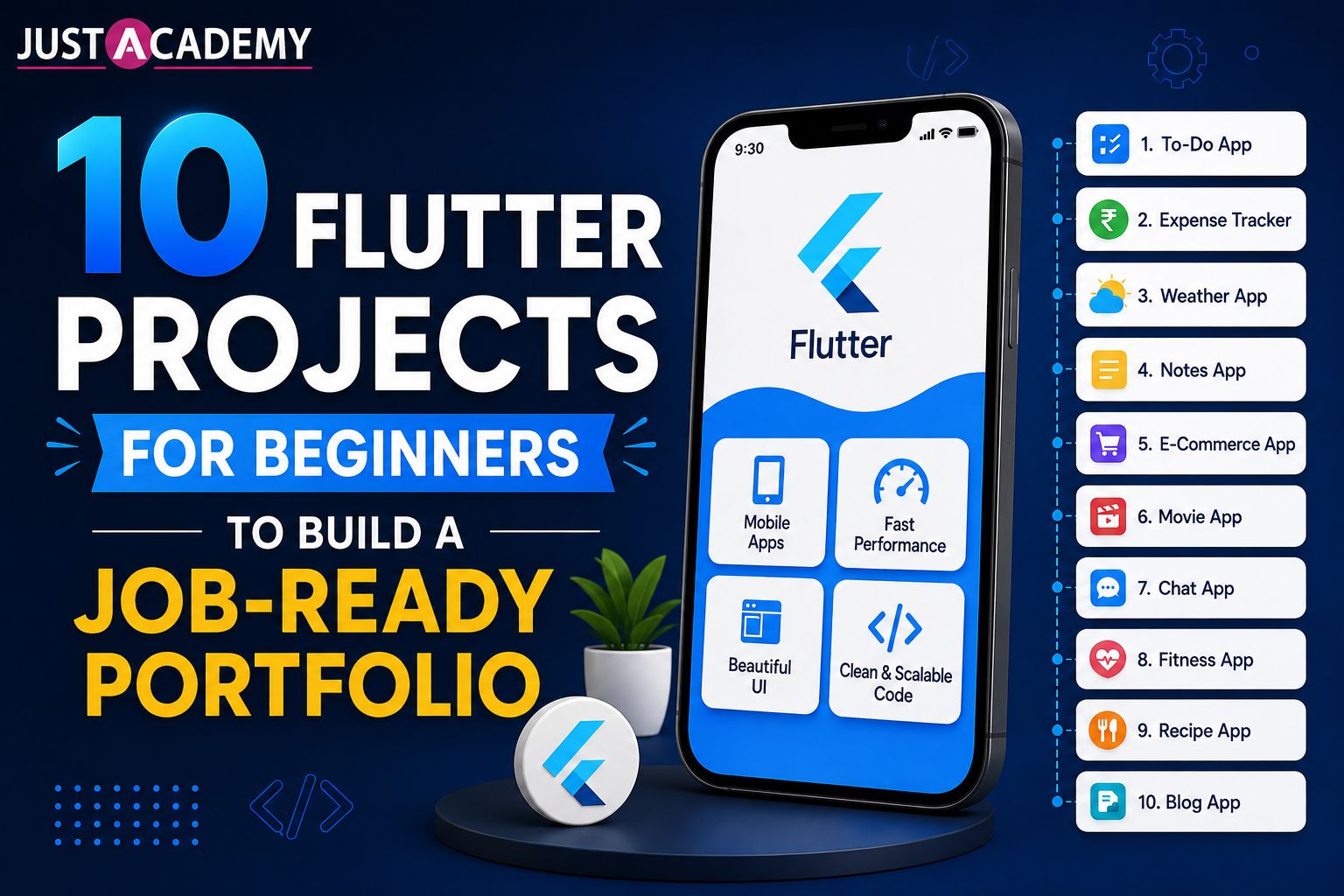
Here is the thing nobody tells you when you start searching "learn flutter" at 11pm after a long day at your current job or your final semester. Watching tutorials will teach you syntax, but it will not teach you how to think like someone who ships apps. That only happens when you build things, break things, and fix them yourself. This blog is not another list of "cool things to try someday." It is a set of 10 flutter projects for beginners, ordered the way an actual instructor would order them, so that by the time you are done, you have a portfolio that a hiring manager can actually click through and be impressed by.
There is also a practical reason Flutter keeps winning mindshare among companies of every size, from three person startups to large enterprise teams. Hiring one developer who can maintain a single codebase costs less and moves faster than maintaining two separate native teams that need to stay in sync on every feature release. That single fact is why so many product teams in Mumbai, Pune, Bangalore, and increasingly across global remote teams are actively hiring for Flutter skills rather than treating it as an optional nice to have on a resume.
We will also touch on the Dart programming language basics you need before jumping into projects, look honestly at flutter vs kotlin and react native vs flutter debates, and close with why structured training tends to get people to job readiness faster than solo YouTube marathons.
What Actually Makes a Portfolio "Job Ready"
A lot of beginners think more apps automatically means a better portfolio. That is not quite true. What actually impresses someone reviewing your GitHub or your resume is variety and depth. One weather app that pulls live data, one app with local storage, one with authentication, and one with some kind of state management complexity will always beat five near identical to do list clones.
There is a second, quieter mistake beginners make too. They finish a project, push it to GitHub, and never touch it again. A recruiter or interviewer does not just look at whether the app runs, they look at your commit history, whether you fixed bugs over time, whether your README actually explains what the app does and how it is built, and whether the code is organized into logical folders instead of one giant main.dart file with five hundred lines crammed into it. Small habits like writing clear commit messages and keeping your widgets separated into their own files make a bigger difference during interviews than most beginners realize.
That is exactly how the ten projects below are arranged. Each one adds a new skill on top of the last, so by project ten you are not "still a beginner," you are someone who understands navigation, APIs, local databases, animations, and app architecture well enough to talk about them confidently in an interview. Treat each project like a small case study you could explain out loud, not just a folder sitting in your GitHub account.
10 Flutter Projects for Beginners to Build a Job Ready Portfolio
1. A Personal To Do List App
Yes, everyone starts here, and there is a good reason for it. This project forces you to understand widgets, state management basics using setState, and simple UI layout without the distraction of networking or databases. Keep it simple at first, add checkboxes, deletion, and maybe categories once the basics click.
Once the core version works, push yourself a little further. Add due dates, a way to mark tasks as priority, or a simple filter that separates completed tasks from pending ones. This small extension teaches you how to manage slightly more complex state without reaching for an external package yet, which is exactly the kind of gradual difficulty curve that makes learning stick.
2. A BMI or Unit Converter Calculator
This project is deceptively useful because it teaches you form handling, input validation, and basic Dart logic. Since Dart programming is the language underneath every flutter build, spending real time here pays off later. If you are still shaky on dart programming language fundamentals like functions and conditionals, this is where you cement them before moving to anything visual.
Beginners often rush past input validation, but this is precisely where interviewers like to probe. What happens if someone types letters into a numeric field? What happens if the height field is left empty? Handling these edge cases gracefully, instead of letting the app crash, is a small detail that signals maturity in your coding habits.
3. A Weather App Using a Public API
This is usually the first real "wow, I built something that talks to the internet" moment for most learners. You will work with HTTP requests, JSON parsing, and asynchronous programming in Dart, which are skills every recruiter expects from someone claiming flutter app development course experience. If you want a full walkthrough on how a structured program approaches this stage, our team broke down the exact sequence in flutter course in Mumbai with placement, everything you need to know, which is worth a read once you finish this project.
Try adding a five day forecast once the current weather display works, since this forces you to loop through and parse a list of JSON objects instead of a single object. It is a small jump in complexity but it mirrors almost exactly what you will be doing with real product data once you land a job.
4. A News Reader App
Building on the weather app, a news reader introduces list views, card layouts, and pagination. It also gives you a chance to practice clean UI design, which matters more than beginners usually assume during interviews.
Pagination specifically deserves extra attention here. Loading twenty articles at once and then fetching the next batch as the user scrolls is a pattern you will see in nearly every real world app, from social feeds to e commerce listings, so treat this as a chance to genuinely understand infinite scroll rather than rushing through it.
5. An Expense Tracker With Local Storage
Here you move from purely visual work into data persistence, using something like SQLite or Hive to save records on the device itself. This single project alone tends to separate casual hobbyists from people who are serious about a flutter development course path, because local storage questions come up constantly in technical interviews.
Add a simple monthly summary chart once the basic add and delete functionality works. It does not need to be fancy, even a basic bar chart showing spending by category will teach you how to aggregate stored data and present it visually, which is a skill that shows up again and again in dashboard style apps.
6. A Notes App With CRUD Functionality
Create, read, update, delete. Four words that show up in almost every real world app. Building a notes app that lets users edit and remove their own entries is one of the clearest ways to demonstrate you understand full data flow inside an app, not just how to display static content.
Consider adding a search bar to filter notes by title or content. Search functionality, even a simple client side filter, is another one of those small features that interviewers love to ask beginners to implement live, so having already built one gives you a real advantage.
7. A Simple E Commerce Product Listing App
This is where things start to feel closer to a real job. You will practice grid layouts, product detail navigation, and cart logic. It does not need a real payment gateway, a mock cart with add and remove functionality is more than enough to prove the concept during interviews.
If you are already thinking about how this compares to native development paths, it is worth pausing here and exploring android app development or iOS training as parallel tracks, simply to understand why so many teams still choose Flutter over writing separate native codebases for each platform.
Once your product grid and cart are working, try adding a simple quantity selector and a running total on the cart screen. This introduces you to managing state that is shared across multiple screens, which naturally sets up the state management lessons waiting in project ten.
8. A Chat UI App With Firebase Integration
Now you are stepping into real time data. Firebase gives beginners an accessible way to build authentication and live chat features without managing a backend server from scratch. This project alone will make your resume stand out because most beginner portfolios stop before reaching real time functionality.
Somewhere around this stage, a lot of learners start questioning whether they are on the right track at all, and honestly that is a fair question to ask. We answered it directly in is flutter worth learning in 2026, career opportunities in Mumbai, and it is a genuinely useful read if you are somewhere in the middle of this journey and want reassurance backed by actual market data rather than opinions.
Beyond basic messaging, try adding a simple online or offline status indicator next to each user. It is a small feature but it introduces you to listening for real time changes in a database, which is a foundational concept behind almost every modern chat, social, or collaboration app on the market today.
9. A Fitness or Habit Tracker With Animations
This project is your playground for Flutter's animation capabilities, progress indicators, custom transitions, and micro interactions that make an app feel polished rather than functional but plain. Recruiters notice polish. It is often the difference between "this candidate can code" and "this candidate understands product feel."
Try building a simple streak counter that animates when a habit is marked complete for the day. Even a modest scale or fade animation on task completion goes a long way toward making your app feel like something a real product team shipped, rather than a classroom exercise.
10. A Multi Screen App With Proper State Management
Your final beginner project should tie everything together using a proper state management approach like Provider or Riverpod instead of relying only on setState. This is the project that signals you are ready to move from beginner to intermediate flutter developer, and it is the one worth spending the most polish on before you start applying anywhere.
A good approach here is to take one of your earlier, simpler projects, the expense tracker or the e commerce listing app works well, and rebuild it using proper state management from the ground up. Comparing the old version against the new one is also a fantastic thing to mention in an interview, since it shows growth rather than just a single static skill level.
Once these ten are done, you genuinely have enough to walk into an interview and speak with confidence. And speaking of interviews, if you want to see the kind of questions that typically follow a portfolio review like this, our detailed breakdown of top 50 flutter interview questions and answers covers almost everything an interviewer is likely to throw at a fresher.
Flutter vs Other Frameworks: Where It Actually Wins
One question that comes up constantly in our live sessions is how Flutter stacks up against the alternatives. Here is an honest, no fluff comparison.
Framework
Best For
Learning Curve
Performance
Flutter
Cross platform apps with native like performance
Moderate, easier if you know OOP
Excellent, compiles to native code
React Native
Teams already comfortable with JavaScript
Moderate
Good, but bridge dependent
Kotlin (Android native)
Android only, deep platform access
Steep
Excellent on Android only
.NET MAUI
Microsoft stack teams
Moderate to steep
Good, still maturing
Kotlin Multiplatform
Sharing logic while keeping native UI
Steep
Excellent, more native control
The react native vs flutter debate usually comes down to team background. If your team already lives in JavaScript, React Native feels natural. If you are starting fresh, Flutter's single language approach through Dart tends to be faster to pick up because you are not juggling a bridge layer between JavaScript and native code. That bridge layer, incidentally, is also where React Native tends to lose a bit of performance on animation heavy screens, something Flutter avoids entirely since it renders its own widgets directly rather than translating them through native components.
When people ask about flutter vs kotlin, the honest answer is that Kotlin wins if you only ever plan to build for Android and need the deepest possible platform access, things like custom hardware integrations or highly specific system level permissions. But if cross platform reach matters to you or your future employer, Flutter simply covers more ground with one codebase, and most product companies today are optimizing for exactly that kind of reach rather than platform specific depth.
As for flutter vs android studio, this comparison is slightly misleading since Android Studio is an IDE, not a framework, though many beginners use it interchangeably in conversation. You can absolutely build Flutter apps inside Android Studio, so this is less of a rivalry and more of a workflow choice. Many developers actually use Visual Studio Code for Flutter work instead, purely because it feels lighter and faster for day to day widget building.
On flutter vs net maui and flutter vs kotlin multiplatform, both are newer contenders with smaller communities compared to Flutter's ecosystem, which still gives Flutter an edge in documentation, packages, and hiring demand across the Indian job market specifically. A smaller community usually means fewer Stack Overflow answers when you get stuck at midnight, and for a beginner, that difference matters more than it sounds.
If you are curious how these skills translate across platforms, it is also worth exploring React Native training once you are comfortable with Flutter, since understanding both frameworks makes you a genuinely versatile hire.
The Dart Programming Foundation You Need First
Every strong Flutter developer has one thing in common, a solid grip on Dart before ever touching a widget tree. If you rush past learn dart basics like null safety, async and await, or object oriented concepts, you will feel it later when your app logic gets more complex than a simple counter.
Spend your first week purely on Dart programming fundamentals. Write small console programs, practice functions, classes, and collections. This groundwork makes every project on the list above significantly easier and faster to complete, and it is also exactly what separates people who finish a flutter course free trial and quit from people who actually stick with it long enough to get hired.
A few Dart concepts deserve special attention early on. Null safety trips up almost every beginner at first, since Dart forces you to explicitly handle cases where a value might be missing, rather than letting your app crash unexpectedly in production. Futures and the async and await syntax are equally important, since nearly every API call or database read you make inside a Flutter app depends on understanding how asynchronous code actually executes. Spend real time here rather than treating it as a formality to get through before the "fun part" begins.
How to Structure Your Learning Roadmap
A realistic flutter developer roadmap for a beginner generally looks like this. Two weeks on Dart fundamentals, two weeks on Flutter basics and widget building, three to four weeks working through the ten projects above in order, and then two to three weeks focused purely on state management, API integration depth, and interview preparation.
That is roughly two to three months of consistent, focused effort, not years. The timeline shrinks considerably when you are learning inside a structured, mentor guided environment instead of piecing tutorials together on your own.
It also helps to build in a review week roughly halfway through your roadmap. Go back to your earliest projects, the to do list and the calculator, and refactor them with everything you have learned since. You will likely be surprised at how much cleaner your code looks after just a month of consistent practice, and this kind of revisiting habit is exactly what keeps skills from getting rusty once you move on to more advanced topics.
A Few Questions Beginners Usually Ask at This Stage
Do you need a computer science degree to become a Flutter developer? No, plenty of working developers come from completely unrelated academic backgrounds. What actually matters is a working portfolio and a clear understanding of the fundamentals covered above.
How long before you can apply for junior roles? Most learners following a structured roadmap similar to the one outlined here are ready to start applying within two to three months, assuming consistent daily practice rather than occasional weekend effort.
Should you learn Dart separately before starting Flutter, or learn them together? A short dedicated week on Dart basics before jumping into Flutter widgets tends to save time overall, since you will not be learning two new concepts simultaneously every time something does not work as expected.
Is a flutter certification actually worth pursuing once these projects are done? A certificate on its own rarely gets anyone hired, but it does help when paired with a working portfolio, since it signals to recruiters that your learning followed a recognized structure rather than a scattered collection of tutorials. Think of it as supporting evidence, not the main proof of your skills, the projects always carry more weight in an actual interview.
Why Structured Training Changes the Outcome
Here is something worth being honest about. Self teaching works, plenty of developers have done it, but it usually takes longer and involves a lot of trial and error that a good mentor could shortcut in minutes. That is really the value proposition behind JustAcademy's approach to flutter training.
As an ISO certified institute with classroom presence across Mumbai and Pune, and live interactive sessions available to learners anywhere in the world, the goal has always been to combine structured curriculum with real project building, exactly like the ten projects covered in this blog, but with an instructor checking your logic and pushing you toward better practices along the way.
Students working through the flutter training program get guided project work, doubt clearing sessions, and placement support baked into the course rather than treated as an afterthought. If you want to see the syllabus and format before committing, you can also register for a free demo and sit through an actual live interactive session before making up your mind. That combination of hands on projects plus mentorship tends to be what pushes a portfolio from "decent" to genuinely job ready.
Because live interactive training means your questions get answered in real time rather than sitting unresolved in a comment section somewhere, and because placement support means your job search does not start from zero once your projects are done. For many learners, that structured accountability, a set schedule, an instructor tracking progress, a peer group building the same projects alongside you, ends up being the single biggest factor in whether they actually finish the roadmap or quietly abandon it after project three.
Conclusion
Building ten solid Flutter projects is not just an exercise, it is the difference between saying you know Flutter and being able to prove it in an interview. Start with the fundamentals, move through the projects in order, and do not skip the Dart basics no matter how tempting it is to jump straight into flashy UI work. Whether you choose to learn independently or through a guided flutter course, what matters most is consistency and actually finishing what you start.
If you are ready to turn this roadmap into an actual skill set with mentor support, placement assistance, and a community of learners around you, JustAcademy's flutter training is built exactly for that path, with both Mumbai classroom options and live interactive online sessions for learners anywhere.
A grounded, honest guide for Hyderabad learners, career switchers and business owners who want to build real apps with Flutter and learn from mentors, not just videos.
Forty questions, honest answers and the design skills hiring panels in Delhi quietly score, shaped around live interactive, instructor led and mentor led learning
From your very first Laravel build to client ready applications, a Delhi learner’s guide to growing real backend skills through live interactive, instructor led and mentor led practice.
A Delhi focused, mentor backed guide with 40 answered questions, live instructor led practice and a clear path from learner to hired meanstack developer
What Delhi learners and working developers can realistically earn at every stage, and the skills, stack choices and mentor led training that move the number
From your first notes app to a multi tenant SaaS build, here are the MERN stack projects Delhi learners can build with live interactive guidance and show with pride on a resume.