I am learning flutter from JustAcademy, They provide very much great environment where people gather and work simultaneously. totally project based training institute.
MOHD ABU BAKAR ANSARI
Flutter Developer
Awesome Experience. I am a Front-end Web Designer working at Star India for 3 years now. I applied for Full-stack development and my experience has been phenomenal & they really do help with placements exceptionally. Thank you Roshan sir so much.
Devesh Chaturvedi
Full-Stack Development
28 May, 2026
TestNG Framework, Selenium QA Interview Questions and Answers for Freshers and Experienced Testers in 2026
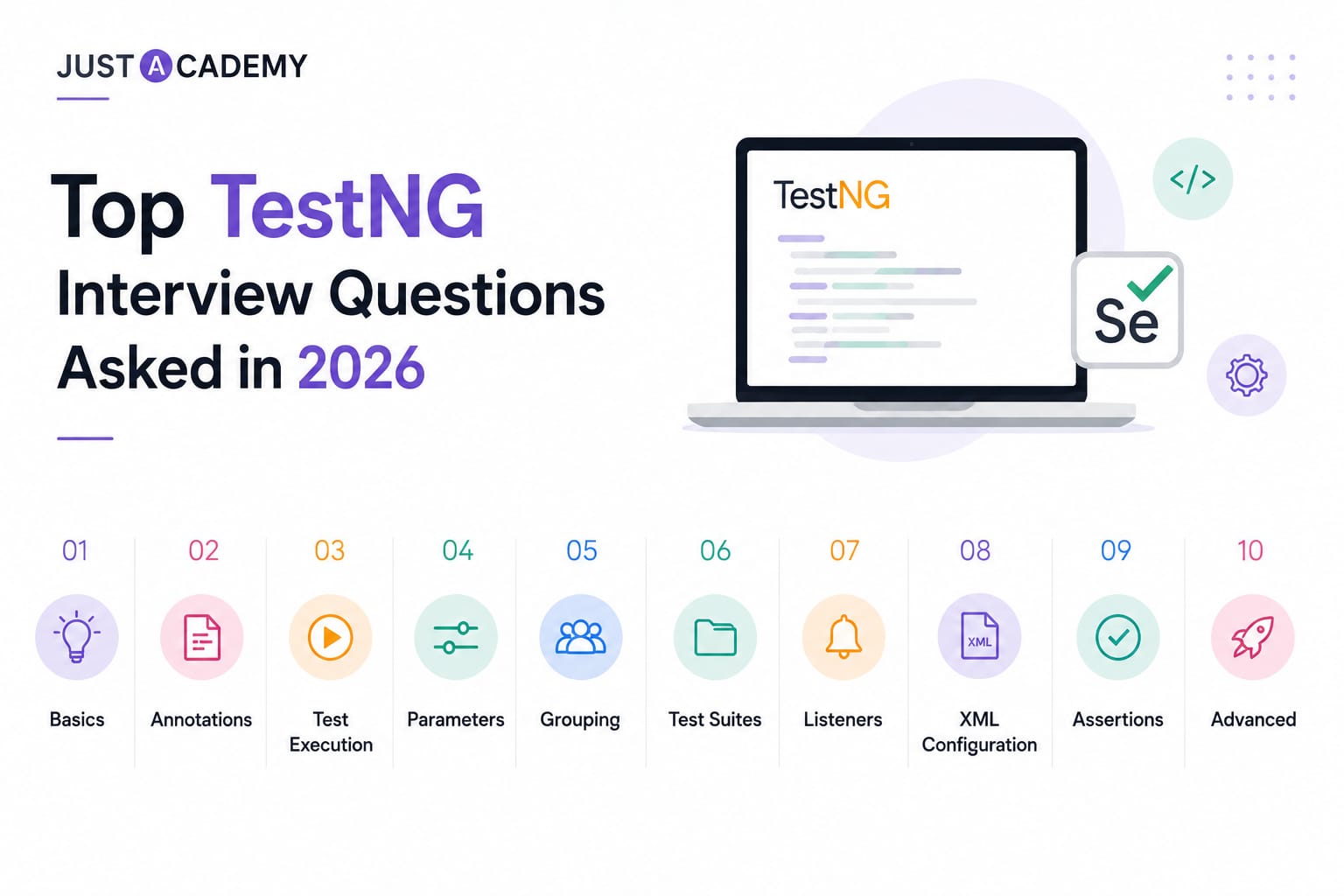
TestNG is the most widely used testing framework in Java-based Selenium automation projects across India in 2026. From structuring test execution and managing dependencies to running parallel tests and generating reports, TestNG provides the backbone of professional QA automation frameworks. Every Selenium QA interview in India that involves a Java stack will include TestNG interview questions, regardless of experience level.
This blog covers the most asked TestNG interview questions and answers for freshers and experienced testers, organized from foundational concepts to advanced framework topics including annotations, grouping, parallel execution, data providers, listeners, and TestNG XML configuration. Every question is numbered in plain text for easy navigation. Whether you are building your skills through the best course in Mumbai with offline classroom training or through live interactive sessions available globally online, this guide gives you complete coverage of what interviewers consistently ask in 2026.
TestNG Basics: Interview Questions Every Fresher Must Know
1. What is TestNG and why is it used in Selenium automation?
TestNG, which stands for Test Next Generation, is an open-source testing framework for Java inspired by JUnit and NUnit but designed with additional features that make it more suitable for professional automation testing. It is used in Selenium automation because it provides a structured way to organize, configure, and execute test cases through annotations, it supports parallel test execution across multiple threads and browsers, it generates built-in HTML and XML reports without requiring additional plugins, it provides data-driven testing through the DataProvider annotation, it allows flexible test grouping and dependency management, and it integrates seamlessly with build tools like Maven and Gradle and CI/CD tools like Jenkins. TestNG is the industry standard framework for Java Selenium projects in India and is assessed in virtually every Selenium QA interview.
2. What is the difference between TestNG and JUnit?
TestNG and JUnit are both Java testing frameworks but differ in several important ways. TestNG supports test grouping through the groups attribute, allowing tests to be organized and selectively executed by category. JUnit does not have native grouping support of the same kind. TestNG provides built-in support for parallel test execution at the method, class, suite, and test level through TestNG XML configuration. JUnit requires additional configuration for parallel execution. TestNG's DataProvider annotation enables data-driven testing from within the framework while JUnit requires additional libraries for similar functionality. TestNG provides more flexible dependency management through dependsOnMethods and dependsOnGroups. TestNG generates richer built-in HTML reports. JUnit is more widely used for unit testing in general Java development while TestNG is the dominant choice for Selenium-based automation test suites in India.
3. What are annotations in TestNG and why are they important?
Annotations in TestNG are special markers placed above Java methods that tell the TestNG framework how and when to execute those methods. They define the structure and lifecycle of the test suite by specifying which methods are test cases, which run before or after tests at various levels, which provide test data, and which configure test behavior. Annotations are the primary mechanism through which TestNG controls test execution flow. Without annotations, TestNG cannot distinguish test methods from regular Java methods, cannot manage setup and teardown lifecycle, and cannot configure data-driven or parallel execution. Understanding all TestNG annotations, their purpose, and their execution order is a mandatory requirement for every Selenium QA interview question set related to TestNG.
4. What are the most commonly used TestNG annotations and what does each do?
The most commonly used TestNG annotations are as follows. @Test marks a method as a test case that TestNG should execute. @BeforeSuite runs once before all tests in the entire test suite. @AfterSuite runs once after all tests in the entire test suite. @BeforeTest runs before any test method in the test tag defined in the TestNG XML file. @AfterTest runs after all test methods in the test tag defined in the TestNG XML file. @BeforeClass runs once before the first test method in the current class. @AfterClass runs once after all test methods in the current class have run. @BeforeMethod runs before every test method in the class. @AfterMethod runs after every test method in the class. @BeforeGroups runs before the first test in the specified group. @AfterGroups runs after the last test in the specified group. @DataProvider marks a method as a supplier of test data for data-driven tests. @Parameters injects values from the TestNG XML file into test methods. @Listeners specifies listener classes to attach to the test class. @Factory marks a method that returns objects to be used as TestNG test classes.
5. What is the execution order of TestNG annotations?
The execution order of TestNG annotations from first to last is BeforeSuite, BeforeTest, BeforeGroups, BeforeClass, BeforeMethod, Test, AfterMethod, AfterClass, AfterGroups, AfterTest, and AfterSuite. When multiple test classes are involved, BeforeClass runs once before all tests in that specific class and AfterClass runs once after all tests in that class, while BeforeMethod and AfterMethod wrap every individual test method. This execution order is one of the most frequently asked TestNG interview questions for freshers because understanding it is essential for correctly designing setup and teardown logic in automation frameworks. A common follow-up question asks what happens if a BeforeMethod fails, to which the correct answer is that the corresponding Test method is skipped and marked as skipped rather than failed.
6. What is testng.xml and what is it used for?
testng.xml is the configuration file used by TestNG to define the structure and execution parameters of a test suite. It specifies which test classes or packages to include in the suite, the suite name and individual test names, groups to include or exclude from execution, parameters to inject into test methods, parallel execution settings including the parallel mode and thread count, listeners to attach to the suite, and the order of test execution. testng.xml is the central control file for TestNG test suites and is essential for CI/CD integration because it allows different test configurations to be defined for different environments and execution scenarios without modifying the test code. In Jenkins, testng.xml is passed to Maven or Gradle as the suite file to execute.
7. What is the difference between @BeforeMethod and @BeforeClass?
@BeforeMethod runs before every single test method in the class, meaning if the class contains five test methods, @BeforeMethod runs five times, once before each. It is used for setup that must be fresh for every test, such as launching a new browser instance, navigating to the application URL, or resetting test data to a known state before each test. @BeforeClass runs only once before the first test method in the class executes, regardless of how many test methods the class contains. It is used for setup that needs to happen only once for the class, such as initializing a database connection, loading configuration files, or performing a one-time authentication that all tests in the class will share. Using the wrong annotation for the intended scope is a common source of flaky tests and is a frequently tested concept in TestNG interview questions.
8. How do you skip a test in TestNG?
A test in TestNG can be skipped in several ways. The enabled attribute of the @Test annotation set to false permanently disables the test method so TestNG does not execute it, marking it as skipped in the report. The SkipException class can be thrown from within a test method or a configuration method to programmatically skip the test at runtime based on a condition. If a method that a test depends on through dependsOnMethods fails, the dependent test is automatically skipped by TestNG. If a @BeforeMethod fails, the corresponding @Test method is skipped. In all cases where a test is skipped, it appears in the TestNG report as a skipped test rather than a passed or failed test, and the skip count is reported separately from the pass and fail counts.
9. What is the purpose of the priority attribute in the @Test annotation?
The priority attribute in the @Test annotation assigns a numeric priority value to a test method that determines its execution order relative to other test methods in the same class. TestNG executes test methods with lower priority numbers first. The default priority is 0 when no priority is specified. Methods with the same priority are executed in an unpredictable order based on the JVM. For example, a test method with priority 1 runs before one with priority 2, which runs before one with priority 3. While priority is useful for controlling execution sequence, relying on test execution order as a design principle is generally discouraged in professional automation because it creates dependencies between tests. Priority is most legitimately used for smoke test ordering or when the application's test preconditions genuinely require a specific sequence.
10. What is the groups attribute in TestNG and how is it used?
The groups attribute in the @Test annotation assigns a test method to one or more named groups. Groups allow tests to be selectively included or excluded from execution runs without modifying the test code. For example, tests can be grouped as smoke, regression, sanity, or feature-specific group names. In testng.xml, the include element specifies which groups to run and the exclude element specifies which groups to skip. A single test method can belong to multiple groups by specifying multiple group names in the groups attribute array. Running only the smoke group against every deployment and the full regression group nightly is a common practical application of TestNG groups. @BeforeGroups and @AfterGroups annotations run setup and teardown methods specifically for a group rather than for all tests.
TestNG Interview Questions on Data-Driven Testing and Parameters
11. What is a DataProvider in TestNG and how does it work?
@DataProvider is a TestNG annotation that marks a method as a supplier of test data for data-driven testing. The DataProvider method returns a two-dimensional Object array where each inner array represents one set of test parameters for one execution of the test method. The test method references the DataProvider by name through the dataProvider attribute of the @Test annotation. TestNG automatically calls the test method once for each inner array in the two-dimensional Object array, passing the values as parameters. If the DataProvider returns three inner arrays, the test method is executed three times with different data each time. The DataProvider can be defined in the same test class or in a separate utility class, in which case the dataProviderClass attribute in @Test specifies the class containing the DataProvider.
12. What is the difference between @DataProvider and @Parameters in TestNG?
@Parameters injects values into test methods from the testng.xml configuration file using the parameter element. It is used for simple, environment-level configuration values such as browser name, application URL, or environment name that change between execution environments. The values are defined in testng.xml and are static for a given execution run. @DataProvider supplies test data from a Java method and is used for data-driven testing where the same test scenario needs to be executed multiple times with different data sets. DataProvider data can be read dynamically from Excel files, databases, JSON files, or hardcoded arrays. The key distinction is that @Parameters is for configuration-level values that are the same for all tests in a run while @DataProvider is for test-level data that varies between executions of the same test.
13. How do you read test data from an Excel file using DataProvider in TestNG?
Reading test data from an Excel file in a TestNG DataProvider uses the Apache POI library, which provides Java APIs for reading and writing Microsoft Office file formats. The DataProvider method creates a FileInputStream for the Excel file, opens the workbook using WorkbookFactory.create, accesses the specific sheet by name or index, iterates through the rows and cells to extract values, stores them in a two-dimensional Object array, and returns the array. The test method annotated with @Test references the DataProvider by name and declares parameters matching the data types of each column in the Excel sheet. Each row in the Excel sheet becomes one execution of the test method. This combination of Apache POI and TestNG DataProvider is the most common data-driven testing pattern in Java Selenium frameworks used across Indian software companies in 2026.
14. How do you pass parameters to a TestNG test from testng.xml?
Parameters are passed from testng.xml to test methods using the parameter element in the XML file and the @Parameters annotation in the test method. In testng.xml, the parameter element is defined with a name attribute and a value attribute within a suite or test tag. In the test method, the @Parameters annotation lists the parameter names in the same order as the method's corresponding parameters, and the method declares parameters with matching data types. If a required parameter is not found in testng.xml, TestNG throws a TestNGException unless a default value is specified using the Optional annotation. Parameters defined at the suite level are available to all tests in the suite. Parameters defined at the test level are available only to the tests within that specific test tag and override suite-level parameters with the same name.
15. Can a DataProvider in TestNG return an Iterator instead of a two-dimensional array?
Yes, a TestNG DataProvider can return an Iterator of Object arrays instead of a two-dimensional Object array. This approach is particularly useful for large datasets where loading all data into memory simultaneously would be inefficient, because the Iterator allows data to be fetched lazily one row at a time as TestNG requests it. The DataProvider method declares its return type as Iterator<Object[]> and returns a custom iterator implementation or a collection's iterator. TestNG automatically calls the iterator's hasNext and next methods to retrieve each data set. This pattern is commonly used when reading test data from a database or a large external file where loading everything upfront is impractical, and it is a more advanced DataProvider question that interviewers ask for senior QA automation roles.
TestNG Interview Questions on Parallel Execution and Test Configuration
16. How does parallel execution work in TestNG and how is it configured?
Parallel execution in TestNG allows multiple test methods, classes, or tests to run simultaneously in separate threads, reducing total test suite execution time proportionally to the number of threads used. It is configured in testng.xml through the parallel attribute of the suite tag, which accepts four values. The methods value runs each test method in a separate thread. The classes value runs each test class in a separate thread. The tests value runs each test tag defined in testng.xml in a separate thread. The instances value runs each instance of a test class in a separate thread. The thread-count attribute specifies the maximum number of threads to use simultaneously. In Selenium, parallel execution requires that each thread has its own WebDriver instance to prevent thread interference, which is typically managed using ThreadLocal to store the driver per thread.
17. What is ThreadLocal in the context of TestNG parallel execution?
ThreadLocal is a Java class that provides thread-local variables, meaning each thread has its own independent copy of the variable's value. In TestNG parallel test execution with Selenium, ThreadLocal<WebDriver> is used to store the WebDriver instance for each thread separately so that concurrent test threads do not share or interfere with each other's browser sessions. A base test class typically declares a protected static ThreadLocal<WebDriver> field, initializes a new WebDriver instance in the @BeforeMethod and stores it in the ThreadLocal, and quits and removes it in the @AfterMethod. A static getter method retrieves the current thread's WebDriver instance for use in test methods and page objects. Without ThreadLocal, parallel tests sharing a single WebDriver instance would produce incorrect test results and race conditions.
18. What is the difference between parallel at the suite level and parallel at the test level in TestNG?
When the parallel attribute is set on the suite tag in testng.xml with the value tests, all test tags within the suite run in parallel with each test tag running in its own thread. This means tests defined under different test tags execute simultaneously while tests within the same test tag run sequentially. This level of parallelism is useful for running different browser configurations or different feature areas concurrently. When parallel is set to methods, every individual test method across all classes runs in its own thread simultaneously, which maximizes parallelism but requires all test methods to be completely independent of each other and of shared state. Choosing the appropriate parallel mode depends on the degree of independence between tests and the available system resources.
19. How do you define dependencies between tests in TestNG?
Dependencies between test methods in TestNG are defined using the dependsOnMethods and dependsOnGroups attributes of the @Test annotation. dependsOnMethods takes an array of method names that must pass before the annotated test is executed. If any method in the dependency list fails or is skipped, the dependent test is automatically skipped unless alwaysRun is set to true. dependsOnGroups takes an array of group names and requires all tests in those groups to pass before the annotated test runs. Dependencies are useful for modeling test workflows where later tests require the system state established by earlier tests, such as a test that verifies order details depending on a test that creates the order. However, heavy reliance on test dependencies creates fragile test suites and is generally discouraged in favor of independent tests with proper setup.
20. What is the alwaysRun attribute in TestNG and when is it used?
The alwaysRun attribute is available on configuration annotations including @BeforeMethod, @AfterMethod, @BeforeClass, @AfterClass, @BeforeTest, @AfterTest, @BeforeSuite, and @AfterSuite. When set to true, it ensures that the annotated method runs even if the tests it is associated with have failed or been skipped. For @AfterMethod with alwaysRun set to true, the teardown method runs after every test method regardless of whether that test passed, failed, or was skipped. This is critical for @AfterMethod methods that close the browser and release WebDriver resources, because if alwaysRun is not set to true and a test fails before the teardown, the browser may not be closed, leaving orphaned browser processes that consume memory. Setting alwaysRun to true on all @After annotations is a professional best practice in Selenium TestNG frameworks.
21. How do you run a specific group of tests using testng.xml?
Running a specific group of tests in testng.xml is done using the groups element within the run element inside the test tag. The include element specifies the group names to run and the exclude element specifies group names to exclude. For example, defining include with name smoke runs only the test methods annotated with groups containing smoke while all other tests are skipped. Multiple include elements allow multiple groups to be run simultaneously. The exclude element is used to suppress specific groups from a broader execution, such as running the regression group while excluding any tests in the known-failing group. Groups can be defined at both the suite level and the test level, with test-level group definitions overriding suite-level ones when both specify the same group name.
22. What is a TestNG listener and what are the commonly used listener interfaces?
A TestNG listener is a class that implements one of TestNG's listener interfaces and is notified of events during test execution, allowing custom behavior to be triggered at specific points in the test lifecycle. Commonly used listener interfaces are ITestListener, which provides methods called when a test starts, passes, fails, is skipped, or is about to start; ISuiteListener, which provides methods called before and after suite execution; IReporter, which allows custom report generation after all tests complete; IRetryAnalyzer, which allows failed tests to be automatically retried a specified number of times before being marked as failed; IAnnotationTransformer, which allows programmatic modification of test annotations at runtime; and IMethodInterceptor, which allows the list of test methods to be modified before execution. Listeners are attached to a test class using the @Listeners annotation or globally in testng.xml.
23. How do you implement a retry mechanism for failed tests in TestNG?
A retry mechanism in TestNG is implemented by creating a class that implements the IRetryAnalyzer interface and overriding its retry method. The retry method receives the ITestResult of the failed test and returns true if the test should be retried or false if it should be marked as failed. A counter tracks the number of retry attempts and the retry method returns false once the maximum retry count is reached. The RetryAnalyzer class is attached to test methods through the retryAnalyzer attribute of the @Test annotation or globally through an IAnnotationTransformer listener that sets the retry analyzer for all test methods programmatically. Retry mechanisms are used to handle test flakiness caused by environmental instability, network timeouts, or intermittent UI loading issues, and are a standard feature of professional Selenium TestNG frameworks.
24. How do you generate custom reports in TestNG?
Custom reports in TestNG are generated by implementing the IReporter listener interface and overriding the generateReport method, which is called after all tests complete and receives the suite results as parameters. The generateReport method accesses the test results, iterates through suites, tests, classes, and individual test results, and writes the formatted output to a file. More commonly, teams integrate third-party reporting libraries rather than implementing IReporter from scratch. ExtentReports is the most widely used reporting library in Indian Selenium projects, providing rich HTML reports with test steps, screenshots, and status charts. Allure Report is increasingly used in agile teams for its interactive reporting and integration with CI/CD tools. Both are integrated with TestNG through listener classes that hook into TestNG's test lifecycle events to populate the report with real-time test execution data.
25. What is the difference between a hard assertion and a soft assertion in TestNG?
A hard assertion uses TestNG's Assert class and immediately throws an AssertionError when the assertion fails, stopping the execution of the current test method at the point of failure. Any test steps following the failed assertion are not executed. A soft assertion uses TestNG's SoftAssert class and records failures without immediately stopping the test. Multiple assertions can be made throughout the test method and the test continues executing even after an assertion fails. At the end of the test method, the assertAll method is called on the SoftAssert instance, which throws an AssertionError if any of the recorded assertions failed, reporting all failures together. Soft assertions are used when a test needs to validate multiple independent conditions and collecting all failures in a single test run is more valuable than stopping at the first failure.
Advanced TestNG Interview Questions for Experienced QA Professionals
26. What is a TestNG factory and how does it differ from a DataProvider?
@Factory is a TestNG annotation that marks a method returning an array of Object instances where each object is an instance of a TestNG test class. TestNG uses these instances to run all the test methods in the class for each instance independently. Factory is used when the same test class needs to be executed with different initialization parameters, creating a new class instance for each parameter set. The key difference from DataProvider is that Factory instantiates separate test class objects while DataProvider passes different data to the same test method in the same class instance. Factory is more appropriate when the variation between test runs affects the class-level setup, such as running the same suite of tests with different browser configurations or different user roles where each configuration requires its own class initialization.
27. How does TestNG handle test suite inheritance and can you extend test classes?
TestNG supports test class inheritance through standard Java class inheritance. A test class can extend a base class that contains common setup and teardown methods annotated with @BeforeMethod, @AfterMethod, @BeforeClass, and @AfterClass. The child class inherits all these lifecycle methods and they are executed in the correct order relative to the child class's own test methods. This pattern is the foundation of the base test class design in professional Selenium TestNG frameworks, where the base class manages WebDriver initialization, browser configuration, screenshot capture on failure, and logging. Child page test classes extend the base class and inherit all lifecycle management, focusing only on the test logic specific to their feature area. TestNG correctly handles the inheritance chain even when multiple levels of inheritance are involved.
28. How do you integrate TestNG with Maven for build automation?
TestNG integrates with Maven through the Maven Surefire Plugin, which is the standard Maven plugin for executing unit and integration tests. In the pom.xml, the Surefire Plugin is configured with the suiteXmlFiles element pointing to the testng.xml file. Running mvn test triggers the Surefire Plugin, which executes the TestNG suite defined in testng.xml and generates reports in the target/surefire-reports directory. TestNG and its dependencies are declared in the pom.xml dependencies section. Maven properties can be passed to testng.xml as parameter values, allowing environment-specific configuration to be injected at build time through command-line -D arguments. This integration enables TestNG suites to be triggered automatically in Jenkins or other CI/CD systems as part of the build pipeline with no manual intervention required.
29. What is the use of the dependsOnGroups attribute and how does it differ from dependsOnMethods?
dependsOnGroups makes a test method dependent on the successful completion of all tests belonging to specified groups, while dependsOnMethods makes a test method dependent on specific named individual methods. dependsOnGroups is more flexible and maintainable because adding new tests to a dependent group automatically includes them in the dependency without modifying the annotation of the dependent test. dependsOnMethods creates more brittle dependencies because renaming a method breaks the dependency reference. dependsOnGroups is the preferred approach in large test suites where functional areas are organized into groups and cross-functional dependencies need to be expressed at the group level rather than the individual method level. For example, a checkout test group can declare dependsOnGroups pointing to the login group, ensuring all login tests pass before any checkout test runs.
30. How do you configure TestNG to run tests across multiple browsers in parallel?
Running tests across multiple browsers in parallel in TestNG requires a combination of testng.xml configuration and WebDriver initialization logic. In testng.xml, separate test tags are defined for each browser, each with a parameter element specifying the browser name and with the parallel attribute at the suite level set to tests. Each test tag runs in its own thread. The @BeforeMethod in the base test class reads the browser parameter using @Parameters, creates the appropriate WebDriver instance based on the browser value, and stores it in a ThreadLocal. This ensures each browser's tests run in their own isolated thread with their own WebDriver instance. When used with Selenium Grid, the RemoteWebDriver is initialized with the hub URL and the browser-specific capabilities, enabling tests to run across different browser and OS combinations on distributed nodes simultaneously.
TestNG Interview Questions: Quick Reference Table
Annotation
Execution Scope
Runs
@BeforeSuite
Entire Suite
Once before all tests
@AfterSuite
Entire Suite
Once after all tests
@BeforeTest
Test Tag in XML
Before each test tag
@AfterTest
Test Tag in XML
After each test tag
@BeforeClass
Test Class
Once before first method
@AfterClass
Test Class
Once after last method
@BeforeMethod
Test Method
Before every test method
@AfterMethod
Test Method
After every test method
@Test
Test Method
The test execution itself
@DataProvider
Data Supply
Returns data to test method
@Parameters
Parameter Inject
Injects XML params into method
@Listeners
Event Handling
Attaches listener to class
@Factory
Class Instantiation
Creates test class instances
How to Prepare for TestNG Interviews With the Best Training in 2026
Build a Complete TestNG Framework Project
The single most effective preparation for TestNG interview questions is having a real, well-structured TestNG framework project to reference. A project that implements a Page Object Model with TestNG lifecycle annotations, a DataProvider reading from Excel using Apache POI, custom listeners for screenshot capture on failure, an ExtentReports integration for HTML reporting, parallel execution configured in testng.xml, and Maven integration for CI/CD demonstrates the full depth of TestNG knowledge that interviewers assess at senior and mid-level QA roles. Hosting this project on GitHub and being able to walk through its architecture in an interview is far more convincing than theoretical answers alone.
Practice Annotation Order and Configuration Questions
A large proportion of TestNG interview questions for freshers are focused on annotation execution order, the difference between similar annotations like @BeforeMethod and @BeforeClass, and testng.xml configuration. These questions have specific correct answers and require memorization backed by practical understanding. Running small TestNG programs that print the annotation name in each method and observing the actual execution sequence is the most effective way to internalize the order and eliminate uncertainty when answering these questions under interview pressure.
Why Structured Training Produces Better TestNG Interview Results
TestNG sits at the intersection of Java programming, Selenium WebDriver, test framework design, and CI/CD integration. Building fluent understanding across all these connected areas through self-directed study from scattered resources is slow and leaves conceptual gaps that surface in interviews. Structured training with live interactive sessions, real project work, and interview preparation focused on the exact question types covered in this blog produces significantly stronger results in both fresher and experienced QA interviews.
JustAcademy's Selenium training programs cover TestNG comprehensively within a complete Selenium automation framework curriculum that includes Page Object Model, data-driven testing, parallel execution, listeners, reporting, and CI/CD integration, all delivered through live interactive sessions with real-time doubt resolution and placement support tailored to the Indian QA job market.
For professionals and freshers in Maharashtra who prefer offline classroom learning, Selenium Training in Mumbai is widely recognized as the best course in Mumbai for building complete interview-ready TestNG and Selenium automation skills. For learners anywhere in India or globally, Selenium Online Training delivers the same fully live and interactive curriculum with placement support from any location.
For QA professionals who want to extend their skills into mobile automation, JustAcademy also offers:
The thirty TestNG interview questions and answers covered in this blog span every dimension that interviewers assess, from foundational annotation knowledge and testng.xml configuration to data-driven testing with DataProvider, parallel execution, listeners, retry mechanisms, reporting, and Maven integration. This guide addresses the latest TestNG interview questions for freshers as well as the advanced framework architecture topics that experienced QA automation engineers are expected to discuss with depth and precision.
Strong TestNG interview performance comes from combining clear conceptual understanding with hands-on experience building real TestNG-based automation frameworks. Knowing the annotation execution order is as important as knowing why it is designed that way. Understanding soft assertions is as important as being able to explain when to use them over hard assertions in a real project context. Preparing both dimensions gives you the confidence and specificity that interviewers respond to.
The fastest and most reliable path to that preparation level is structured training with live interactive sessions, real Selenium and TestNG framework project work, mock interviews, and placement support connected directly to the Indian QA job market.
For learners in Maharashtra, Selenium Training in Mumbai is the best course in Mumbai for complete TestNG and Selenium automation interview preparation with offline classroom training. For learners globally, Selenium Online Training delivers the same live interactive curriculum and placement support from anywhere.
Register for a Free Demo to experience the training firsthand and speak with an advisor about your TestNG interview preparation goals, or Download the Brochure to review full course details, batch schedules, and fees before you decide.