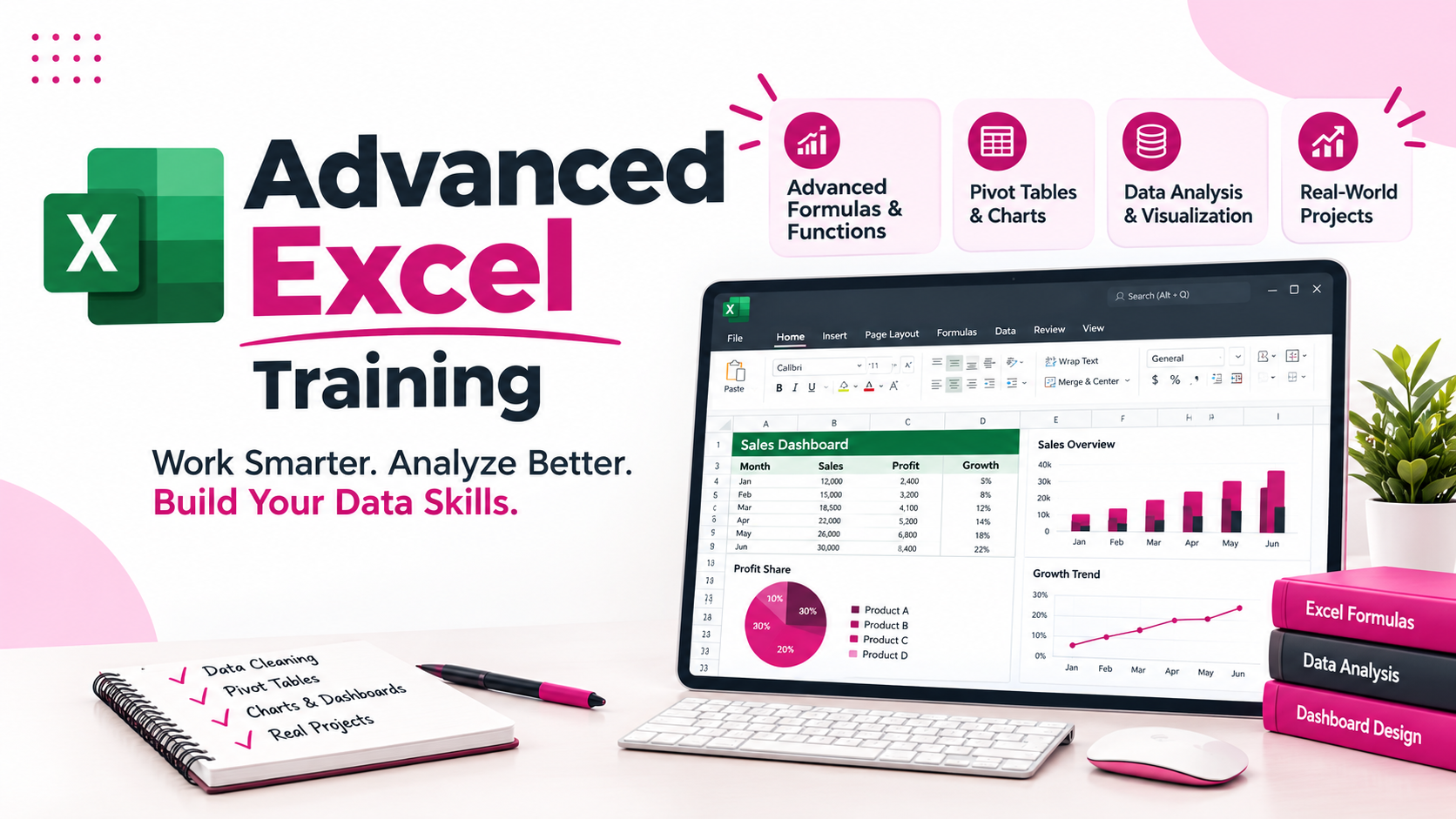
Advanced Excel Training in Mumbai with Live Sessions and Placement AssistanceJustAcademy offers Advanced Excel Training in Mumbai for students fresh graduates working professionals business executives MIS executives accountants finance professionals and individuals who want to improve their spreadsheet reporting and data analysis skills Microsoft Excel is one of the most
Advanced Excel Training in Mumbai with Live Sessions and Placement Assistance
JustAcademy offers Advanced Excel Training in Mumbai for students, fresh graduates, working professionals, business executives, MIS executives, accountants, finance professionals, and individuals who want to improve their spreadsheet, reporting, and data analysis skills.
Microsoft Excel is one of the most widely used tools across business operations, finance, accounting, sales, marketing, human resources, administration, and data analytics. Organisations use Excel to manage business information, perform calculations, analyse datasets, prepare reports, monitor performance, and support decision-making.
Our Advanced Excel course focuses on practical spreadsheet skills that help learners work with business data more efficiently. The training covers advanced formulas and functions, lookup operations, logical calculations, data cleaning, sorting and filtering, Pivot Tables, Pivot Charts, conditional formatting, dashboards, and MIS reporting.
At JustAcademy, learners develop their Excel knowledge through instructor-led explanations, practical demonstrations, assignments, and exercises using business-oriented datasets. The objective is to help students understand how Excel features are applied in professional working environments rather than simply memorising formulas.
Classroom training is available at the JustAcademy centre in Borivali East, Mumbai. Live instructor-led sessions are also available for learners who prefer remote learning. During live sessions, trainers explain concepts, share their screens, demonstrate practical exercises, and guide learners while they work on Excel tasks.
Whether you are a fresher preparing for your first job, a professional looking to improve reporting skills, or an existing Excel user who wants to work with advanced features, this course can help you build practical Microsoft Excel skills.
What Is Advanced Excel?
Advanced Excel refers to the use of Microsoft Excel's more powerful features for data management, calculations, analysis, reporting, and dashboard creation.
Basic Excel is commonly used for entering information, formatting cells, creating simple tables, and performing straightforward calculations. Advanced Excel goes further by helping users work with larger datasets, apply complex formulas, summarise information, identify patterns, and create professional reports.
Advanced Excel skills are useful in many business functions, including:
Finance and accounting.
Sales and business development.
Human resources and recruitment.
Marketing and campaign reporting.
Administration and operations.
MIS and business reporting.
Inventory and supply chain management.
Data analysis and business analytics.
For example, a sales executive can use Excel to analyse monthly sales, compare targets, identify top-performing products, and prepare management reports. An HR executive can use formulas and Pivot Tables to analyse employee information, attendance, recruitment data, and department-wise performance.
The purpose of Advanced Excel training is to help learners convert raw spreadsheet information into organised, meaningful, and useful business reports.
Why Learn Advanced Excel in Mumbai?
Mumbai is a major business and financial centre with organisations operating across banking, financial services, insurance, consulting, retail, manufacturing, media, logistics, technology, and corporate operations.
Professionals working in these sectors frequently use spreadsheet tools to manage business information and prepare reports. Advanced Excel knowledge can therefore be useful across different job functions and industries.
Learning Advanced Excel can help you:
Perform complex calculations using advanced formulas.
Analyse large datasets efficiently.
Find and retrieve information using lookup functions.
Summarise business information using Pivot Tables.
Clean and organise raw data.
Create charts and visual reports.
Build interactive Excel dashboards.
Prepare monthly and quarterly MIS reports.
Compare actual performance with business targets.
Reduce repetitive manual reporting work.
Present information in a structured format.
For freshers, Excel can provide a practical skill foundation for office-based, finance, operations, reporting, and analytics-related roles. For working professionals, advanced features can help improve reporting workflows and productivity.
Advanced Excel Course Curriculum
The course introduces learners to important Excel features through structured topics and practical exercises. The focus is on understanding formulas, applying functions, analysing data, and preparing professional reports.
Module
Topics Covered
Module 1: Excel Fundamentals and Data Management
Workbook and worksheet management, cell references, formatting, tables, data entry, sorting, filtering, and data organisation.
Business datasets, sales analysis, employee reports, financial summaries, MIS reports, and dashboard development.
The exact module sequence and depth may vary according to the current training plan.
Advanced Excel Formulas and Functions
Formulas and functions are essential for performing calculations and analysing business data. In this course, learners understand how to apply commonly used advanced Excel functions to practical situations.
Important functions include:
IF and IFS: Apply conditions and return results based on specific criteria.
SUMIF and SUMIFS: Calculate totals based on one or multiple conditions.
COUNTIF and COUNTIFS: Count records that meet selected conditions.
AVERAGEIF and AVERAGEIFS: Calculate averages based on specific criteria.
VLOOKUP and HLOOKUP: Retrieve information from structured tables.
XLOOKUP: Search for information and return matching results.
INDEX and MATCH: Build flexible lookup calculations.
IFERROR: Handle formula errors and display alternative results.
LEFT, RIGHT and MID: Extract specific portions of text.
TRIM and LEN: Clean and analyse text values.
SUMPRODUCT: Perform calculations across multiple arrays.
DATE, YEAR and MONTH: Work with dates and time-related information.
Practical examples help learners understand when to use each function.
For example, a sales dataset may contain employee names, regions, product categories, order dates, quantities, and revenue. Learners can use SUMIFS to calculate region-wise sales, COUNTIFS to count transactions, and XLOOKUP to retrieve employee or product details.
Pivot Tables and Pivot Charts Training
Pivot Tables are among the most useful Excel features for summarising and analysing large datasets.
Instead of manually calculating totals and preparing separate reports, users can create Pivot Tables to organise information by categories, dates, departments, regions, and other business dimensions.
The training covers:
Creating and formatting Pivot Tables.
Adding rows, columns, values, and filters.
Summarising large datasets.
Grouping dates by month, quarter, and year.
Creating calculated fields.
Applying filters and slicers.
Creating Pivot Charts.
Preparing department-wise and region-wise reports.
Analysing sales and financial performance.
For example, a company can use a Pivot Table to prepare monthly sales reports, compare regional performance, analyse product categories, and identify high-performing employees.
These techniques are useful for MIS executives, finance teams, sales teams, and business reporting professionals.
Advanced Excel Data Cleaning and Analysis
Raw business data often contains duplicate entries, inconsistent formatting, missing values, incorrect data types, and unnecessary information.
Before creating reports, users need to prepare and organise their datasets.
Learners practise:
Removing duplicate records.
Identifying blank cells.
Finding and replacing incorrect values.
Using text-to-columns.
Standardising text formats.
Applying data validation.
Sorting and filtering information.
Working with structured Excel tables.
Identifying errors and inconsistencies.
Preparing datasets for reporting.
After cleaning the information, learners can use formulas, Pivot Tables, and charts to identify business trends and generate meaningful insights.
Excel Dashboard and MIS Reporting Training
An Excel dashboard presents important business information in a structured visual format. It helps managers and business teams monitor performance without manually reviewing every row of a dataset.
During dashboard exercises, learners understand how to combine formulas, Pivot Tables, Pivot Charts, slicers, and formatting.
A typical sales dashboard may include:
Total Revenue.
Total Orders.
Total Customers.
Monthly Sales.
Region-wise Sales.
Product-wise Performance.
Salesperson Performance.
Actual vs Target.
Monthly Growth.
Top-Selling Products.
Learners also explore how to organise information, select suitable charts, display KPIs, and create reports that are easy to understand.
MIS reporting is another important application of Advanced Excel. Professionals use MIS reports to provide regular business updates, compare performance, monitor operations, and support management decisions.
Practical Advanced Excel Projects
Practical assignments help learners apply formulas and Excel features to realistic business situations.
Projects and exercises may include:
1. Sales Performance Analysis
Analyse sales transactions, calculate revenue, compare product performance, and prepare monthly and region-wise sales reports.
Combine formulas, Pivot Tables, charts, and slicers to develop an interactive business reporting dashboard.
These practical activities help learners understand how Excel can be used to solve reporting and data management problems in different business departments.
Who Should Join Advanced Excel Training in Mumbai?
Students and Freshers: Students from commerce, management, science, engineering, and other educational backgrounds can develop spreadsheet and reporting skills useful for entry-level professional roles.
Working Professionals: Employees who regularly work with spreadsheets can learn advanced functions, reporting methods, and dashboard techniques to improve their productivity.
MIS Executives: Professionals involved in daily, weekly, and monthly reporting can improve their ability to organise datasets, summarise information, and prepare management reports.
Finance and Accounting Professionals: Excel functions, lookup operations, Pivot Tables, and financial summaries can support budgeting, expense analysis, and reporting tasks.
HR Professionals: Employee records, attendance reports, recruitment data, and department-wise summaries can be organised and analysed using Excel.
Sales and Marketing Professionals: Sales performance, targets, revenue, campaign results, and customer information can be analysed using advanced spreadsheet features.
Business and Operations Executives: Professionals responsible for operational reporting, inventory, performance monitoring, and business data can benefit from advanced Excel skills.
Basic knowledge of spreadsheet operations is helpful for learners beginning the advanced modules.
Career Opportunities After Advanced Excel Training
Advanced Excel is used across several business functions. Depending on educational background, experience, additional skills, and employer requirements, learners may explore roles such as:
MIS Executive.
MIS Analyst.
Excel Reporting Executive.
Data Entry and Reporting Executive.
Accounts Executive.
Finance Executive.
Operations Executive.
Sales Reporting Executive.
HR Operations Executive.
Junior Data Analyst.
Business Reporting Analyst.
Advanced Excel can also complement skills such as SQL, Power BI, Python, and business analysis. Learners interested in developing a broader analytics profile can gradually expand their knowledge into data visualisation, database querying, and Business Intelligence.
Advanced Excel and Power BI for Data Analytics
Advanced Excel is a useful starting point for learners interested in data analytics and business reporting.
Excel can be used for data cleaning, calculations, data analysis, and spreadsheet-based reporting. Power BI extends the reporting workflow with data modelling, DAX calculations, interactive visualisations, and Business Intelligence dashboards.
This combined learning path is suitable for individuals who want to move beyond spreadsheet reporting and develop additional dashboard and Business Intelligence skills.
Live Instructor-Led Advanced Excel Training in Mumbai
JustAcademy focuses on interactive learning through trainer explanations, demonstrations, and practical exercises.
Classroom training is available at the Borivali East centre in Mumbai. Live instructor-led sessions are also available for learners who prefer remote learning.
The learning approach includes:
Trainer-led concept explanations.
Practical Excel demonstrations.
Formula-based exercises.
Business dataset analysis.
Pivot Table and dashboard practice.
Assignments and project guidance.
Doubt-solving and mentor support.
Session recordings for revision.
Learners can practise Excel features during sessions and understand how to apply them to different business reporting scenarios.
Placement Assistance and Career Support
JustAcademy provides placement assistance to help learners prepare for relevant employment opportunities after training.
Career support may include resume building, interview preparation, project guidance, referrals, and sharing relevant job opportunities where available.
Learners are encouraged to practise Excel formulas, understand reporting scenarios, complete assignments, and prepare to explain their work during interviews.
Placement assistance does not guarantee employment, a particular salary, or a fixed number of interviews. Career outcomes depend on individual skills, experience, eligibility, interview performance, and available opportunities.
Why Choose JustAcademy for Advanced Excel Training?
JustAcademy focuses on practical, instructor-led technical training designed for students, freshers, and working professionals.
The Advanced Excel learning experience emphasises:
Practical Excel training.
Advanced formulas and functions.
Lookup and logical functions.
Pivot Tables and Pivot Charts.
Data cleaning and analysis.
Excel dashboards.
MIS reporting.
Business-oriented datasets.
Practical assignments and projects.
Live instructor-led learning.
Resume and interview preparation.
Placement assistance.
The objective is to help learners understand how Excel is used in real business environments and develop confidence in handling spreadsheet-based tasks.
Enquire About Advanced Excel Training in Mumbai
Ready to improve your Excel skills? Join Advanced Excel Training in Mumbai at JustAcademy and learn how to work with advanced formulas, lookup functions, Pivot Tables, data cleaning, dashboards, and MIS reporting.
Whether you are a student, fresher, MIS executive, finance professional, or working professional, practical Advanced Excel knowledge can help you handle business data and reporting tasks more effectively.
Contact JustAcademy to enquire about the latest course curriculum, fees, upcoming batch schedules, and available classroom or live instructor-led sessions.
Not sure about which course to choose? Our advisors are here to help you!
What Makes JustAcademy Institute of Skills Training So Special?
JustAcademy offers industry-oriented Advanced Excel Training in Mumbai for students, freshers, and working professionals who want to develop practical spreadsheet, data analysis, and reporting skills. The course covers advanced Excel formulas and functions, VLOOKUP, XLOOKUP, INDEX-MATCH, logical functions, Pivot Tables, Pivot Charts, data cleaning, conditional formatting, and dashboard development.
Learners practise working with business datasets, preparing MIS reports, analysing sales and financial information, and creating professional Excel dashboards. Practical assignments help students understand how Excel is used in finance, accounting, HR, sales, marketing, and business operations. Classroom training is available at the Borivali East centre in Mumbai, along with live instructor-led sessions. JustAcademy also provides project guidance, resume support, interview preparation, and placement assistance to help learners prepare for relevant job opportunities.