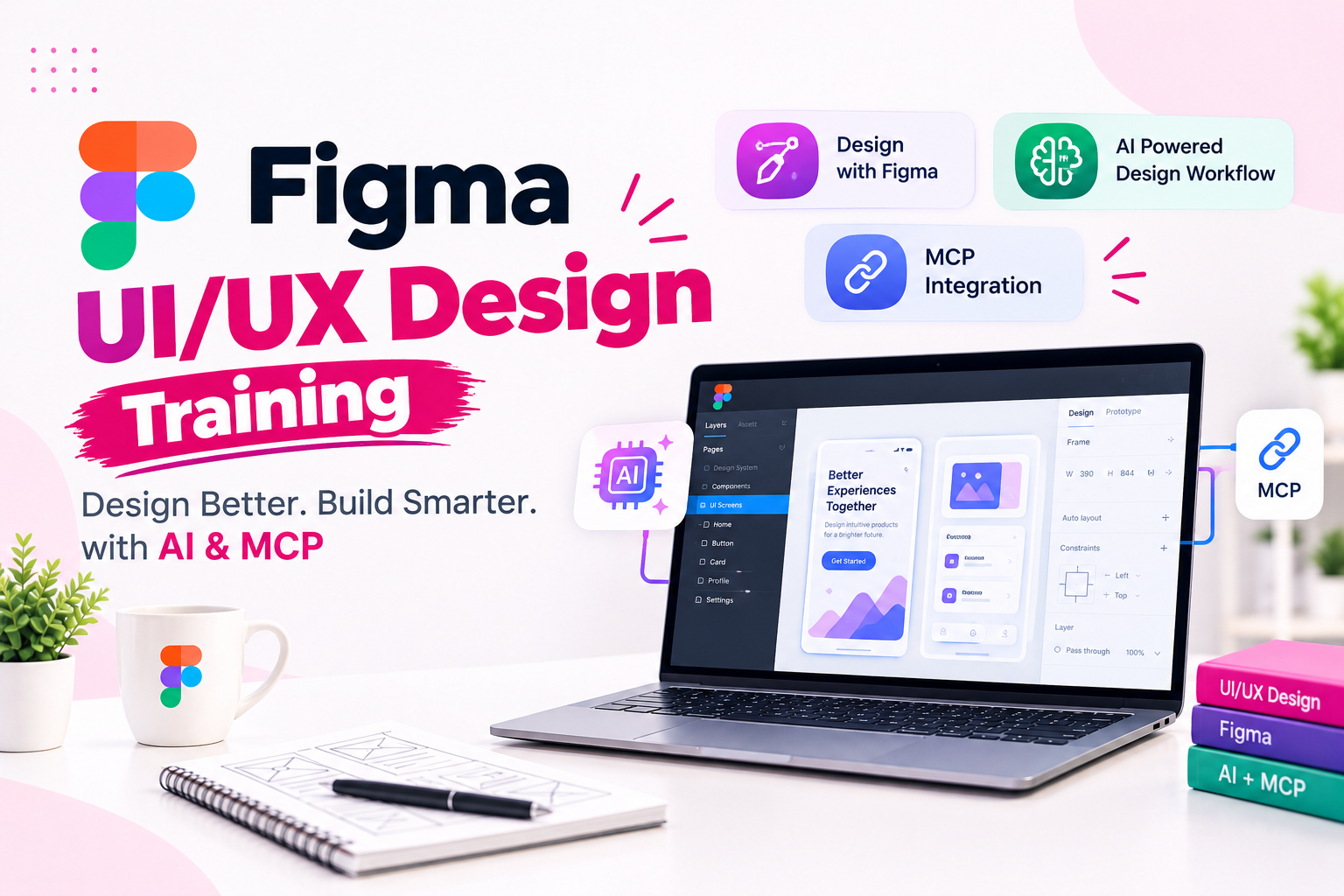
UI UX Design Training in Kandivali Learn Figma AI and MCPJustAcademy offers practical UI UX Design Training in Kandivali for students freshers graduates and working professionals who want to build a career in user interface and user experience design This course focuses on modern design practices Figma AI-assisted design workflows
UI/UX Design Training in Kandivali – Learn Figma, AI and MCP
JustAcademy offers practical UI/UX Design Training in Kandivali for students, freshers, graduates, and working professionals who want to build a career in user interface and user experience design. This course focuses on modern design practices, Figma, AI-assisted design workflows, and Model Context Protocol (MCP) integration.
UI/UX design plays an important role in developing websites, mobile applications, dashboards, and digital products. A good design is not just about attractive colours and layouts; it is also about creating meaningful user experiences, simplifying navigation, improving accessibility, and helping users complete tasks easily.
At JustAcademy, learners understand the complete design process, starting from design fundamentals and user research to wireframing, prototyping, design systems, and developer handoff. The program also introduces AI tools that support design workflows and MCP concepts that help connect design context with compatible AI-powered development tools.
The training is suitable for beginners as well as individuals who already have basic Figma knowledge and want to explore advanced design workflows. Classroom training is conducted at the JustAcademy centre in Borivali East, accessible to learners from Kandivali. Live instructor-led sessions are also available for learners who prefer remote training.
Why Learn UI/UX Design?
Businesses increasingly depend on websites, mobile applications, and digital platforms to connect with customers. These products need user-friendly interfaces and smooth experiences to retain users and achieve business objectives.
UI, or User Interface design, focuses on the visual elements of a digital product, including buttons, typography, colours, icons, layouts, and interactive components.
UX, or User Experience design, focuses on the overall experience users have while interacting with a product. It includes user research, information architecture, navigation, usability, and user journeys.
Learning UI/UX design can help you:
Design websites and mobile application interfaces.
Understand user behaviour and design requirements.
Create wireframes and interactive prototypes.
Develop reusable components and design systems.
Improve usability and visual consistency.
Collaborate with developers and product teams.
Use AI tools to support design and creative workflows.
Understand how design connects with application development.
UI/UX Design Course Curriculum in Kandivali
The course follows a practical learning approach, starting with design fundamentals and progressing towards advanced Figma, AI-assisted design, MCP workflows, and project development.
1. Introduction to UI/UX Design
Learners begin by understanding the role of UI/UX design in digital product development.
Topics include:
Introduction to UI and UX design
Difference between UI and UX
Role of a UI/UX designer
Design thinking fundamentals
Understanding digital products
Web design vs mobile app design
Design principles and visual communication
Introduction to the product design process
Understanding user requirements
This module helps beginners understand how design decisions influence the usability and appearance of digital products.
2. Figma Fundamentals
Figma is a widely used collaborative design tool for creating interfaces, prototypes, and design systems.
Topics include:
Introduction to Figma
Creating and managing Figma accounts
Understanding the Figma interface
Frames and artboards
Layers and grouping
Shapes and vector tools
Text and typography
Colours and styles
Alignment and spacing
Assets and components panel
Importing images and design assets
Learners practise creating basic website and mobile application layouts using Figma.
3. Colour Theory, Typography and Layout Design
Visual consistency is important when designing digital products. This module focuses on the principles used to create clean and understandable interfaces.
Topics include:
Colour theory and colour combinations
Typography fundamentals
Font selection and hierarchy
Visual hierarchy
Spacing and alignment
Grid systems
Contrast and readability
Design consistency
Accessibility fundamentals
Responsive layout principles
Students learn how to apply these principles while designing website pages, dashboards, and mobile application screens.
4. Components and Design Systems in Figma
Design systems help designers maintain consistency across multiple screens and products.
Topics include:
Creating reusable components
Component properties
Variants and component states
Styles and libraries
Typography systems
Colour systems
Spacing systems
Design tokens fundamentals
Component hierarchy
Managing reusable UI elements
This module helps learners understand how professional design teams organise and maintain their design assets.
5. Auto Layout and Responsive Design
Auto Layout is an important Figma feature that helps designers create flexible and adaptable interface components.
Topics include:
Introduction to Auto Layout
Horizontal and vertical layouts
Padding and spacing
Alignment and distribution
Resizing behaviour
Constraints
Responsive components
Designing for desktop and mobile
Adaptive UI techniques
Responsive website layouts
Students practise building layouts that can adjust to different screen sizes and content requirements.
6. Wireframing and Prototyping
Wireframes help designers plan the structure of a digital product before creating detailed visual designs. Prototypes help demonstrate how users interact with the interface.
Topics include:
Understanding wireframes
Low-fidelity wireframing
High-fidelity wireframes
User flows
Navigation structure
Interactive prototypes
Clickable interactions
Screen transitions
Micro-interactions
User journey simulation
Learners practise converting design ideas into interactive prototypes.
7. User Research and UX Design
User research helps designers understand the needs, expectations, and challenges of their target audience.
Topics include:
User research fundamentals
Identifying target users
Creating user personas
User journey mapping
Information architecture
Understanding user pain points
Usability principles
Basic usability testing
Collecting feedback
Improving designs based on user feedback
This module introduces learners to the research and analysis involved in designing user-friendly products.
8. Figma Plugins, Collaboration and Developer Handoff
Modern design teams use plugins and collaboration features to improve productivity and communicate with developers.
Topics include:
Figma plugins and widgets
Asset management
Team collaboration
Sharing design files
Comments and feedback
Version history
Developer handoff
Inspecting design properties
Exporting images, SVGs and other assets
Communicating design specifications
Learners understand how to prepare design files for development and collaborate with other team members.
UI/UX Design with AI
AI is becoming an important part of modern design workflows. AI-powered tools can assist designers with brainstorming, content generation, layout suggestions, design exploration, and repetitive tasks.
This part of the training introduces practical ways to use AI as a design assistant.
Topics may include:
Introduction to AI-assisted design
AI tools for design ideation
Generating design concepts
Creating UI content and text suggestions
AI-assisted wireframing
Exploring layout and component ideas
Improving design workflows
Using AI for design feedback
Creating design variations
Understanding limitations of AI-generated designs
The objective is to help learners understand how AI can support the design process while keeping usability, creativity, and design decisions under human control.
Figma MCP Training – Connecting Design with AI Development Tools
Model Context Protocol (MCP) is a standard that enables compatible AI applications to connect with external tools and data sources. In a design-to-development workflow, Figma MCP can help make design context available to compatible AI-powered development tools.
This introduces a practical connection between UI/UX design and software development.
Topics include:
Introduction to Model Context Protocol (MCP)
Understanding MCP servers and clients
Introduction to Figma MCP workflows
Connecting compatible AI development tools
Understanding design context
Accessing relevant design information through supported integrations
Exploring design-to-code workflows
Using AI coding assistants with design references
Reviewing generated code against design requirements
Understanding the limitations of automated code generation
Learners explore how design information can support development workflows and how designers and developers can collaborate more effectively.
Practical UI/UX Design Projects
Project-based learning helps students apply design principles and Figma features to practical digital products.
Project
Concepts Covered
E-commerce Website Design
Product pages, navigation and checkout flows
Mobile Banking App Design
Dashboard, transactions and user journeys
Food Delivery App Design
Search, restaurant listings and ordering flow
Education Platform Design
Course pages, dashboards and student interfaces
SaaS Dashboard Design
Data presentation, navigation and reusable components
Portfolio Website Design
Layout, typography and responsive design
Mobile Application Prototype
Wireframes, components and interactions
Students practise creating design screens, interactive prototypes, reusable components, and design presentations. Project selection may vary depending on batch progress and learning requirements.
UI/UX Design vs Graphic Design
UI/UX design and graphic design both involve visual creativity, but they serve different purposes.
Feature
UI/UX Design
Graphic Design
Main focus
Digital product experience
Visual communication
Common work
Websites, apps and dashboards
Posters, banners and branding
Tools
Figma and prototyping tools
Photoshop and Illustrator
User interaction
Important
Usually limited
Deliverables
Wireframes, interfaces and prototypes
Visual artwork and graphics
UI/UX design is suitable for individuals interested in digital products, user behaviour, interface design, and product development.
UI/UX Design and Mobile App Development
UI/UX designers work closely with mobile app developers to convert design concepts into functional applications. Understanding the development process helps designers prepare better layouts, responsive components, and developer-ready design files.
If you are interested in understanding how mobile application interfaces are converted into working apps, explore these related JustAcademy programs:
These courses provide a development-focused learning path for individuals interested in connecting UI/UX design with mobile application development.
UI/UX Designer Salary in India
UI/UX design offers career opportunities across IT companies, product-based organisations, digital agencies, startups, and design consultancies. Salary packages depend on practical skills, portfolio quality, experience, location, and company requirements.
The following figures are broad indicative estimates for the Indian job market.
Experience
Indicative Annual Salary
Fresher (0–1 year)
₹2.5–4.5 LPA
1–2 years
₹3.5–6 LPA
2–4 years
₹5–9 LPA
4–6 years
₹8–14 LPA
6–8 years
₹12–18 LPA
8+ years
₹15–25+ LPA
These are indicative ranges, not guaranteed salary outcomes. Actual compensation varies according to the employer, portfolio, design expertise, communication skills, and interview performance.
Career Opportunities After UI/UX Design Training
After learning UI/UX design and developing a practical portfolio, learners can explore opportunities in different areas of digital product design.
Potential career roles include:
UI Designer
UX Designer
UI/UX Designer
Product Designer
Figma Designer
Web Designer
Mobile App Designer
Interaction Designer
Junior Product Design Associate
UX Research Assistant
A strong portfolio is important when applying for UI/UX roles. It should demonstrate the design problem, research or planning process, wireframes, final screens, prototypes, and reasoning behind important design decisions.
Who Can Join UI/UX Design Classes in Kandivali?
The course is suitable for learners from different educational and professional backgrounds.
Students and Graduates: Students interested in design, technology, and digital product development can build practical UI/UX skills.
Freshers: Beginners can learn design fundamentals, Figma, wireframing, prototyping, and portfolio development.
Graphic Designers: Graphic designers can expand their skills into website interfaces, mobile applications, and user experience design.
Web Designers: Web designers can learn advanced Figma workflows, responsive design, components, and interactive prototypes.
Working Professionals: Professionals interested in moving into UI/UX or product design can explore practical design workflows.
Developers: Frontend and mobile app developers can understand design systems, interface planning, and design-to-development collaboration.
No previous professional UI/UX experience is required to begin with the fundamentals.
Why Choose JustAcademy for UI/UX Design Training?
JustAcademy focuses on practical, mentor-guided training to help learners understand how design concepts are applied in real digital products.
Key learning benefits include:
Structured learning from UI/UX fundamentals to advanced Figma workflows
Practical training in Figma
AI-assisted design workflow introduction
Figma MCP and design-to-development concepts
Wireframing and interactive prototyping
Design systems and reusable components
Website and mobile application design projects
Practical assignments and design exercises
Portfolio development guidance
Mentor support and feedback
Resume guidance and interview preparation
Placement assistance and relevant job opportunity support
JustAcademy is based in Borivali East, Mumbai. Learners from Kandivali can attend classroom sessions at the Borivali East training centre. Live instructor-led sessions are also available for learners who prefer remote training.
Placement Assistance at JustAcademy
Developing design skills is an important step towards a UI/UX career. A good portfolio, practical project experience, communication skills, and interview preparation are also important when applying for design opportunities.
At JustAcademy, placement assistance is designed to support learners as they prepare for relevant opportunities. Support may include:
Resume preparation and improvement
Guidance on presenting UI/UX projects
Portfolio review and improvement suggestions
Interview preparation
Practice with common UI/UX interview questions
Guidance on explaining design decisions and workflows
Referrals and sharing relevant job opportunities
Connecting eligible learners with relevant company opportunities when available
Placement assistance supports the job search process. Actual selection depends on the learner's skills, portfolio, interview performance, experience, and employer requirements. Placement is not guaranteed.
Start Your UI/UX Design Journey with AI & MCP at JustAcademy
If you are looking for a UI/UX Design Course in Kandivali with AI & MCP Training, JustAcademy offers practical learning focused on Figma, design fundamentals, user research, wireframing, prototyping, design systems, and modern AI-assisted workflows.
Whether you are a beginner, graphic designer, web designer, developer, or working professional, this course can help you understand the complete UI/UX design process and develop practical design skills.
Learn how to create website and mobile application interfaces, build interactive prototypes, explore AI-assisted design, and understand how MCP can connect design context with compatible development tools.
Visit the JustAcademy training centre in Borivali East or enquire about live instructor-led sessions to learn more about course details, upcoming batches, and placement assistance.
Enroll Now Pay Later
Curriculum
Curriculum will get updated soon.
Talk to Our Advisors
Not sure about which course to choose? Our advisors are here to help you!
What Makes JustAcademy Institute of Skills Training So Special?
JustAcademy offers industry-oriented UI/UX Design Training for students, freshers, graphic designers, web designers, and working professionals who want to build a career in digital product design. The course covers UI/UX fundamentals, Figma, user research, wireframing, prototyping, and design systems. Learners gain practical experience in designing responsive website interfaces and mobile application screens.
The training includes advanced Figma features such as Auto Layout, components, variants, and interactive prototyping. Students also explore AI-assisted design workflows to generate ideas, improve productivity, and streamline design tasks. The program introduces Figma MCP and Model Context Protocol concepts to help learners understand how design context connects with compatible AI-powered development tools.
Practical assignments and real-world projects help learners develop a professional design portfolio. The course focuses on usability, visual hierarchy, user journeys, and developer handoff. No previous professional UI/UX experience is required to start with the fundamentals. Classroom training is available at the Borivali East centre, accessible to learners from Kandivali, along with live instructor-led sessions. JustAcademy also provides portfolio guidance, interview preparation, resume support, and